Summary
✓Reviewed by Laura Bennett Choosing the best free tools for indie game development 2026 has never been more consequential — or more achievable on a zero budget. The open-source ecosystem has matured to the point where a solo developer or...
Table of contents
- 1 Why the Free Tool Stack Is Production-Ready in 2026
- 2 A Brief History: How Open-Source Game Tools Got Here
- 3 Best Free Game Engines for Indie Developers in 2026
- 3.1 Godot 4: The Clearest Zero-Cost Choice
- 3.2 GDevelop: No-Code and Free to Start
- 3.3 Unity Personal and Unreal Engine: Free With Conditions
- 4 Best Free Tools for Indie Game Development 2026: Art and Asset Creation
- 5 Free Audio Tools That Are Good Enough to Ship With
- 6 Free Level Design and Pipeline Tools
- 7 Best Free Indie Game Development Tools Comparison Table
- 8 Free Distribution: Where to Publish Your First Indie Game
- 9 Engine Choice Comparison: Free vs. Free-to-Start
- 10 How Free Tools Fit Into a Realistic Solo Dev Workflow
- 11 Frequently Asked Questions
- 11.1 Is Godot truly free for commercial games?
- 11.2 Can I make a 3D game with only free tools?
- 11.3 What is the best free tool for pixel art?
- 11.4 Do I need to know how to code to use these free tools?
- 11.5 Where should I publish my first indie game for free?
- 11.6 Is Unreal Engine free for indie developers?
- 12 Sources
Choosing the best free tools for indie game development 2026 has never been more consequential — or more achievable on a zero budget. The open-source ecosystem has matured to the point where a solo developer or tiny studio can take a game from blank canvas to shipped product without paying a single licensing fee. According to Egmatic’s 2026 roundup, a complete beginner pipeline now exists that covers engine, art, audio, level design, coding, and publishing — all free, most of it open source.
Why the Free Tool Stack Is Production-Ready in 2026
There is a persistent myth that free tools are starter tools — good enough to learn on, but not what you use when you get serious. That is no longer accurate. Stray Spark Studio’s 2026 pipeline guide makes the case directly: “In 2026, Blender is not a compromise — it’s a legitimate production tool used by professional studios.” The same applies to Godot, Krita, and Audacity across their respective disciplines.
What changed is not a single breakthrough but a decade of sustained open-source development funded by community support, corporate grants, and foundations. The Godot Engine Foundation, Blender Foundation, and Krita Foundation each operate non-profit models that keep their tools perpetually free at the source. For an indie developer in 2026, this means the budget that previously went to software licenses can go directly into the game.
A Brief History: How Open-Source Game Tools Got Here
The open-source game development ecosystem did not appear overnight. Blender released its first public version in 1995 and transitioned to a fully open-source model in 2002 after a community fundraising campaign purchased the source code from NaN Technologies. GIMP dates to 1995 as well, originating as a University of California, Berkeley student project. Godot was released open source under the MIT license in 2014 by Juan Linietsky and Ariel Manzur, having been used internally for several years prior. By 2026, each of these tools has had over a decade of community iteration — enough time to reach genuine production maturity across 2D, 3D, audio, and pipeline tooling.
Best Free Game Engines for Indie Developers in 2026
The engine choice is the most consequential decision in any indie dev stack. Two engines dominate the genuinely-free conversation: Godot and GDevelop. Unity Personal and Unreal Engine are often cited as free options, but both come with significant asterisks that matter for commercial work.
Godot 4: The Clearest Zero-Cost Choice
Godot is released under the MIT license, which means you can use it commercially, modify the source code, and ship a game without paying royalties or revenue share — ever. Ziva’s 2026 solo dev guide calls it “the best engine for solo devs in 2026” and highlights the 120 MB download and text-based scene files as practical advantages for small teams working with version control. Godot supports both 2D and 3D, uses GDScript (a Python-like language) or C# for scripting, and exports to Windows, macOS, Linux, Android, iOS, and web via WebAssembly.
GDevelop: No-Code and Free to Start
GDevelop takes a different approach: event-based, no-code game logic that still produces exportable, web-playable games. GDevelop’s official platform describes it as “Free, Fast, Easy” and positions it specifically as an AI-assisted no-code engine — making it a practical entry point for developers who want to ship something interactive without learning a scripting language first. The free tier covers core functionality; premium tiers add cloud packaging and additional exports.
Unity Personal and Unreal Engine: Free With Conditions
Unity Personal remains free for eligible individuals and small organizations under Unity’s licensing terms, but it is not unrestricted for all commercial situations. Unreal Engine is free to use upfront, but its licensing model includes royalty obligations after revenue thresholds are crossed — making it “free to start” rather than permanently free in every scenario. Both are powerful and worth evaluating, but indie developers should read the current license terms carefully before committing to either for a commercial project. For a guaranteed zero-licensing-cost path, Godot remains the cleaner choice.
Best Free Tools for Indie Game Development 2026: Art and Asset Creation
Game art is where many indie developers spend real money unnecessarily. The free stack for 2D and 3D art is mature, stable, and used in shipped commercial games.
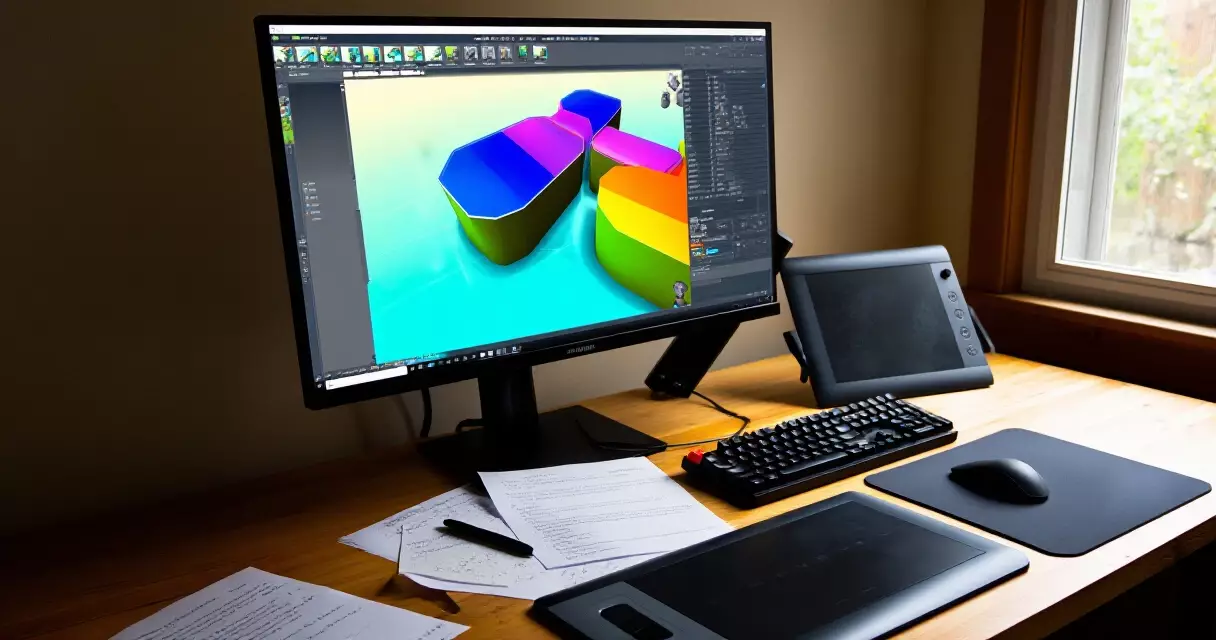
Blender is the consensus pick for 3D modeling, rigging, and animation. Released under the GNU GPL, it covers modeling, sculpting, UV unwrapping, shader editing, and animation in a single application. The Blender Foundation’s official documentation positions it as a complete 3D creation suite — and by 2026 it is routinely used in professional film and game studios as well as indie workflows.
For 2D art, the two primary options are Krita and GIMP. Krita — maintained by the Krita Foundation under the GNU GPL — is built specifically for digital painting and illustration, making it the better choice for concept art, character sprites, and hand-drawn assets. GIMP, also GNU GPL, is a full image editor better suited to texture manipulation, UI mockups, and photo-based work. Both are actively maintained and cross-platform.
Inkscape rounds out the art stack with vector graphics support — essential for scalable UI icons, logos, and menu elements that need to look sharp at any resolution. The Inkscape Project releases it under the GNU GPL and maintains Windows, macOS, and Linux builds.
Free Audio Tools That Are Good Enough to Ship With
Audio is the most commonly under-resourced discipline in indie development, and it is also the discipline where free tools are most capable relative to paid alternatives. As demonstrated by REPLACED’s release, audio design can be a genuine differentiator for indie games — which makes getting it right on a free stack worth the effort.
Audacity is the standard free audio editor for recording, cleaning, and editing sound effects and voice. The Audacity Team’s official documentation describes it as a cross-platform audio editor and recorder for Windows, macOS, and Linux — and it handles everything from basic trimming to noise reduction and export to game-ready formats like OGG and WAV.
For sound effect generation, jsfxr (a browser-based chiptune synthesizer, free with no account required) remains a popular choice for retro and lo-fi sound design. For music, the free tier of LMMS (Linux MultiMedia Studio, open source under GNU GPL) provides a full digital audio workstation with MIDI support and built-in synthesizers — sufficient for original in-game music production.
Free Level Design and Pipeline Tools
Beyond the engine and art tools, a functional indie pipeline needs a map editor, a code editor, and version control.
Tiled is an open-source tilemap editor widely used for 2D games — particularly platformers, RPGs, and strategy titles. It exports to formats compatible with Godot, Unity, and most 2D-capable engines, making it a practical addition to any 2D pipeline. Visual Studio Code, free from Microsoft, is the dominant lightweight code editor for scripting — it supports GDScript via community extensions, C#, and virtually every other language you might use in game development.
Version control deserves its own mention. Git is the standard free distributed version control system, and the U.S. National Institute of Standards and Technology (NIST) identifies version control as a core software engineering practice. For game projects, Git works especially well with Godot’s text-based scene files, since binary file formats are harder to diff and merge. Services like GitHub offer free private repositories for individual developers.
Best Free Indie Game Development Tools Comparison Table
| Tool | Category | License | Best For |
|---|---|---|---|
| Godot 4 | Game Engine | MIT (no royalties) | 2D and 3D, all skill levels |
| GDevelop | Game Engine | Free tier + premium | No-code, browser games |
| Blender | 3D Modeling | GNU GPL | 3D assets, animation, VFX |
| Krita | 2D Art | GNU GPL | Painting, sprites, concept art |
| GIMP | Image Editing | GNU GPL | Textures, UI, photo editing |
| Inkscape | Vector Art | GNU GPL | Icons, logos, UI elements |
| Audacity | Audio | GNU GPL | Sound effects, voice, editing |
| LMMS | Music DAW | GNU GPL | In-game music composition |
| Tiled | Level Design | Open source | 2D tilemaps, level editing |
| VS Code | Code Editor | Free (MIT) | Scripting, all languages |
| Git | Version Control | GNU GPL | Source control, backup |
| itch.io | Distribution | Free to publish | Demos, jams, early release |
Free Distribution: Where to Publish Your First Indie Game
Building a game with free tools and then spending money on distribution defeats the purpose of a zero-cost stack. The good news is that distribution options exist at no upfront cost. As the creator economy continues to evolve, platform choice increasingly shapes how audiences discover and share indie games.
itch.io is the standard first stop for indie game distribution. According to itch.io’s platform documentation, publishing is free, the platform supports web builds (playable in-browser via WebAssembly), and developers can sell or offer their game with optional donation pricing. The community gravitates toward game jam entries, experimental games, and early-access prototypes — making it the right venue for testing an audience before committing to a Steam release.
Browser deployment specifically benefits from the W3C‘s WebAssembly standard, which enables near-native performance for games running in a browser tab. Godot 4 exports to WebAssembly natively, so a game built with the free stack described above can be played by anyone with a browser link — no install, no download barrier.
The best free toolsets are increasingly modular — one engine, one or two specialized tools per discipline, chosen to fit together rather than operate as isolated apps.
Engine Choice Comparison: Free vs. Free-to-Start
| Engine | Upfront Cost | Revenue Share / Royalty | License Type | Commercial Use |
|---|---|---|---|---|
| Godot 4 | Free | None | MIT | Unrestricted |
| GDevelop | Free (core) | None on free tier | MIT core | Yes (free tier) |
| Unity Personal | Free | Conditional on revenue | Proprietary | Restricted by terms |
| Unreal Engine | Free | 5% royalty after threshold | Custom EULA | Yes, with royalty |
How Free Tools Fit Into a Realistic Solo Dev Workflow
Knowing which tools exist is not the same as knowing how to combine them into a workflow that produces a finished game. A 2026 indie dev tools overview outlines a practical minimal stack for a solo developer building a 2D browser game: Godot (engine), VS Code (coding), Krita or AI image generation (art), jsfxr plus LMMS (audio), Git (version control). That is six tools, all free, covering every production discipline from first prototype to shipped build.
The key insight from experienced solo devs is that tool sprawl is a real risk. Spending time evaluating 20 tools is time not spent making the game. The free stack above has sensible defaults that cover the entire pipeline — start there, and add specialty tools only when a specific gap appears in production.
You can make a complete game without spending anything — the free tools cover the whole beginner pipeline: engine, art, audio, level design, code, and publishing.
Frequently Asked Questions
Is Godot truly free for commercial games?
Yes. Godot is released under the MIT license, which permits commercial use without royalties or revenue sharing. You keep 100% of your game’s revenue from whichever storefront you sell through. The only cost is the platform’s own revenue share (for example, Steam’s 30% cut), which applies regardless of which engine you used.
Can I make a 3D game with only free tools?
Yes. Godot 4 handles 3D game logic, physics, and rendering. Blender handles 3D modeling, rigging, and animation. Audacity handles audio. The combination covers the full 3D production pipeline without any paid software. Console export from Godot requires an additional commercial plugin (W4Games), but PC, Mac, Linux, and web exports are fully free.
What is the best free tool for pixel art?
For pixel art specifically, Aseprite is the community favorite — but it costs a small fee (around $20). The genuinely free alternatives are GIMP (which has pixel art mode and indexed color support) and LibreSprite (a free fork of an older version of Aseprite). Krita also supports pixel art workflows with the right brush and canvas settings. For a zero-cost pixel art tool, LibreSprite or GIMP are the most commonly recommended options in 2026.
Do I need to know how to code to use these free tools?
Not necessarily. GDevelop’s event-based system allows game logic without writing code, and its free tier covers the core functionality needed to build and export a game. Godot does require scripting in GDScript or C#, but GDScript is widely considered one of the most beginner-friendly scripting languages available in a production engine. Most developers find they can get a simple 2D game running in Godot within a few weeks of starting from scratch.
Where should I publish my first indie game for free?
itch.io is the standard recommendation for a first release. Publishing is free, web builds are supported (meaning players can play in a browser without downloading anything), and the community is accustomed to prototype-stage and jam games. Steam is the larger commercial platform, but it has a $100 upfront fee and a more formal submission process — better suited to a second release once you have confirmed there is an audience for your game.
Is Unreal Engine free for indie developers?
Unreal Engine is free to download and use for development. However, Epic Games’ license requires a 5% royalty on gross revenue above a threshold once your game earns commercially. For most early-stage indie games that earn under that threshold, this is not a practical concern — but it is not the same as the MIT-licensed zero-royalty model that Godot provides. Verify the current threshold and terms on Epic’s official site, as these have been adjusted in the past.
Sources
- National Institute of Standards and Technology (NIST) — retrieved August 9, 2026
- W3C — WebAssembly Standard — retrieved August 9, 2026
- GDevelop: Free, Fast, Easy Game Engine — retrieved August 9, 2026
- Best Tools and Game Engines for Solo Indie Developers (Ziva, 2026) — retrieved August 9, 2026
- The $0 to First Sale Indie Pipeline (Stray Spark Studio, 2026) — retrieved August 9, 2026
- 10 Free Game Dev Tools Every Beginner Needs in 2026 (Egmatic) — retrieved August 9, 2026
- Best Tools for Indie Game Developers in 2026 (Abratabia) — retrieved August 9, 2026