Summary
✓Reviewed by Laura BennettAfter two years and more than 6,000 hours of continuous testing, Monitors Unboxed's long-term OLED gaming monitor experiment confirmed what many gamers suspected: burn-in on OLED panels is measurable, but according to PC Gamer's coverage, it is...
Table of contents
- 1 What OLED Gaming Monitor Burn-In Actually Means in 2026
- 2 How Burn-In Technology Has Evolved Since Early OLED Panels
- 3 What Long-Term Tests Reveal About OLED Monitor Burn-In in 2026
- 3.1 RTINGS Multi-Year Burn-In Test
- 3.2 Tom’s Hardware 10-Month Torture Test
- 3.3 Monitors Unboxed 6,000-Hour Experiment
- 4 QD-OLED vs WOLED: Which Panel Type Resists Burn-In Better?
- 5 OLED Gaming Monitors Compared: Panel Type and Warranty Coverage
- 6 How Pixel Refreshers and Protection Features Work
- 7 MLA Technology and Its Effect on OLED Panel Lifespan
- 8 Practical Tips to Minimise Burn-In Risk on Your OLED Gaming Monitor
- 9 Should Singapore Gamers Buy an OLED Monitor in 2026?
- 10 When OLED Gaming Monitor Burn-In Is and Is Not a Concern
- 11 Limitations of Current Testing
- 12 Frequently Asked Questions
- 12.1 Can OLED gaming monitors actually burn in?
- 12.2 How many hours does it take for burn-in to appear?
- 12.3 Is QD-OLED or WOLED safer for gaming?
- 12.4 Does the pixel refresher actually fix burn-in?
- 12.5 Which brands cover burn-in under warranty in Singapore?
- 12.6 Is it safe to use an OLED monitor for eight hours a day?
- 13 Key Takeaways on OLED Gaming Monitor Burn-In in 2026
- 14 Sources
After two years and more than 6,000 hours of continuous testing, Monitors Unboxed’s long-term OLED gaming monitor experiment confirmed what many gamers suspected: burn-in on OLED panels is measurable, but according to PC Gamer’s coverage, it is “real, noticeable, but not catastrophic.” If you are shopping for an OLED gaming monitor in Singapore in September 2026, the question of oled gaming monitor burn-in 2026 is no longer whether it happens, but whether it matters enough to change your buying decision.
What OLED Gaming Monitor Burn-In Actually Means in 2026
Burn-in on an OLED display occurs when organic compounds in individual pixels degrade unevenly over time, leaving faint ghost images of static elements permanently visible on the screen. This is different from temporary image retention, which fades after displaying varied content or running a panel refresh cycle. Based on available testing from RTINGS and Monitors Unboxed, the distinction matters: temporary retention can appear within hours and resolve on its own, while true burn-in develops over hundreds or thousands of hours of repeated static exposure and cannot be fully reversed.
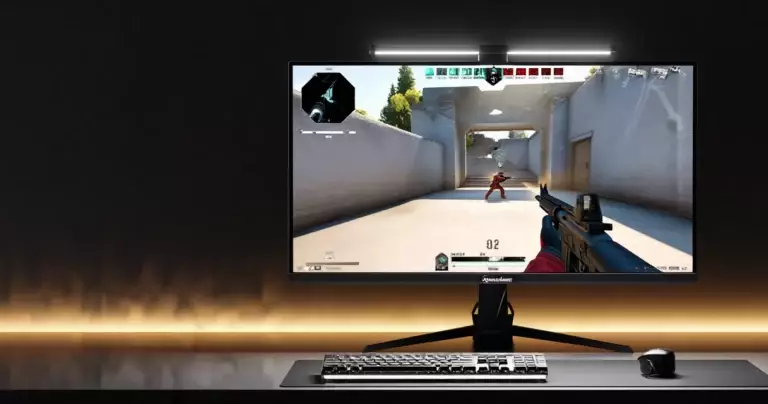
The primary culprits remain the same elements that have always stressed OLED panels: Windows taskbars, browser bookmark bars, game HUDs displayed at high brightness for extended sessions, and persistent desktop icons. Gaming content itself, because it tends to involve moving images and varied scenes, places less stress on individual pixel groups than all-day productivity work with fixed UI elements.
How Burn-In Technology Has Evolved Since Early OLED Panels
Early consumer OLED displays, particularly the first-generation television panels from LG Display in the 2013 to 2016 era, were notably susceptible to burn-in because their organic emitters degraded quickly under sustained high-brightness use. By 2020, improvements in emitter chemistry and heat management had extended expected lifespans considerably, and Samsung’s introduction of QD-OLED technology in 2022 offered a different approach to the problem by using quantum dot colour conversion with blue OLED emitters. In 2026, both WOLED and QD-OLED panels incorporate significantly more robust mitigation systems than their predecessors, including hardware-level pixel shifting, automatic brightness limiters, and dedicated compensation cycles that run during standby.
What Long-Term Tests Reveal About OLED Monitor Burn-In in 2026
The most widely cited evidence on oled gaming monitor burn-in 2026 comes from three ongoing or completed test programmes that subjected OLED monitors to extreme static-content workloads.
RTINGS Multi-Year Burn-In Test
According to Yahoo Tech’s report on the RTINGS test, after approximately 2,000 hours of continuous 24/7 static content at maximum brightness, both Samsung QD-OLED monitors in the test showed visible burn-in signs, while the LG WOLED panel appeared less affected at the same point. A broader conclusion from RTINGS’ three-year programme, as reported by Windows Forum, found that OLED panels (both WOLED and QD-OLED) showed burn-in under extreme testing conditions but had lower outright failure rates than many LCD panel builds overall.
Tom’s Hardware 10-Month Torture Test
According to Tom’s Hardware, their 10-month burn-in torture test, which ran a 24/7 CNN news feed at maximum peak brightness, was described as equivalent to roughly four years and two months of real-world use. By the end of that period, every OLED TV in the test had developed some form of permanent burn-in. The OLED monitors in the same test, however, showed very little image retention at the six-month mark, which the publication equated to approximately 2.5 years of typical use.
Burn-in is real, it’s noticeable, but it’s not catastrophic.
Monitors Unboxed 6,000-Hour Experiment
The longest-running monitor-specific test, conducted by Monitors Unboxed (Hardware Unboxed), surpassed 6,000 hours of use over two years. According to PC Gamer, burn-in had increased and was clearly measurable by that point. Hardware Unboxed’s Tim estimated that most monitors will not burn in within three years of typical use, but added that users who keep them five to seven years for heavy productivity work will probably encounter the problem.
QD-OLED vs WOLED: Which Panel Type Resists Burn-In Better?
The question of QD-OLED versus WOLED burn-in resistance remains one of the most debated topics in oled gaming monitor burn-in 2026 discussions. Based on the RTINGS testing data, the two technologies behave differently under identical stress conditions: the Samsung QD-OLED panels showed visible retention earlier in the test cycle (around 2,000 hours of extreme static content), while the LG WOLED panel held up longer at the same checkpoint. However, multiple sources caution that results depend heavily on brightness settings, content type, and usage duration, making direct one-to-one comparisons difficult to generalise.
QD-OLED uses blue OLED emitters with quantum dot colour conversion, which means the blue sub-pixels work harder than in a WOLED arrangement where a white emitter is filtered through colour sub-pixels. This architectural difference can affect wear patterns over time. Conversely, QD-OLED panels often deliver higher peak brightness and wider colour gamut, which some users consider worth the trade-off.
OLED Gaming Monitors Compared: Panel Type and Warranty Coverage
The table below summarises the panel technology and burn-in warranty terms for leading OLED gaming monitors available in Singapore as of September 2026, based on manufacturer documentation and reporting from Dell’s support page and Galaxus reporting on ASUS and MSI warranty policies.
| Monitor | Panel Type | Burn-In Warranty |
|---|---|---|
| Dell Alienware AW3225QF | QD-OLED | 3 years (burn-in included) |
| Samsung Odyssey OLED G8 | QD-OLED | 3 years (burn-in included) |
| ASUS ROG Swift PG32UCDM | QD-OLED | 3 years (burn-in included) |
| ASUS ROG Swift PG34WCDM | WOLED | 2 years (burn-in included) |
| MSI MAG 271QPX | QD-OLED | 3 years (burn-in included) |
| LG 27GS95QE | WOLED | 2 years (burn-in included) |
If you are building a gaming setup around a PlayStation 5 Pro or high-end PC, the warranty terms matter: Dell, ASUS (QD-OLED models), MSI, and Samsung generally offer three years of burn-in coverage, while LG and ASUS (WOLED models) provide two years.
How Pixel Refreshers and Protection Features Work
Every modern OLED gaming monitor ships with a suite of built-in protection mechanisms designed to slow down uneven pixel degradation. Understanding these features is essential for any assessment of oled gaming monitor burn-in 2026 risk.
The pixel refresher is a compensation routine that runs automatically during standby or when triggered manually. It measures luminance differences across the panel and adjusts voltage levels to equalise wear, reducing the visibility of faint retention patterns. This process does not reverse burn-in that has already become physically permanent, but it can prevent minor retention artefacts from becoming more noticeable over time.
Additional standard features in 2026 OLED monitors include pixel shifting (subtly moving the displayed image by a few pixels at regular intervals to avoid static hotspots), automatic brightness limiting (reducing peak luminance when large areas of bright static content are detected), and logo/static-area dimming that targets persistent UI elements. These work in concert to distribute wear more evenly across the panel surface.
MLA Technology and Its Effect on OLED Panel Lifespan
Micro lens array (MLA) technology places a layer of microscopic lenses over the OLED panel that redirects emitted light more efficiently toward the viewer. The primary benefit is improved brightness: MLA can increase perceived luminance without requiring the panel to drive its organic emitters harder. This is significant for burn-in considerations because higher drive levels accelerate organic compound degradation.
By achieving target brightness at lower electrical stress, MLA-equipped panels may experience slower degradation over their lifetime. However, multiple 2026 sources describe MLA as a brightness and efficiency improvement rather than a direct burn-in solution. The technology reduces one contributing factor (high drive current) but does not eliminate the fundamental mechanism of uneven organic wear from static content.
Practical Tips to Minimise Burn-In Risk on Your OLED Gaming Monitor
Based on the testing data and manufacturer guidance available in 2026, the following habits can meaningfully extend the visible lifespan of an OLED gaming monitor.
- Set the Windows taskbar to auto-hide, removing the most persistent static element from desktop use
- Use a dark desktop wallpaper with no fixed bright icons or widgets
- Enable all built-in protection features (pixel shifting, ABL, logo dimming) in the monitor’s OSD
- Avoid running the panel at maximum brightness for extended periods; keep brightness at approximately 50 to 70 percent for daily use
- Allow the monitor to enter standby mode rather than cutting power immediately, so the pixel refresher cycle can run
- Vary your content; switching between gaming, video, and browsing distributes pixel wear more evenly
- Disable persistent HUD elements in games when they are not needed, or reduce HUD opacity where the option exists
Gamers who primarily play varied titles with moving scenes are at considerably lower risk than users who leave the same productivity layout on screen for eight or more hours daily. If you play a mix of titles on your setup alongside a Steam Deck OLED or similar handheld, your desktop OLED monitor gets natural rest periods that benefit panel longevity.
The practical conversation has shifted from whether OLED is safe at all toward how you use it and for how long.
Should Singapore Gamers Buy an OLED Monitor in 2026?
For gamers in Singapore considering an OLED gaming monitor purchase in September 2026, the answer depends on usage patterns and tolerance for a managed risk. The accumulated testing evidence strongly suggests that mixed-use gamers who follow basic care practices are unlikely to encounter serious burn-in within the warranty period. According to Hardware Unboxed’s Tim, as reported by Newsbreak, most monitors will not burn in within three years, though users keeping them five to seven years for heavy productivity work will probably encounter the problem.
Singapore buyers should verify local warranty terms before purchasing, as regional warranty wording can differ from global marketing claims for the same model. Check the specific product page for your region rather than relying on warranty information stated in international reviews.
When OLED Gaming Monitor Burn-In Is and Is Not a Concern
| Usage Pattern | Burn-In Risk Level | Notes |
|---|---|---|
| Mixed gaming (varied titles, 3-5 hrs/day) | Low | Moving content distributes wear evenly |
| Single-game focus with fixed HUD (5+ hrs/day) | Moderate | Persistent HUD elements create hotspots |
| All-day productivity (8+ hrs static UI) | Higher | Taskbars, toolbars, and static text are the primary risk |
| Console gaming (PS5, Xbox) | Low | Console UI refreshes frequently; game content varies |
Limitations of Current Testing
While the available long-term tests provide valuable data, several caveats deserve acknowledgement. Torture tests run displays at maximum brightness with worst-case static content 24 hours a day, conditions that do not reflect how most gamers actually use their monitors. Real-world usage typically involves lower brightness, varied content, regular off periods, and active protection features, all of which reduce effective stress on the panel.
Additionally, the sample sizes in published tests are small. The RTINGS test included only three OLED monitors, and results from individual units may not represent the broader population of panels. Manufacturing variance means some panels may perform better or worse than others from the same production line. For Singapore buyers evaluating a specific model, combining published test data with warranty coverage provides a more complete picture than test results alone.
Frequently Asked Questions
Can OLED gaming monitors actually burn in?
Yes. Based on multiple long-term tests including those by RTINGS and Monitors Unboxed, OLED gaming monitors can develop permanent burn-in when exposed to static content for thousands of hours. However, the risk is significantly lower with 2026-generation panels and built-in protection features than with earlier models.
How many hours does it take for burn-in to appear?
Under extreme torture-test conditions (maximum brightness, 24/7 static content), visible retention can appear at around 2,000 hours according to RTINGS data. Under more realistic mixed-use conditions, the threshold is considerably higher, with estimates suggesting most users will not see issues within three years of typical use.
Is QD-OLED or WOLED safer for gaming?
According to the RTINGS comparison test, the LG WOLED panel showed less visible retention than the Samsung QD-OLED panels at the 2,000-hour mark under identical conditions. However, real-world results vary depending on brightness settings, content type, and usage habits, making a definitive winner difficult to declare.
Does the pixel refresher actually fix burn-in?
The pixel refresher can reduce the visibility of minor image retention by rebalancing pixel luminance levels across the panel. It does not repair organic material that has already degraded permanently. Think of it as maintenance that slows visible degradation rather than a cure for existing damage.
Which brands cover burn-in under warranty in Singapore?
As of September 2026, Dell/Alienware, ASUS, MSI, and Samsung include burn-in coverage in their OLED monitor warranties, typically for three years on QD-OLED models. LG offers two years on its WOLED gaming monitors. Always verify the specific warranty terms on the Singapore product page before purchasing.
Is it safe to use an OLED monitor for eight hours a day?
For gaming with varied content, eight hours a day is generally manageable with proper care settings enabled. For all-day productivity with fixed UI elements at high brightness, the risk increases over time. Hardware Unboxed’s testing suggests heavy static-content users who keep a monitor for five to seven years are more likely to encounter noticeable burn-in.
Key Takeaways on OLED Gaming Monitor Burn-In in 2026
OLED gaming monitor burn-in 2026 remains a legitimate concern, but the conversation has matured from “avoid OLED entirely” to “understand the risk and manage it.” The evidence from RTINGS, Tom’s Hardware, and Monitors Unboxed shows that burn-in is cumulative and real, but the practical risk for mixed-use gamers who follow basic care habits is low within the typical warranty period. Warranty coverage from most major brands provides a meaningful safety net, and panel protection technology continues to improve. For Singapore gamers weighing the unmatched contrast and response times of OLED against the burn-in question, 2026 represents the most favourable risk-to-reward ratio the technology has offered to date.
Sources
- PC Gamer: Monitors Unboxed’s Long-Term OLED Gaming Monitor Test Shows Increasing Burn-In — retrieved September 9, 2026
- Tom’s Hardware: Ten-Month Burn-In Testing Reveals All OLED Monitors and TVs Develop Burn-In — retrieved September 9, 2026
- Yahoo Tech: RTINGS Latest OLED Monitor Burn-In Tests — retrieved September 9, 2026
- Windows Forum: OLED Longevity Shines in RTINGS Three-Year Burn-In Test — retrieved September 9, 2026
- Dell Support: Alienware Monitor Support Services — retrieved September 9, 2026
- Galaxus: ASUS and MSI Offer a Burn-In Guarantee on OLED Monitors — retrieved September 9, 2026
- Newsbreak: Is OLED Burn-In Still a Thing in 2026? — retrieved September 9, 2026