Summary
When the Blue Yeti launched in 2009, USB microphones were a niche curiosity. Seventeen years later, the Yeti is still described by Blue (now a Logitech brand) as the world's best-selling USB microphone – a claim backed by a decade-plus...
Table of contents
- 1 Blue Yeti at a Glance: Background and Market Position
- 2 Full Technical Specifications
- 3 Sound Quality: What Streaming Actually Sounds Like
- 4 Polar Patterns: Why Four Modes Matter for Streamers
- 5 Setup and Usability: Is It Actually Plug and Play?
- 6 The Main Weaknesses You Should Know
- 7 Blue Yeti vs. Competitors: How It Stacks Up in 2026
- 8 Pricing and Value Assessment
- 9 Who Should Buy the Blue Yeti in 2026?
- 10 Frequently Asked Questions
- 10.1 Is the Blue Yeti good for game streaming?
- 10.2 How does the Blue Yeti compare to the Elgato Wave:3?
- 10.3 Does the Blue Yeti need a boom arm?
- 10.4 What is the difference between the Blue Yeti and the Blue Yeti X?
- 10.5 Why does the Blue Yeti pick up so much background noise?
- 10.6 Is the Blue Yeti compatible with PS5, Xbox, or just PC?
- 10.7 How long has the Blue Yeti been on the market?
- 10.8 Do I need software to use the Blue Yeti?
- 11 Related Reading
- 12 Our Verdict
- 13 Sources
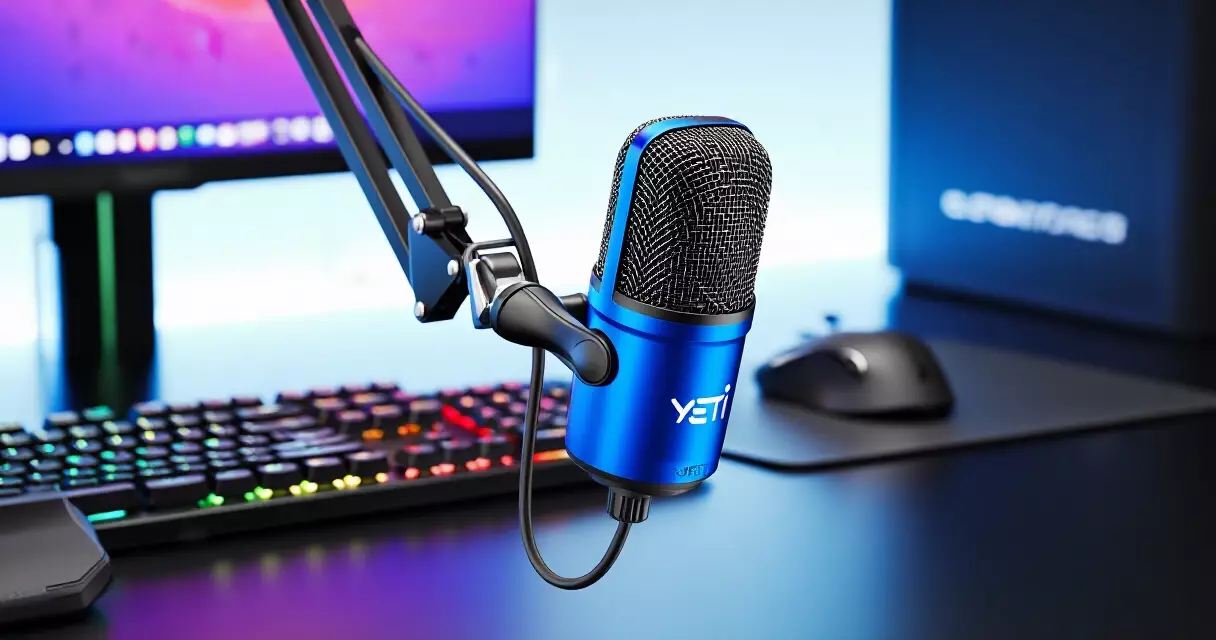
When the Blue Yeti launched in 2009, USB microphones were a niche curiosity. Seventeen years later, the Yeti is still described by Blue (now a Logitech brand) as the world’s best-selling USB microphone – a claim backed by a decade-plus of consistent Amazon best-seller status in its category. For anyone building a game streaming setup, the Yeti is almost always the first mic that comes up. The question in 2026 is whether that reputation is earned or simply inertia.
Blue Yeti at a Glance: Background and Market Position
Blue Microphones was founded in 1995 in Latvia by Skipper Wise and Martins Saulespurens – the acronym stands for Baltic Latvian Universal Electronics. The company relocated to the United States and built a reputation making high-end studio condensers before pivoting toward the consumer USB market. The Yeti, released in 2009, was the product that changed everything. It brought multi-pattern condenser recording to anyone with a computer and a USB port.
Logitech acquired Blue Microphones in August 2018 for approximately $117 million, folding the brand into what later became the Logitech for Creators division alongside Loupedeck and Mevo. The Yeti continued shipping under the Blue brand identity throughout that transition. As of 2026, the core hardware design has not changed radically since the Yeti X launched in 2019 – a testament either to how good the original concept was or to how crowded the upgrade cycle has become.
Full Technical Specifications
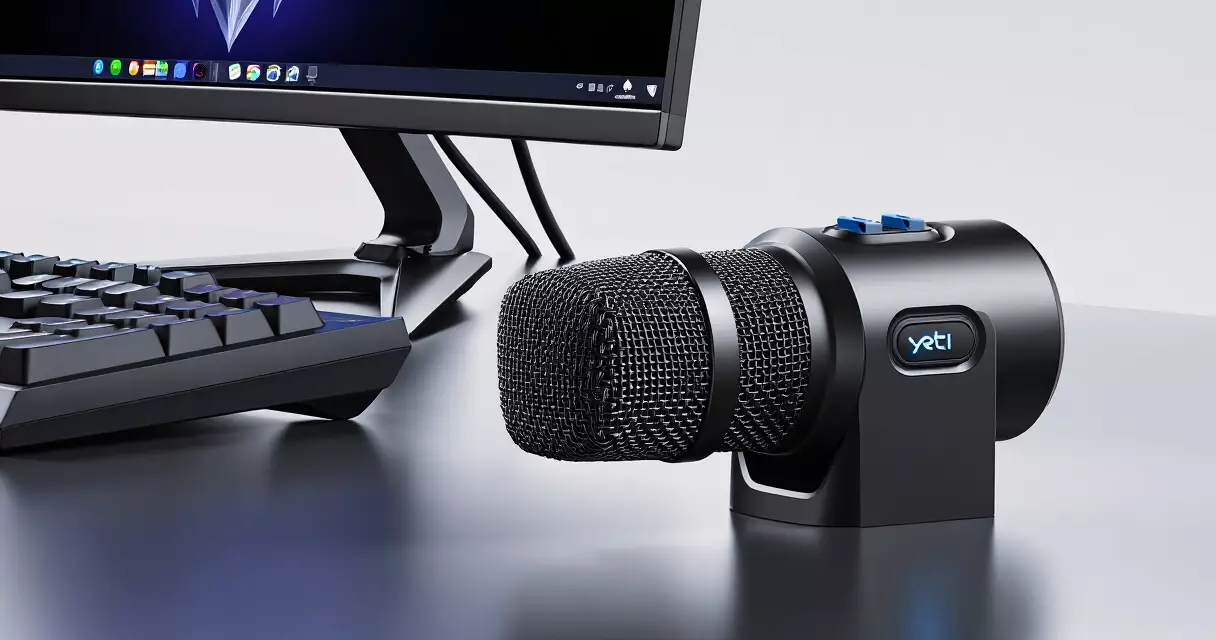
On paper, the Blue Yeti punches above its price class. The three-capsule condenser array is the heart of the microphone – three 14mm condenser capsules arranged so that different combinations can be activated to produce four distinct polar patterns. No other USB microphone in this price range offers that versatility.
| Specification | Blue Yeti (Standard) | Blue Yeti X |
|---|---|---|
| Capsule array | 3 condenser capsules | 4 condenser capsules |
| Polar patterns | Cardioid, Bidirectional, Omni, Stereo | Cardioid, Bidirectional, Omni, Stereo |
| Frequency response | 20 Hz – 20 kHz | 20 Hz – 20 kHz |
| Bit depth | 16-bit | 24-bit |
| Sample rate | 48 kHz | 48 kHz |
| Max SPL | 120 dB | 120 dB |
| Headphone amp | Yes (zero-latency monitoring) | Yes (zero-latency monitoring) |
| Gain control | On-body knob | On-body knob + LED meter |
| Mute button | Yes (LED) | Yes (LED) |
| USB connector | USB-A (USB 2.0) | USB-A (USB 2.0) |
| Weight (mic only) | 550 g (1.2 lbs) | 580 g (1.28 lbs) |
| Weight (with stand) | ~1.55 kg (3.4 lbs) | ~1.6 kg (3.5 lbs) |
| Software | Blue Sherpa | Blue VO!CE (full suite) |
| MSRP | $129.99 | $169.99 |
The 16-bit / 48 kHz recording spec on the standard Yeti is sufficient for streaming and voice content – human speech does not benefit from 24-bit resolution in most streaming scenarios. Where the Yeti X justifies its $40 premium is the 24-bit depth (useful if you record locally for post-production), the built-in LED level meter for visual gain feedback, and the fuller Blue VO!CE software integration for real-time EQ, compression, and de-essing.
Sound Quality: What Streaming Actually Sounds Like
The Blue Yeti’s three large-diaphragm condenser capsules produce a sound that is warm, present, and noticeably fuller than a typical headset microphone. The frequency response runs the full audible spectrum from 20 Hz to 20 kHz, though the Yeti has a gentle presence boost in the upper-mids (around 5–8 kHz) that adds clarity and intelligibility to speech – exactly what you want for streaming.
In cardioid mode – the pattern most streamers use – the Yeti rejects sound from behind the capsule reasonably well. The side rejection is less aggressive than a hypercardioid or supercardioid pattern, which matters if you have noisy equipment to the sides. The stereo mode, created by activating both side-firing capsules, is a surprisingly capable feature for recording ambient sounds or acoustic instruments – rare at this price point.
The built-in headphone amplifier deserves credit. Zero-latency direct monitoring lets you hear your own voice in real time without the digital delay that frustrates many streamers using software monitoring. The headphone output is clean and loud enough for most headphones – though it can struggle to drive high-impedance cans above 150 ohms.
The Blue Yeti’s three-capsule design delivers a warmth and presence that still sounds expensive when your viewers hear it – regardless of what mic replaced it on a benchmark chart.
Polar Patterns: Why Four Modes Matter for Streamers
Most USB microphones aimed at streamers offer cardioid only. The Blue Yeti’s four patterns open up genuine use cases that go beyond solo streaming.
Cardioid captures sound from the front and rejects the rear. This is the standard streaming pattern – point the front of the mic at your mouth, keep it six to eight inches away, and you get focused vocal pickup with decent background rejection.
Bidirectional captures front and rear, rejects the sides. If you co-host a podcast or a gaming session in the same room, this lets two people share one Yeti sitting between them. It is a practical feature that eliminates the need for a second microphone entirely.
Omnidirectional picks up sound equally from all directions. Useful for recording room ambience, roundtable discussions, or capturing a group gaming session.
Stereo combines both side-facing capsules to create a left-right image. Niche for streaming but genuinely useful if you also record music, Foley, or atmospheric audio for video content.
Setup and Usability: Is It Actually Plug and Play?
The Yeti connects via USB-A and registers as a standard USB audio device on both Windows and macOS – no driver installation required. Open OBS Studio, Streamlabs, or XSplit, select “Blue Yeti” as the audio input, and you are streaming. That frictionless setup is a major reason the Yeti dominates first-time streamer purchases.
The included desktop stand is functional but takes up significant desk space – the footprint is roughly the size of a hockey puck and the mic tower rises above monitor level. More importantly, placing any large-diaphragm condenser directly on a desk means it picks up every keystroke vibration through the stand. Most experienced streamers pair the Yeti with a boom arm (the Rode PSA1 or the Elgato Wave Mic Arm are popular choices) and a shock mount to isolate it from desk vibration.
The gain knob on the back is smooth and precise. The mute button on the front illuminates red when active – a reassuring visual cue during a live stream. The headphone volume knob on the front left completes the main controls. Everything is accessible without looking at a screen. If you use a Stream Deck for your stream controls, you may find the Yeti’s physical mute redundant – but having both is never a bad thing.
The Main Weaknesses You Should Know
No microphone at $129.99 is without compromise. The Blue Yeti has three consistent criticisms that have followed it across every product generation.
Room sensitivity. Large-diaphragm condensers hear everything. In an untreated room – bare walls, hard floors, no acoustic panels – the Yeti will capture the hum of your PC fans, the clack of a mechanical keyboard, and the HVAC system down the hall. Reviewers on sites like RTINGS.com have consistently noted this as the top limitation versus directional competitors like the Shure MV7.
USB-A only. Both the standard Yeti and the Yeti X ship with a USB-A cable. Modern laptops and many desktops now use USB-C exclusively. You will need an adapter or a USB hub, which is an annoyance that every newer competitor – the Elgato Wave:3, the Rode NT-USB Mini, the Shure MV7+ – has addressed by shipping with USB-C. This is the Yeti’s most glaring 2026 weakness.
Size and weight. At 3.4 lbs with the included stand, the Yeti is one of the heaviest USB microphones on the market. Budget boom arms can flex or droop under this load. If you go the boom arm route, budget for a heavy-duty arm like the RODE PSA1 or the Elgato Wave Mic Arm Low Profile rather than a $20 generic arm.
Blue Yeti vs. Competitors: How It Stacks Up in 2026
The USB streaming microphone market in 2026 is more competitive than it was in 2020. Several alternatives genuinely outperform or out-feature the Yeti in specific areas. Here is an honest side-by-side comparison for streamers.
| Microphone | Price (MSRP) | Connection | Polar Patterns | Bit Depth | Best For |
|---|---|---|---|---|---|
| Blue Yeti | $129.99 | USB-A | 4 | 16-bit | Versatile streaming, multi-pattern flexibility |
| Blue Yeti X | $169.99 | USB-A | 4 | 24-bit | Streaming + local recording, voice effects |
| Elgato Wave:3 | $149.99 | USB-C | Cardioid only | 24-bit | Streamers who want Elgato ecosystem integration |
| HyperX QuadCast S | $159.99 | USB-A | 4 | 16-bit | RGB-focused streaming setups |
| Rode NT-USB Mini | $99.00 | USB-C | Cardioid only | 24-bit | Budget-conscious streamers, clean cardioid sound |
| Shure MV7 | $249.00 | USB-A + XLR | Cardioid only | 24-bit | Streamers who may upgrade to XLR later |
| Shure MV7+ | $249.00 | USB-C + XLR | Cardioid only | 24-bit | Pro-grade USB-C with future XLR upgrade path |
The Elgato Wave:3 is the most direct functional competitor. It costs $20 more, uses USB-C, records at 24-bit, and integrates natively with Streamlabs and Elgato’s Wave Link software for mixing. Its limitation is cardioid-only recording, so streamers who want to co-host or record stereo music content will miss the Yeti’s versatility. If you are building a broader Elgato ecosystem – say, pairing it with an Elgato 4K60 Pro capture card – the Wave:3’s ecosystem cohesion is a real advantage.
The Rode NT-USB Mini at $99 is worth calling out specifically. For pure cardioid streaming voice, it is remarkably clean for the money, it uses USB-C, and Rode’s build quality is consistent. If the Blue Yeti’s multi-pattern features do not appeal to you, the NT-USB Mini undercuts it by $30 while matching or exceeding its cardioid sound quality.
The Shure MV7 occupies a different tier. At $249, it is nearly double the Yeti’s price, but it offers both USB and XLR output – meaning it can connect to an audio interface later if you want to upgrade your setup without buying a new microphone. It is the right choice if you plan to grow into a more complex streaming setup.
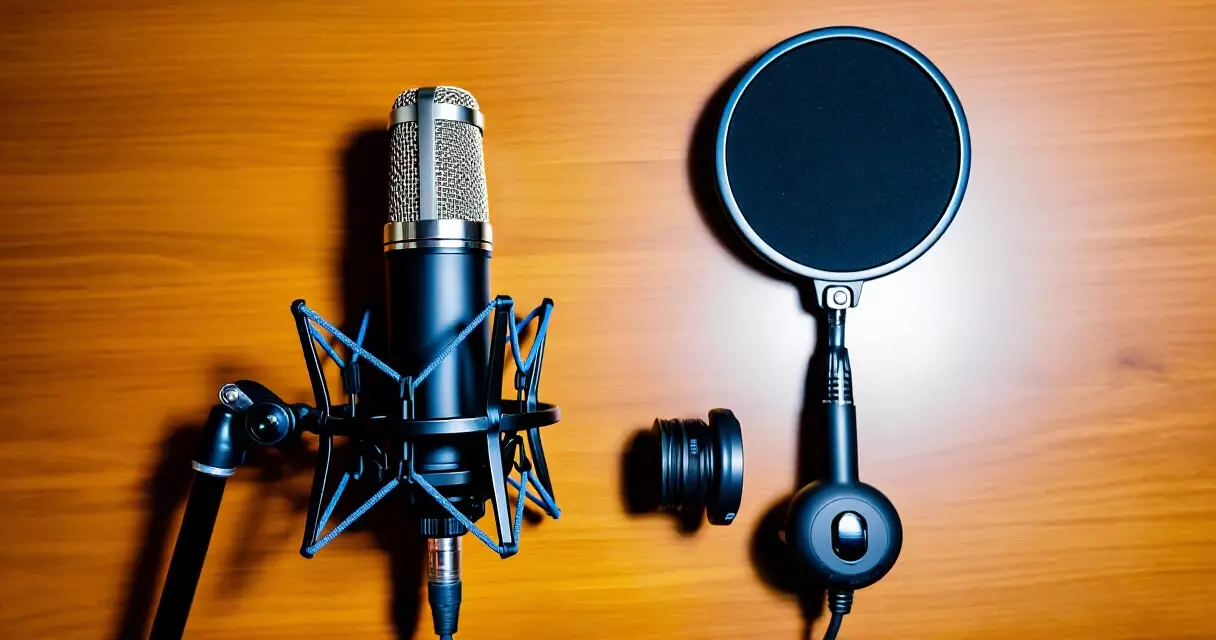
In a treated room with a boom arm and shock mount, the Blue Yeti sounds like a microphone that costs twice as much. In an untreated room on the stock desk stand, it sounds like the problem is the microphone when the room is actually to blame.
Pricing and Value Assessment
At $129.99 MSRP, the Blue Yeti standard sits in the middle of the USB streaming microphone market – above budget options like the Rode NT-USB Mini ($99) and the HyperX SoloCast ($59.99), but below the Elgato Wave:3 ($149.99) and substantially below the Shure MV7 ($249).
Street prices fluctuate. Amazon and Best Buy regularly discount the Yeti to $99–$109 during sale events, which shifts the value proposition significantly in its favor. At $99, the four-pattern flexibility against single-pattern cardioid-only competitors is difficult to beat. At full $129.99, the argument is tighter given that competitors have caught up on audio quality.
The Yeti X at $169.99 is harder to justify unless you specifically want the 24-bit depth, the LED level meter, and the Blue VO!CE voice processing suite. For casual to semi-professional streaming, the standard Yeti delivers 90 percent of the performance for 75 percent of the Yeti X’s price. If you are building a streaming PC and need to allocate budget wisely, that $40 difference could go toward better acoustic treatment or a decent boom arm.
Who Should Buy the Blue Yeti in 2026?
The Blue Yeti is the right microphone for a specific type of user. Getting clear on whether that is you will save you from buying the wrong thing.
Buy the Blue Yeti if: You are a solo or occasional co-host streamer who wants flexibility, you value plug-and-play simplicity over technical configuration, you plan to use cardioid for streaming but want bidirectional for occasional in-person co-hosting, you have a treated room or plan to add acoustic panels, and you can pick it up at a sale price of $99–$109.
Look elsewhere if: Your laptop only has USB-C ports and you refuse to use an adapter, you stream in a noisy environment with loud keyboard or fans, you want native software integration with a specific streaming ecosystem (Elgato Wave Link, for instance), you are on a strict budget under $100, or you plan to eventually move to an XLR microphone setup and want a bridge option (consider the Shure MV7 instead).
Streamers who are just starting out and have read through a game streaming setup guide will find the Yeti genuinely easy to recommend as a first microphone. The learning curve is minimal, the sound upgrade over a gaming headset mic is immediately noticeable, and the resale value holds reasonably well.
Frequently Asked Questions
Is the Blue Yeti good for game streaming?
Yes, the Blue Yeti is well suited to game streaming. Its cardioid polar pattern focuses on your voice while rejecting sound from behind the microphone, and the plug-and-play USB connection means you can be streaming within minutes of taking it out of the box. The built-in gain control and mute button give you hands-on control during a live session. The main caveat for gaming specifically is that the Yeti’s large-diaphragm condenser capsules are sensitive enough to pick up mechanical keyboard noise and PC fan noise if they are close by. Positioning the microphone on a boom arm away from your desk surface and using a low-cut filter in OBS or Streamlabs helps manage this. For streamers moving up from a gaming headset microphone, the audio quality improvement is dramatic and immediately noticeable to viewers.
How does the Blue Yeti compare to the Elgato Wave:3?
The Blue Yeti and Elgato Wave:3 target the same streaming audience but make different trade-offs. The Wave:3 costs $20 more ($149.99 vs $129.99), uses USB-C instead of USB-A, records at 24-bit versus the Yeti’s 16-bit, and integrates tightly with Elgato’s Wave Link mixing software, which is excellent for streamers who want a virtual multi-channel mixer. However, the Wave:3 is cardioid-only, while the Yeti offers four polar patterns. If you never plan to co-host in person or record stereo content, the Wave:3’s cleaner software ecosystem and USB-C convenience make it a strong alternative. If the multi-pattern flexibility matters to you, the Yeti has a clear advantage. Both microphones produce broadcast-quality audio that will satisfy most streamers.
Does the Blue Yeti need a boom arm?
Technically no, but practically yes. The included desktop stand works, but it has two problems for streamers. First, placing the mic on a hard desk surface means the stand transmits keyboard and desk vibrations directly into the capsule, adding a low-end rumble to your audio. Second, the ideal microphone placement for voice recording is six to eight inches from your mouth at mouth level – which is hard to achieve with a desktop stand unless you are hunched forward. A boom arm lets you position the Yeti at the correct height and distance without it cluttering your desk or blocking your monitor. Budget at least $40–$60 for a quality arm; the Rode PSA1 and Elgato Wave Mic Arm Low Profile are both rated to handle the Yeti’s 550g weight without drooping.
What is the difference between the Blue Yeti and the Blue Yeti X?
The Blue Yeti X is the upgraded version of the standard Yeti, priced at $169.99 versus $129.99. Key differences include: the Yeti X has four condenser capsules instead of three, records at 24-bit depth versus 16-bit, includes a built-in LED level meter on the front panel for visual gain feedback, and offers full integration with Blue’s VO!CE software for real-time voice effects including EQ, compression, de-essing, and noise reduction. For live streaming to Twitch or YouTube, the practical audio difference between 16-bit and 24-bit is minimal because the streaming platform recompresses the audio anyway. The Yeti X is a better choice if you also record locally in a DAW, do voice-over work, or want the visual level meter and voice processing features. Both models share the same four polar patterns and the same USB-A connector.
Why does the Blue Yeti pick up so much background noise?
The Blue Yeti uses large-diaphragm condenser capsules, which are inherently more sensitive than the dynamic capsules found in microphones like the Shure MV7 or the Shure SM7B. That sensitivity is what gives the Yeti its warm, detailed sound – but it also means it captures ambient noise that a dynamic microphone would ignore. Common culprits include PC fans directly behind the microphone, mechanical keyboards, HVAC systems, and room reflections off bare walls. Solutions include: switching from cardioid to a tighter polar pattern if your use case allows, applying a noise gate and low-cut filter in OBS Studio or Streamlabs, placing the microphone on a shock mount to reduce mechanical vibration pickup, and adding basic acoustic treatment (foam panels or a reflection filter) to your streaming space. The Yeti is not uniquely bad at this – all large-diaphragm condensers in this price range have the same characteristic.
Is the Blue Yeti compatible with PS5, Xbox, or just PC?
The Blue Yeti works on PC (Windows and macOS) as a plug-and-play USB audio device. It also works on PS4 and PS5 via USB – Sony’s consoles support USB audio natively. Xbox consoles do not natively support USB microphone input in the same way, so connecting the Yeti directly to an Xbox for in-game voice chat is not straightforward. For console streaming workflows, most streamers route audio through a capture card connected to a PC rather than running the microphone directly into the console. If you are building a console streaming setup with a capture card like the Elgato 4K60 Pro MK.2, the Yeti plugs into the PC and audio is captured there, which works perfectly.
How long has the Blue Yeti been on the market?
The Blue Yeti was first released in 2009, making it approximately 17 years old as of 2026. That is an extraordinary lifespan for a consumer electronics product – most USB microphones in 2009 were low-fidelity voice-chat accessories. The Yeti’s longevity reflects both the strength of the original design and the effectiveness of Blue’s (now Logitech’s) marketing and distribution. The core hardware design has seen refinements and new color variants over the years, with the Yeti X arriving in 2019 as the step-up model, but the standard Yeti’s fundamental architecture – three condenser capsules, four polar patterns, desktop stand – has remained consistent. Blue Microphones, founded in 1995, built the Yeti as the brand’s consumer breakout product, and it has anchored the line ever since.
Do I need software to use the Blue Yeti?
No additional software is required to use the Blue Yeti as an audio input device. It registers as a standard USB audio class device on Windows and macOS, which means any application – OBS Studio, Streamlabs, Discord, Zoom, or a DAW – will recognize it automatically. Blue offers the Blue Sherpa companion app for the standard Yeti, which provides EQ controls and polar pattern switching from software rather than the hardware knob. The Yeti X includes Blue VO!CE, a more capable suite with real-time voice processing, compressors, limiters, and noise reduction. Neither app is required for basic operation, but the VO!CE software on the Yeti X can meaningfully improve the microphone’s output in noisy rooms without needing to learn a full DAW.
Related Reading
- Game Streaming Setup: Equipment, Software & Settings
- Game Streaming Setup: A Step-by-Step Beginner's Guide
- How to Build a Game Streaming PC: Hardware, Budget, and Specs
- Elgato 4K60 Pro MK.2 Review: Best Capture Card for Console Streamers?
- Elgato Stream Deck Review: Does Every Streamer Need One?
- Logitech C922 Pro Review: Best Budget Webcam for Game Streamers?
- NVIDIA NVENC Encoder Review: GPU-Based Game Streaming in 2026
- Streamlabs Review: Features, Performance, and Is Ultra Worth It?
Our Verdict
The Blue Yeti is not the newest USB microphone on the market and it is no longer the technical leader in every category. What it remains is the most versatile plug-and-play USB microphone at its price point, with a combination of four polar patterns, zero-latency headphone monitoring, and proven broadcast-quality sound that no single competitor fully replicates for $130.
Its weaknesses are real: the USB-A connector is an anachronism in 2026, the condenser capsules demand a treated or quiet room, and the included stand is more nuisance than convenience. None of these are dealbreakers, and all of them are manageable with a $50 boom arm, a noise gate in your streaming software, and some basic acoustic awareness.
For a first streaming microphone, or a mid-range upgrade from a gaming headset, the Blue Yeti earns its recommendation. Catch it on sale at $99 and the value argument becomes even stronger. If you need USB-C or want tighter cardioid noise rejection, look at the Elgato Wave:3 or Rode NT-USB Mini. If you plan to grow into XLR, start with the Shure MV7. But for a versatile, proven, and widely supported USB microphone that will serve a streamer well for years, the Blue Yeti remains a legitimate answer in 2026.
Sources
- Blue Microphones (Wikipedia) – https://en.wikipedia.org/wiki/Blue_Microphones
- USB microphone (Wikipedia) – https://en.wikipedia.org/wiki/USB_microphone
- Logitech Investor Relations – Logitech acquires Blue Microphones (2018) – https://ir.logitech.com
- RTINGS.com Microphone Reviews – https://www.rtings.com/microphone
- Wirecutter / NYT – Best USB Microphones – https://www.nytimes.com/wirecutter/reviews/the-best-usb-microphones/
Gaming Laptop Buyer’s Guide: Performance, Portability & Best Models