Summary
When Elgato launched the original Stream Deck in 2017, it targeted a niche audience of professional broadcasters. By 2024, the product family had sold millions of units and become one of the most-recommended pieces of streaming hardware on the market...
Table of contents
- 1 What Is the Elgato Stream Deck?
- 2 A Brief History of the Stream Deck
- 3 Elgato Stream Deck MK.2 Specs and Build Quality
- 4 Software and Ecosystem: The Real Selling Point
- 5 Performance in Practice: OBS, Streamlabs, and Live Streaming
- 6 Pros and Cons
- 7 Stream Deck vs. Alternatives
- 8 Who Should Buy the Stream Deck (and Which Model)?
- 9 Frequently Asked Questions
- 9.1 Is the Elgato Stream Deck worth it for beginners?
- 9.2 Does the Stream Deck work with OBS Studio?
- 9.3 What is the difference between Stream Deck MK.2 and Stream Deck Plus?
- 9.4 Does the Stream Deck work without an internet connection?
- 9.5 Can you use the Stream Deck for productivity, not just streaming?
- 9.6 Does the Stream Deck work on macOS?
- 9.7 How does the Stream Deck compare to the Loupedeck Live S?
- 9.8 Is there a subscription fee for Stream Deck software?
- 10 Related Reading
- 11 Sources
When Elgato launched the original Stream Deck in 2017, it targeted a niche audience of professional broadcasters. By 2024, the product family had sold millions of units and become one of the most-recommended pieces of streaming hardware on the market – a shift that raises a real question: is it genuinely essential, or has collective enthusiasm turned a convenience into a perceived requirement? This review covers the Stream Deck MK.2 (the current mainstream flagship) in depth, with full comparisons against the Stream Deck Plus, Stream Deck Neo, and Stream Deck XL, plus the key alternatives worth considering before you spend a dollar.
What Is the Elgato Stream Deck?
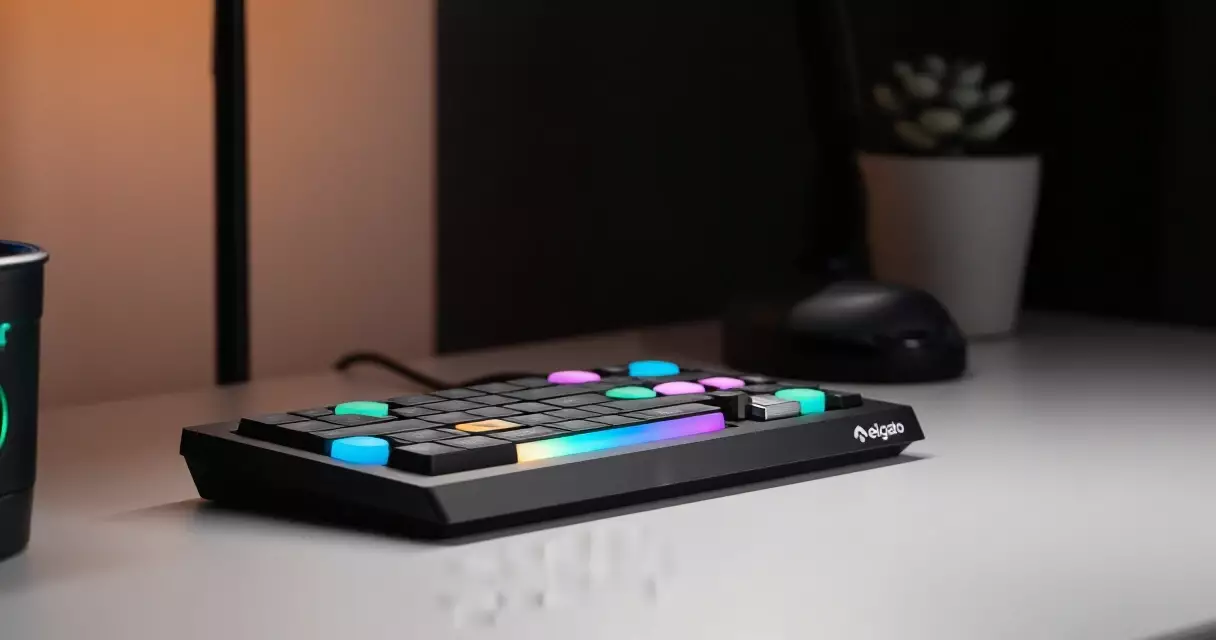
The Stream Deck is a programmable macro controller made by Elgato, a brand owned by Corsair since 2018. Each physical button has its own small LCD screen underneath, so you can assign any icon and any action to any key and see exactly what each button does at a glance. Pressing a button executes that action instantly – no alt-tabbing, no memorizing keyboard shortcuts, no hunting through software menus mid-stream.
The software that drives it, Elgato Stream Deck software (now part of the broader Elgato marketplace), works on both Windows and macOS and integrates natively with OBS Studio, Streamlabs, Twitch, YouTube, Spotify, Adobe Premiere, Discord, Zoom, and dozens of other applications. Actions include switching OBS scenes, muting microphones, triggering channel-point redemptions, launching clips, adjusting audio mixer levels, sending chat messages, and controlling smart lighting – all from one physical surface.
A Brief History of the Stream Deck
Elgato released the original 15-key Stream Deck in June 2017, priced at $149.99. The concept was not entirely new – programmable macro pads had existed for years in professional video editing and audio engineering – but Elgato was the first company to aim one squarely at live streamers and back it with deep software integration for the platforms that mattered to that audience.
The original unit was a hit. Elgato followed it with the Stream Deck XL (32 keys) and Stream Deck Mini (6 keys) in 2018 and 2019 respectively, and then the MK.2 refresh in 2021, which added a removable faceplate, a revised stand, and an updated USB-C connection. The Stream Deck Plus arrived in late 2022, adding four physical dials and a touch strip for analogue-style control. The Stream Deck Neo launched in 2024 as an affordable 8-key entry model at $99.99, targeting beginners who found the MK.2 price point hard to justify.
Corsair’s ownership has accelerated software development, particularly around the iCUE integration that lets Stream Deck control Corsair RGB hardware and peripherals. The platform now extends well beyond streaming into general productivity, music production, and video editing workflows.
Elgato Stream Deck MK.2 Specs and Build Quality
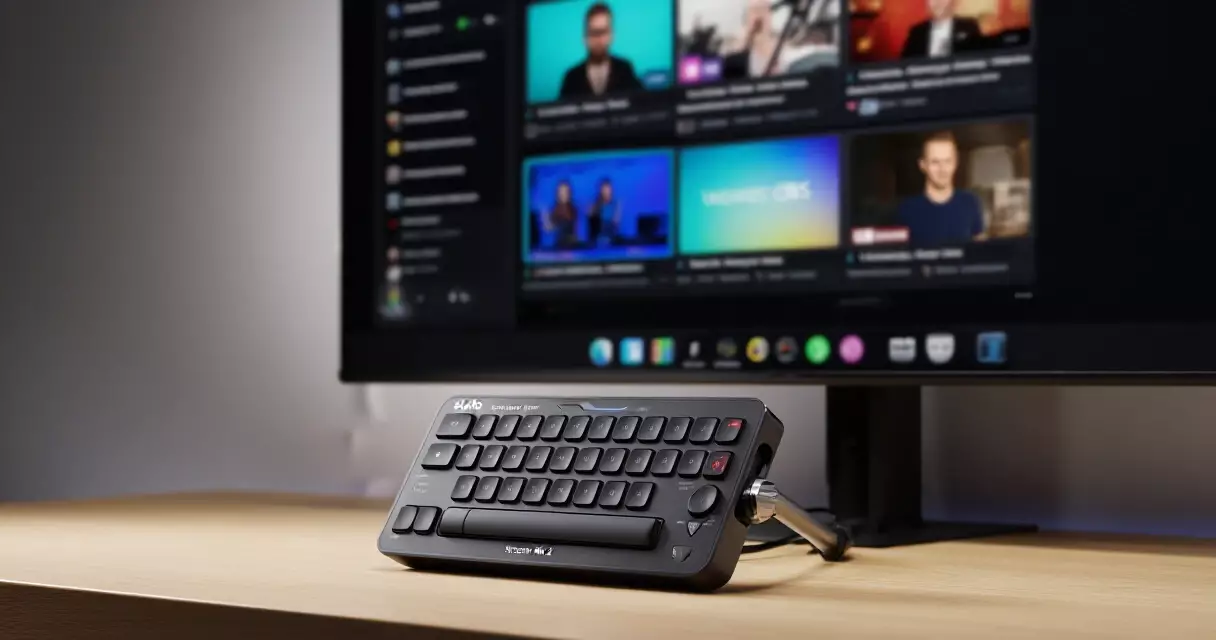
The MK.2 is the unit most people picture when they hear “Stream Deck.” It offers 15 LCD keys arranged in a 5×3 grid, each with a 72×72 pixel display. The build is solid matte plastic with a removable magnetic faceplate – a practical upgrade over the original that allows you to swap in custom printed faceplates to personalise the look. The adjustable stand tilts from roughly 20 to 50 degrees and feels stable on a desk even during rapid button-mashing.
Connectivity is USB-A to USB-C, with the cable routing neatly through the stand. There is no wireless option on any Stream Deck model as of mid-2026, which is a limitation some users flag when building a clean cable-free setup. The device is bus-powered – no external power supply required – and is recognised immediately by Windows 10/11 and macOS 12 Monterey and later.
| Specification | Stream Deck MK.2 | Stream Deck Plus | Stream Deck Neo | Stream Deck XL |
|---|---|---|---|---|
| Keys | 15 (5×3) | 8 + 4 dials | 8 (4×2) | 32 (8×4) |
| Key LCD resolution | 72×72 px | 72×72 px | 72×72 px | 72×72 px |
| Touch strip / bar | No | Yes (800×100 px) | Yes (info bar) | No |
| Physical dials | No | 4 | No | No |
| Connection | USB-C | USB-C | USB-C | USB-C |
| OS support | Win 10+, macOS 12+ | Win 10+, macOS 12+ | Win 10+, macOS 12+ | Win 10+, macOS 12+ |
| US retail price | $149.99 | $199.99 | $99.99 | $249.99 |
| Removable faceplate | Yes | No | No | No |
Software and Ecosystem: The Real Selling Point
Hardware is only half the story. The Stream Deck’s market position is built almost entirely on the depth of its software ecosystem, and that ecosystem has grown substantially since 2021.
The Elgato Stream Deck software (free to download) provides a drag-and-drop interface for assigning actions to keys. Folders let you create layered button sets – tap a “Games” folder button and all 15 keys instantly remap to game-specific functions. Multi-actions chain several steps to a single button press: one tap can mute your microphone, switch your OBS scene, start a countdown timer, and send a preset message to Twitch chat simultaneously.
Native integrations ship out of the box for OBS Studio, Streamlabs, Twitch, YouTube, Twitter/X, Spotify, Apple Music, Discord, Zoom, Microsoft Teams, Adobe Premiere Pro, Adobe Audition, Philips Hue, and LIFX. The Elgato Marketplace adds community and developer plugins for tools like VoiceMod, NVIDIA Broadcast, Elgato 4K60 capture cards, and Streamlabs Ultra features.
For streamers using the Elgato 4K60 Pro MK.2 capture card, the integration is particularly clean – you can control recording, clipping, and scene switching from the Stream Deck without touching the 4K Link software on screen.
“The Stream Deck’s value scales with how complicated your stream is – a beginner with one scene and no overlays gets modest benefit; a streamer running five scenes, a bot, dynamic alerts, and multi-track audio gets a transformative one.”
Performance in Practice: OBS, Streamlabs, and Live Streaming
In day-to-day streaming use, the MK.2 performs exactly as advertised. Scene switches register within a single frame – there is no perceptible delay between pressing the button and seeing the transition happen in OBS. Mute/unmute triggers are equally instant. For time-sensitive actions like toggling a “BRB” scene during an unexpected interruption, physical tactile buttons beat keyboard shortcuts because they require zero visual attention to locate.
The LCD keys are bright and legible under studio lighting. Icons you create in the Stream Deck software or download from the community Key Creator tool display cleanly at the 72×72 pixel resolution. The physical key press has a satisfying click – not mechanical-keyboard loud, but distinct enough that you can feel confirmation without looking. Key travel is short, around 1.5mm, which suits rapid multi-tap actions.
One real-world limitation: the software must be running in the background for the device to function. If it crashes or fails to launch on startup, all your buttons go dark. This happens rarely but is jarring when it does. Setting the Stream Deck software to launch on system startup (enabled by default) mitigates this for most users.
If you are building your setup around OBS specifically, the Stream Deck pairs directly with OBS’s WebSocket plugin to control virtually every function – scene items, audio sources, transitions, recording, replaying buffer. For a detailed look at how OBS fits into the broader setup picture, see our game streaming setup guide.
Pros and Cons
No peripheral is right for every user. Here is an honest breakdown of what the Stream Deck MK.2 does well and where it falls short.
| Pros | Cons |
|---|---|
| Instant, tactile button feedback – no visual attention needed | $149.99 is a significant ask for beginners |
| Deep integration with OBS, Streamlabs, Twitch, and 300+ plugins | Software must be running; no hardware-fallback mode |
| Folders let you store far more actions than 15 physical keys | No wireless / Bluetooth option on any model |
| Removable magnetic faceplate for customisation | Key LCD resolution (72×72 px) looks slightly pixelated up close |
| Cross-platform: Windows and macOS | Linux is not officially supported |
| Large community icon packs and profile sharing | Some popular plugins require paid third-party subscriptions |
| Scales from beginner to professional use | Physical size is non-trivial on small desks |
Stream Deck vs. Alternatives
The Stream Deck does not exist in a vacuum. Three categories of alternatives compete for the same use case: software-only solutions, other hardware macro pads, and mobile controller apps.
Software-only: Touch Portal and Loupedeck Live S. Touch Portal (Windows / macOS / iOS / Android, free with paid plugin packs) turns any smartphone or tablet into a virtual Stream Deck. The setup is more fiddly and you lose the physical tactile feedback, but the entry cost can be near zero if you already own an older tablet. Loupedeck Live S ($179 US) is the closest hardware competitor – it offers 15 keys plus two dials plus a touch fader and competes directly with the MK.2 on features, though its plugin ecosystem is smaller.
DIY macro pads. The open-source QMK firmware community has produced a range of cheap mechanical macro pads (often $20–$50 for a 6–12 key unit) that can be configured for streaming shortcuts. These lack LCD key displays and software integration depth, but they are cheaper and Linux-compatible. Deckboard is a free Android app that follows a similar philosophy to Touch Portal.
Voice control. Some streamers pair a macro pad with voice-command software like VoiceAttack to trigger actions hands-free. Voice control works better for longer, less time-sensitive actions (starting a new scene, adjusting lighting) than for instant cuts or mutes where latency matters.
The Stream Deck wins on ecosystem polish and reliability. Competitors can match it on features on paper, but the breadth of first-party integrations and the quality of the official software remain its strongest differentiators in 2026.
Who Should Buy the Stream Deck (and Which Model)?
The honest answer is that the Stream Deck is not mandatory for every streamer, and the right model depends on where you are in your streaming journey.
Stream Deck Neo ($99.99) suits beginners who want physical buttons without the MK.2’s price. Eight keys is plenty for basic scene switching, muting, and a start/stop record button. The info bar at the bottom shows a clock and notifications, which is a small but welcome touch. If you follow our beginner’s streaming setup guide and are just getting started, this is the model to consider first.
Stream Deck MK.2 ($149.99) is the right choice for anyone who streams regularly and runs a multi-scene setup with overlays, alerts, and at least two audio sources. The jump from 8 to 15 keys with folder support gives you room to grow without immediately hitting a layout ceiling. This is also the model with the highest resale value if you later upgrade.
Stream Deck Plus ($199.99) makes the most sense if you do live audio production, music performance, or video editing alongside your stream. The four dials for precise volume control and the touch bar for swipeable controls add genuine workflow value – but if you are purely a game streamer with no audio engineering needs, the MK.2 covers everything at a lower price.
Stream Deck XL ($249.99) targets professional broadcast setups where 32 keys allow entire workflows to live on one layer without folders. Unless you are managing a complex multi-camera or multi-game production, the XL is overkill for a standard solo stream setup. For context on what hardware a serious streaming PC actually needs, see our guide to building a game streaming PC.
“Start with the Neo or MK.2. The XL and Plus are real upgrades for specific workflows – but most streamers never outgrow 15 keys once they learn to use folders effectively.”
Frequently Asked Questions
Is the Elgato Stream Deck worth it for beginners?
For absolute beginners streaming their first few sessions, the Stream Deck is a nice addition rather than a requirement. Free software like OBS Studio handles scene switching through keyboard shortcuts, and a new streamer typically runs one or two scenes at most. That said, the Stream Deck Neo at $99.99 is a low-risk entry point – its 8 keys cover mute, scene switch, start/stop, and a few alert triggers, which is more than enough for early streams. If your budget is under $100, prioritise a quality microphone first, then consider the Neo once your stream setup is stable. The beginner streaming setup guide covers a full recommended hardware order for new creators.
Does the Stream Deck work with OBS Studio?
Yes, and the integration is one of the deepest available. The official OBS Studio plugin for Stream Deck allows you to switch scenes, toggle scene items (show/hide a specific overlay), start and stop recording, manage the replay buffer, trigger hotkeys, control audio source mute states, and monitor streaming status – all from physical buttons. The integration works via OBS’s WebSocket interface and requires the OBS WebSocket plugin to be active, which it is by default in OBS 28 and later. No additional software purchase is needed beyond the free Stream Deck app. For tips on configuring OBS alongside your Stream Deck, see the full game streaming setup guide.
What is the difference between Stream Deck MK.2 and Stream Deck Plus?
The MK.2 has 15 LCD buttons in a 5×3 grid and costs $149.99. The Stream Deck Plus has 8 LCD buttons plus four physical rotary dials and an 800×100-pixel touch bar, and costs $199.99. The dials on the Plus allow analogue-style, continuous adjustments – ideal for audio volume, browser zoom, OBS transition speed, or any parameter that benefits from fine-grained control rather than a single tap. If you do live audio mixing, music production, or video editing as part of your content, the Plus’s dials provide real value. If you are a game streamer who mainly needs scene switches, muting, and alert triggers, the MK.2 covers your use case at a lower price and gives you more total keys for button assignments.
Does the Stream Deck work without an internet connection?
The Stream Deck hardware and its core software functions work entirely offline. Scene switches, audio mutes, multi-actions, and local app controls (like launching OBS or switching windows) all work without an internet connection. Actions that interact with online services – sending a Twitch chat message, triggering a channel-point redemption, posting a clip to Twitter/X, or controlling Philips Hue over cloud – require an active internet connection to that specific service. The Stream Deck software itself does not require an Elgato account to function, though creating one unlocks marketplace downloads and profile cloud sync.
Can you use the Stream Deck for productivity, not just streaming?
Absolutely, and a growing share of Stream Deck users have no streaming setup at all. Popular non-streaming use cases include: macro shortcuts for Adobe Photoshop, Illustrator, and Premiere Pro; one-tap Zoom meeting controls; hotkeys for Microsoft Office or Google Workspace; script launchers for developers; and system controls like locking your screen, opening specific folders, or switching audio output devices. The Elgato Marketplace has dedicated plugin categories for office productivity and creative software. Video editors, podcasters, and software developers frequently cite the Stream Deck as one of their most-used peripherals, which speaks to the breadth of the platform beyond its streaming-focused origins.
Does the Stream Deck work on macOS?
Yes. The Stream Deck software supports macOS 12 Monterey and later, including macOS on Apple Silicon (M1, M2, M3, M4) without requiring Rosetta emulation – native ARM builds have been available since 2022. Core integrations including OBS Studio, Spotify, Zoom, and system controls all function on macOS. A handful of Windows-only third-party plugins are not available on macOS, but the vast majority of the marketplace library is cross-platform. One macOS-specific note: accessibility permissions must be granted in System Settings under Privacy and Security for the Stream Deck software to control other apps – the software walks you through this on first launch.
How does the Stream Deck compare to the Loupedeck Live S?
The Loupedeck Live S ($179.99) is the most direct hardware rival to the Stream Deck MK.2. It offers 15 customisable LCD buttons, two dials, and a touch fader in a slightly more compact form factor. On paper, the Live S has more physical input types for $30 more. In practice, the Stream Deck holds a significant advantage in ecosystem breadth – Elgato’s marketplace has more than 300 plugins compared to Loupedeck’s smaller library, and the Stream Deck’s first-party integrations with OBS, Twitch, and Streamlabs are deeper and better maintained. Loupedeck shines for creative software workflows (it was originally built for Lightroom editing) but has less streaming-specific depth. For a gaming streamer choosing between the two, the Stream Deck MK.2 remains the safer, better-supported choice in 2026.
Is there a subscription fee for Stream Deck software?
The core Stream Deck software is completely free to download and use with no subscription required. There is no paywall on the basic plugin library or core integrations with OBS, Twitch, Streamlabs, Spotify, Discord, and similar services. Some third-party plugins available through the Elgato Marketplace are developed by independent creators and may carry their own optional subscription fees – for example, certain advanced chat-bot integrations or premium icon packs sold by external developers. Elgato itself does not charge a subscription for the Stream Deck platform. This is a meaningful contrast to some competing ecosystems where core features are locked behind monthly fees.
Related Reading
- Game Streaming Setup: Equipment, Software & Settings
- Game Streaming Setup: A Step-by-Step Beginner's Guide
- How to Build a Game Streaming PC: Hardware, Budget, and Specs
- Blue Yeti Review: Still the Go-To Streaming Mic in 2026?
- Elgato 4K60 Pro MK.2 Review: Best Capture Card for Console Streamers?
- Logitech C922 Pro Review: Best Budget Webcam for Game Streamers?
- NVIDIA NVENC Encoder Review: GPU-Based Game Streaming in 2026
- Streamlabs Review: Features, Performance, and Is Ultra Worth It?
Sources
- Elgato Stream Deck product page – https://www.elgato.com/us/en/p/stream-deck-mk2-black
- Elgato Marketplace plugin directory – https://marketplace.elgato.com
- Corsair acquisition of Elgato gaming division – Wikipedia: https://en.wikipedia.org/wiki/Elgato
- OBS Studio WebSocket documentation – https://github.com/obsproject/obs-websocket
- streamdeck-ui open-source Linux client – https://github.com/timothycrosley/streamdeck-ui
Gaming Laptop Buyer’s Guide: Performance, Portability & Best Models