Summary
Around 2.5 million people watch Twitch at any given moment, making it the most-visited live-streaming destination on the internet–and that figure does not count the hundreds of millions of additional views flowing through YouTube Gaming each month (Wikipedia). If you...
Table of contents
- 1 How Game Streaming Grew From Hobby to Profession
- 2 Choosing the Right Streaming Platform
- 3 Building Your Streaming Hardware Setup
- 4 Streaming Software: OBS Studio and the Alternatives
- 5 Dialing In Your Stream Settings
- 6 Audio, Lighting, and the Details That Keep Viewers Watching
- 7 Growing Your Audience From the First Broadcast
- 8 Frequently Asked Questions
- 8.1 What do I need to start game streaming?
- 8.2 What internet upload speed do I need for streaming?
- 8.3 Is OBS Studio free?
- 8.4 Do I need a capture card to stream?
- 8.5 How long does it take to become a Twitch Affiliate?
- 8.6 What games should I stream as a beginner?
- 8.7 Can I stream from a console without a PC?
- 8.8 What monitor setup works best for streaming?
- 9 Related Reading
- 10 Sources
Around 2.5 million people watch Twitch at any given moment, making it the most-visited live-streaming destination on the internet–and that figure does not count the hundreds of millions of additional views flowing through YouTube Gaming each month (Wikipedia). If you have been sitting on the idea of streaming your own sessions, the barrier is lower than most beginners expect. For a deeper look at professional gear choices, Play Journal’s guide on game streaming setup equipment and software is the companion resource. What follows is the step-by-step path from zero to your first live broadcast.
How Game Streaming Grew From Hobby to Profession
Live game streaming as an industry traces its roots to Justin.tv, a 2007 platform that let anyone broadcast a live video feed online. Its gaming category was spun off as Twitch in 2011, and Amazon’s $970 million acquisition in 2014 confirmed that interactive streaming had crossed from niche curiosity into commercial ecosystem. Talent deals, subscription revenue, and advertising partnerships turned playing games into a viable full-time career for thousands of creators.
YouTube expanded its live-gaming footprint around 2015, and the pair shared market dominance for years. In late 2022, Kick launched with a 95/5 revenue split–95 percent to creators versus Twitch’s standard 50/50 for non-Partners–and several high-profile streamers migrated, giving newcomers a third serious destination. For anyone starting today, the practical implication is simple: infrastructure, communities, and monetization pathways are mature. You are choosing between proven options, not experimenting with unfinished tools.
Choosing the Right Streaming Platform
Twitch is the largest live-gaming destination. Its discovery algorithm favors channels that already have viewers, which makes cold growth harder–but its audience is specifically there to watch live gaming. Twitch Affiliate status unlocks subscriptions and Bits cheering after hitting 50 followers, 500 total broadcast minutes, 7 unique broadcast days, and an average of 3 concurrent viewers within any rolling 30-day window.
YouTube Live suits creators who also want a video-on-demand library. Clips from live sessions become searchable content that drives traffic long after the broadcast ends. The monetization bar is higher–1,000 subscribers and 4,000 watch hours–but YouTube’s search discoverability rewards patience. If you plan to cross-post highlights to TikTok or Instagram Reels, YouTube’s clip tool makes that workflow fast.
Kick offers the best creator revenue split in the market at 95/5 as of mid-2026. Its audience is smaller, which means lower competition and earlier visibility for new channels. For most absolute beginners, Twitch remains the default starting point because of its gaming-first community culture and richer onboarding documentation–but Kick deserves serious consideration if maximum revenue share is a priority from day one.
Building Your Streaming Hardware Setup
A streaming setup does not need to be assembled all at once. Three tiers cover the range from first stream to professional broadcast quality, and most beginners only need to move one tier at a time.
| Component | Budget ($0–100 added) | Mid-Range ($150–300 added) | Professional ($500+ added) |
|---|---|---|---|
| Microphone | HyperX SoloCast ($50 USB) | Blue Yeti ($130 USB) | Shure SM7B + Focusrite Scarlett Solo ($520 XLR) |
| Webcam | Logitech C270 ($30, 720p) | Logitech C920 ($70, 1080p) | Elgato Facecam Pro ($200, 4K) |
| Lighting | Existing lamp repositioned | Neewer 18” ring light ($50) | Elgato Key Light ($200, desk-mount LED) |
| Capture Card | None – use native streaming | AVerMedia Live Gamer Portable 2 Plus ($100) | Elgato HD60 X ($150, 4K30/1080p60) |
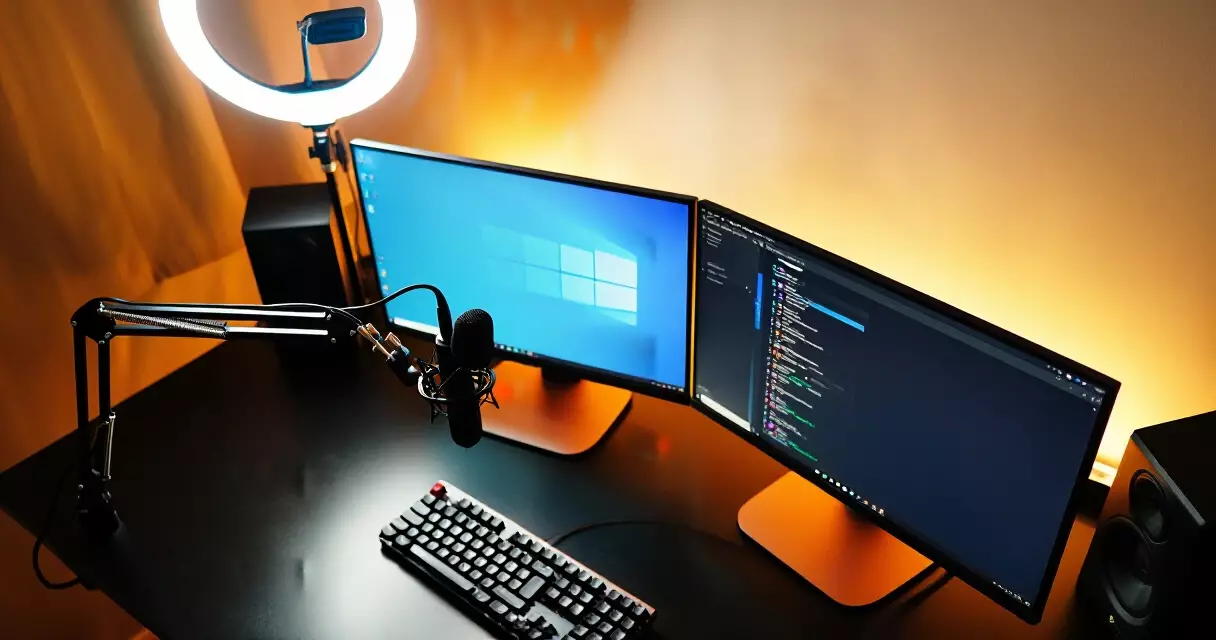
For PC streamers, an NVIDIA GeForce RTX 3060 or newer enables NVENC hardware encoding, keeping game frame rates stable while OBS handles stream compression. AMD’s RX 7600 XT provides comparable hardware encoding through AMF at a similar price. Software x264 encoding is an option on older systems but demands significantly more CPU headroom–only practical on processors with 12 or more physical cores.
Console streaming is genuinely simple now. PlayStation 5 broadcasts directly to Twitch and YouTube through Settings > Broadcasts. Xbox Series X uses Share controls or the Xbox app on Windows. A capture card becomes useful only when you want OBS overlay control and scene switching on a PC–not for basic streaming. Internet connection quality matters as much as hardware: always use wired Ethernet rather than Wi-Fi. Per the FCC broadband guidance, the current U.S. upload standard is 20 Mbps; for streaming, 10 Mbps of dedicated upload gives comfortable headroom for 1080p60.
Streaming Software: OBS Studio and the Alternatives
OBS Studio is the de facto standard. Free, open-source, and available on Windows, macOS, and Linux, it handles scene management, game capture, webcam input, audio mixing, and direct RTMP output to any platform. Per its documented Wikipedia history, OBS has been in continuous community-driven development since 2012 and has accumulated tens of millions of downloads globally–all at no cost.
Streamlabs is the main alternative. Its free tier bundles alert widgets into the setup wizard, which makes first-time configuration friendlier. The paid Ultra tier (~$19/month) adds overlay themes, a merch store, and cloud backup. The tradeoffs are higher RAM usage and historically slower encoder updates than stock OBS. XSplit Gamecaster offers a simpler interface with a free tier and paid plans from ~$15/month, best suited to streamers who want fewer configuration options rather than more.
First-time OBS setup takes under an hour: install from obsproject.com, run the Auto-Configuration Wizard (Tools menu), add your game window as a Game Capture source, add your webcam as a Video Capture Device, paste your stream key from Twitch under Settings > Stream, then run a private 15-minute test stream before going public. Check OBS’s Stats bar for dropped frames and CPU usage during the test–both should stay comfortably below their ceilings before you invite an audience.
Dialing In Your Stream Settings
Encoder, resolution, and bitrate are the three settings most directly affecting quality. Getting them wrong produces a blurry image or dropped frames–both of which damage viewer retention faster than almost anything else.
| Resolution / Frame Rate | Recommended Bitrate | Best Encoder | Upload Needed |
|---|---|---|---|
| 720p30 | 2,000–3,000 kbps | NVENC / AMF / x264 | ~3 Mbps |
| 720p60 | 3,000–4,500 kbps | NVENC / AMF preferred | ~5 Mbps |
| 1080p60 | 4,500–6,000 kbps | NVENC / AMF preferred | ~8 Mbps |
| 1440p60 (YouTube) | 9,000–18,000 kbps | NVENC / AMF required | ~20 Mbps |
Twitch’s non-partner bitrate cap is 6,000 kbps, comfortably covering 1080p60. YouTube’s cap is far higher, so YouTube Live can exceed Twitch quality at equivalent upload speeds. Use NVENC on NVIDIA RTX 20-series or newer; AMD AMF on RX 5000-series or newer. Fall back to x264 software encoding only if you have no capable GPU and a high-core-count CPU with headroom to spare. Two often-missed settings: set keyframe interval to 2 seconds (required for Twitch and YouTube buffer management) and audio sample rate to 48,000 Hz–a mismatch forces the platform to re-encode your audio on ingest, noticeably degrading quality.
Audio, Lighting, and the Details That Keep Viewers Watching
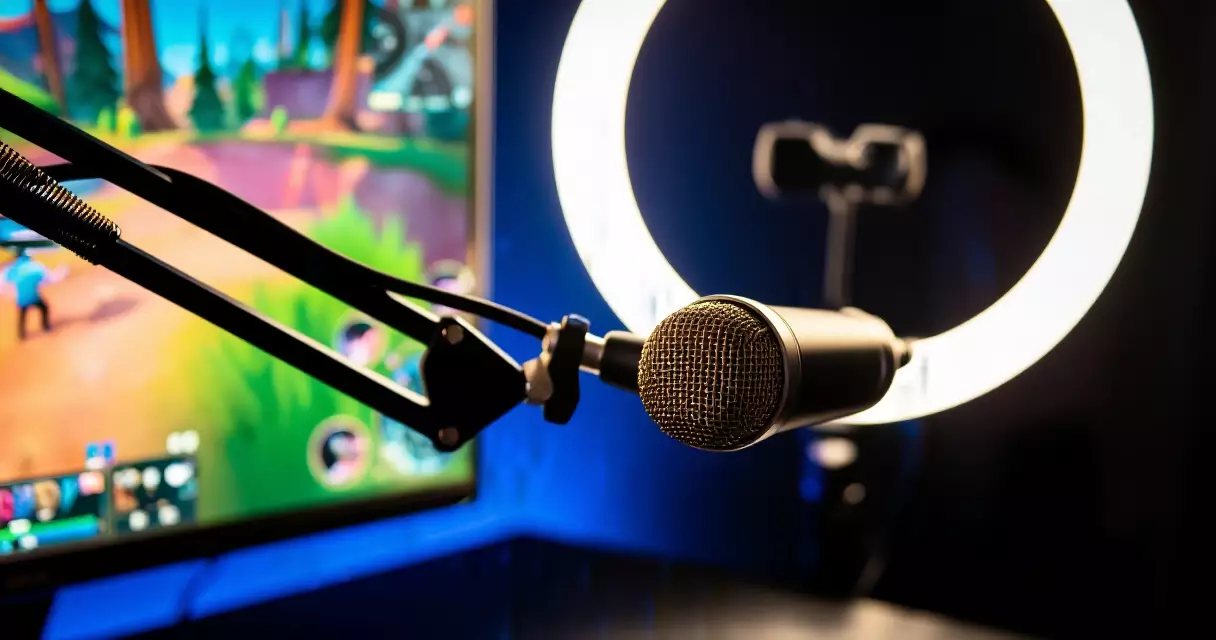
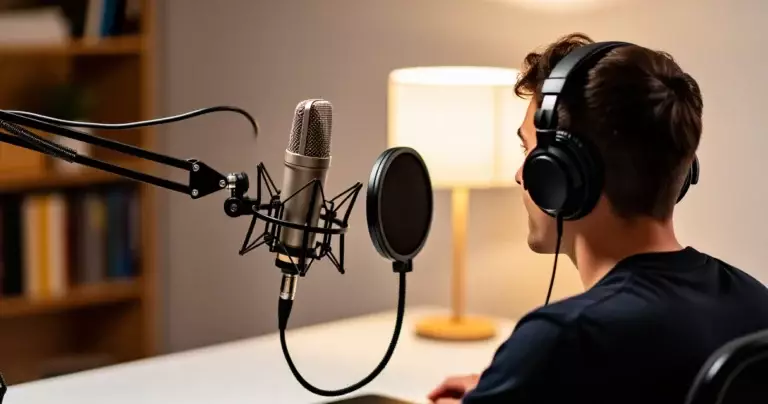
The HyperX SoloCast ($50 USB) is the minimum viable microphone upgrade from a headset mic. The Blue Yeti ($130 USB) has been the streaming standard for years–it handles acoustically untreated rooms well and offers multiple polar patterns. Stepping up to broadcast-quality sound means the Shure SM7B ($400 XLR dynamic) paired with a Focusrite Scarlett Solo interface ($120), the combination behind the warm vocal tone associated with professional streamers. Whatever microphone you use, apply a noise gate in OBS (Audio > Filters) to cut keyboard clatter and fan noise between sentences.
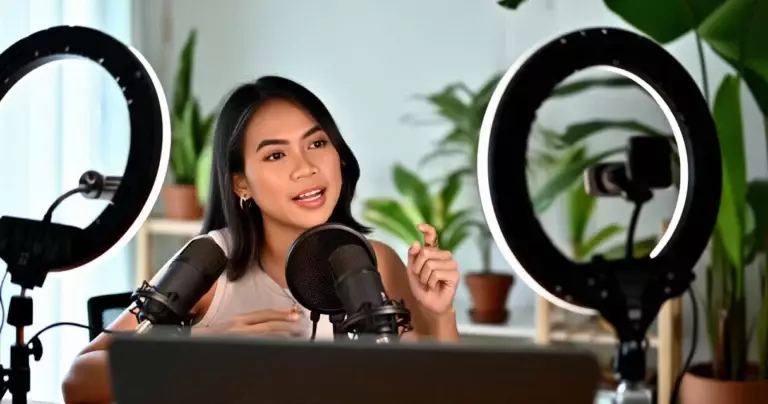
Lighting matters more than webcam resolution for perceived video quality. A Neewer 18-inch ring light ($40–60) at face level eliminates the harsh shadows of overhead room lighting. The Elgato Key Light ($200) mounts on a desk arm and integrates with scene-triggered brightness controls. Either option dramatically improves video quality without touching the camera. For webcams, the Logitech C920 ($70, 1080p30) is the industry-standard entry point; the Logitech StreamCam ($100, 1080p60) adds smoother motion; the Elgato Facecam Pro ($200, 4K) suits streamers who display the webcam at a large size or crop tightly into the face.
Audio quality is the one thing viewers will actually leave over. They will endure a soft webcam image for weeks, but they will click away the moment they cannot clearly hear you speak.
Growing Your Audience From the First Broadcast
Going live is step one. Sustaining and growing an audience requires deliberate habits that most beginners skip in favor of more gear research.
Stream on a consistent schedule. Three scheduled days per week at the same hour outperforms seven random days because it trains your audience to expect you. Start with a commitment you can hold for three months; consistency across fewer days beats unpredictable marathon sessions every time.
Pick games that match your channel’s size. Large titles like Fortnite have enormous audiences but also tens of thousands of simultaneous streamers. A niche release with 500 concurrent channels and 50,000 viewers gives a new streamer proportionally far better discovery odds. Indie titles with active Discord and Reddit communities are reliable starting ground; the best indie games carry passionate fan bases that actively seek new streamers to follow.
Respond to every chat message by name in your early days. Viewers who feel acknowledged are significantly more likely to follow, and followed viewers form the concurrent-viewer count required for Twitch Affiliate. Clip and share highlights on TikTok and YouTube Shorts–a 30-second reaction moment from a three-hour session can reach ten times the audience of the live broadcast itself, funneling new followers back to your channel page.
Three hours per week, live and engaged, beats ten hours broadcast into an empty chat. Build the habit before you scale the hours.
Frequently Asked Questions
What do I need to start game streaming?
The minimum viable setup is a PC or current-generation console, a microphone, free streaming software, and an upload speed of at least 3 Mbps for 720p output. A webcam is optional but meaningfully improves audience connection. PC streamers capture their game natively in OBS without extra hardware. Console streamers on PlayStation 5 or Xbox Series X can stream directly to Twitch or YouTube using built-in platform apps at zero added cost. If you want overlay control and scene switching for a console stream, a capture card becomes necessary. Most beginners who already own a gaming PC need only a USB microphone and OBS to go live, keeping startup costs under $100.
What internet upload speed do I need for streaming?
For 720p30, 3 Mbps upload is sufficient. For 720p60, plan for 4–5 Mbps. For the standard 1080p60 quality most viewers expect, 6–8 Mbps of consistent upload throughput is required, with 10 Mbps providing comfortable headroom for fluctuations. Always measure your upload speed with a wired Ethernet connection rather than Wi-Fi before committing to a resolution setting–wireless results often run 20–40 percent lower in practice than what the router advertises. The FCC broadband speed guide provides baseline reference figures for household internet planning, though streaming’s upload requirements differ from general download-focused benchmarks.
Is OBS Studio free?
Yes–OBS Studio is completely free and open-source. There are no premium tiers, locked features, or recurring subscription costs. It has been in continuous development since 2012, maintained by a volunteer community, as documented in its Wikipedia entry. Streamlabs and XSplit both offer free tiers with paid upgrades, but OBS Studio itself charges nothing and includes the full feature set used by professional broadcasters. The only real cost is a few hours learning the interface–covered well by the OBS Project’s own documentation and community forums at obsproject.com.
Do I need a capture card to stream?
No, not for most setups. PC streamers capture their screen natively in OBS with the Game Capture source–no external hardware needed. Console streamers on PlayStation 5 and Xbox Series X stream directly to Twitch and YouTube through built-in apps. A capture card such as the Elgato HD60 X ($150) or AVerMedia Live Gamer Portable 2 Plus ($100) becomes necessary when you want to route console footage through OBS on a PC for custom overlays and scene switching, or when using a dedicated dual-PC streaming setup where a separate encoding machine handles the stream while your game PC runs uninterrupted. For first-time streamers, start without one and add it later if the workflow demands it.
How long does it take to become a Twitch Affiliate?
Twitch Affiliate requires 50 followers, 500 total broadcast minutes, 7 unique broadcast days, and an average of 3 concurrent viewers–all within a rolling 30-day window. Dedicated streamers who broadcast three to four times per week and actively promote clips on social media typically hit these thresholds within one to three months. The hardest metric for most beginners is the 3 concurrent viewer average, not follower count. Responding to every chat message, collaborating with streamers in adjacent communities, and redistributing highlights on TikTok and YouTube Shorts accelerates the concurrent-viewer number faster than adding raw broadcast hours alone.
What games should I stream as a beginner?
Smaller, active niches almost always outperform large saturated titles for new channels. A game with 500 concurrent streamers and 50,000 viewers gives a newcomer proportionally far better discovery odds than a title with 50,000 streamers competing for identical viewer attention. Indie releases with dedicated Reddit or Discord communities are a reliable starting ground. More important than the title is genuine enthusiasm–live audiences are perceptive about forced interest, and authentic reactions are a significant part of what keeps viewers watching a stream they discovered by chance.
Can I stream from a console without a PC?
Yes. PlayStation 5 streams directly to Twitch and YouTube through Settings > Broadcasts, requiring only a linked platform account and a microphone. Xbox Series X uses Share controls or the Xbox app to push streams to Twitch and YouTube. Both work without any PC involvement. The trade-off with pure console streaming is limited overlay control–you cannot add subscriber alerts, custom graphics, or scene switching without routing through OBS on a PC. For a first stream, however, the built-in apps on either platform are a fully functional and cost-free starting point, and you can always add a capture card and PC workflow later as your channel grows.
What monitor setup works best for streaming?
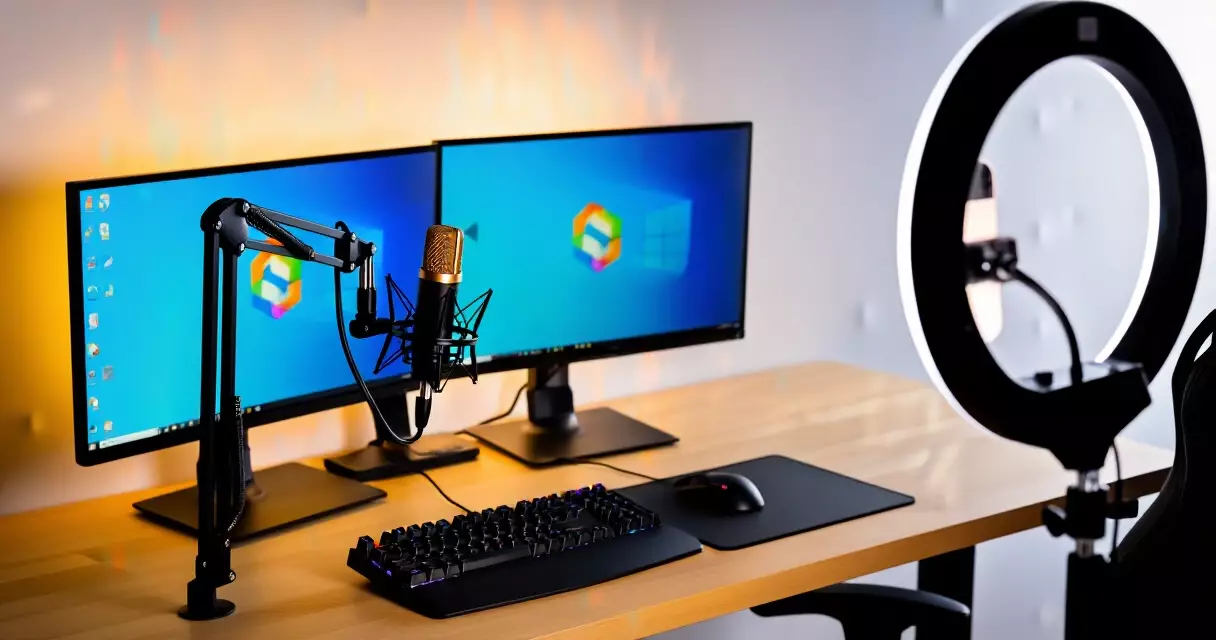
A dual-monitor arrangement is the standard for active streamers: one display for the game and a second to monitor OBS, chat, and alerts without interrupting gameplay. A 1440p 165Hz or 1080p 144Hz panel covers the gaming display well. Play Journal’s review of the Gigabyte M27Q covers a strong 1440p 170Hz value option in detail.
For a step up in image quality, the LG UltraGear 27GR95QE-B OLED review covers a panel that delivers exceptional contrast for both gaming and streaming monitor use. The secondary monitor for OBS and chat can be any functional 1080p screen you already own–a repurposed older display works perfectly for that role.
Related Reading
- Game Streaming Setup: Equipment, Software & Settings
- How to Build a Game Streaming PC: Hardware, Budget, and Specs
- Blue Yeti Review: Still the Go-To Streaming Mic in 2026?
- Elgato 4K60 Pro MK.2 Review: Best Capture Card for Console Streamers?
- Elgato Stream Deck Review: Does Every Streamer Need One?
- Logitech C922 Pro Review: Best Budget Webcam for Game Streamers?
- NVIDIA NVENC Encoder Review: GPU-Based Game Streaming in 2026
- Streamlabs Review: Features, Performance, and Is Ultra Worth It?
Sources
- Wikipedia – Twitch (service)
- Wikipedia – OBS Studio
- Wikipedia – Video game live streaming
- FCC – Broadband Speed Guide (fcc.gov)
- Pew Research Center – Gaming and Gamers (2015)
Gaming Laptop Buyer’s Guide: Performance, Portability & Best Models