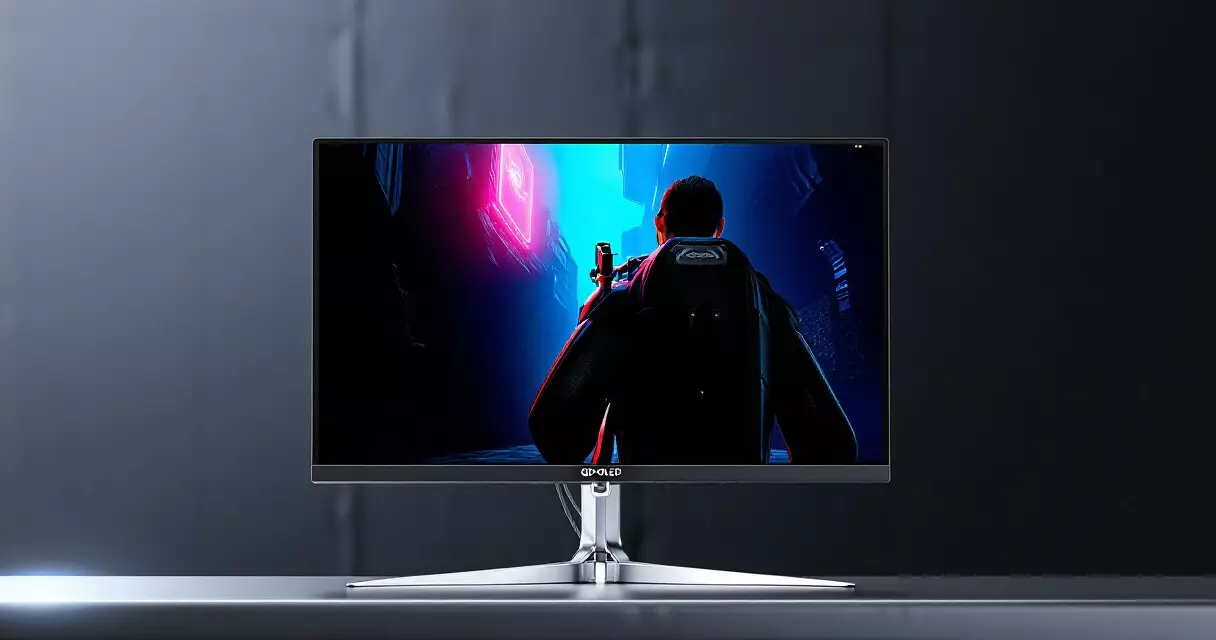
Summary
The Alienware AW2725DF pairs a 26.7-inch QD-OLED panel with a 360Hz refresh ceiling and a quoted 0.03ms gray-to-gray response time, and that single response figure is the headline that separates it from almost every LCD gaming display still on shelves...
Table of contents
- 1 Why the AW2725DF Earned So Much Attention
- 2 From White OLED to QD-OLED: A Short Background
- 3 Full Specifications at a Glance
- 4 Image Quality and HDR Performance
- 5 Motion Clarity: What 360Hz and 0.03ms Actually Deliver
- 6 Design, Connectivity, and Build
- 7 How It Compares to the Alternatives
- 8 Pricing, Value, and the Burn-In Question
- 9 Who Should Buy the AW2725DF
- 10 Frequently Asked Questions
- 10.1 Is the Alienware AW2725DF good for competitive gaming?
- 10.2 Does the AW2725DF suffer from OLED burn-in?
- 10.3 How bright is the AW2725DF in HDR?
- 10.4 Is 1440p at 360Hz better than 4K at a lower refresh?
- 10.5 What graphics card do I need to drive 360Hz at 1440p?
- 10.6 Does the AW2725DF work well with PS5 and Xbox Series X?
- 11 Sources
The Alienware AW2725DF pairs a 26.7-inch QD-OLED panel with a 360Hz refresh ceiling and a quoted 0.03ms gray-to-gray response time, and that single response figure is the headline that separates it from almost every LCD gaming display still on shelves in 2026. Dell positions this monitor as the fast 1440p sibling in its current OLED lineup, sitting beneath the 4K AW2725Q while undercutting it heavily on price. For competitive players who care more about clean motion than raw pixel count, that trade can look very appealing. The question this review answers is simple: does the panel deliver the speed and image quality the spec sheet promises, and is it still the right buy now that 480Hz 1440p OLEDs exist?
Why the AW2725DF Earned So Much Attention
When the AW2725DF launched in March 2024 at a list price of $899.99 according to Dell’s own product listing, it arrived as one of the first 360Hz QD-OLED panels aimed at mainstream buyers rather than enthusiasts willing to spend four figures. The combination mattered. A 1440p resolution at 360Hz hits a sweet spot where a strong graphics card can actually push frame rates high enough to use the refresh rate, unlike 4K panels that often leave fast hardware starved at the top end. That balance is why this model keeps appearing in shortlists even two years later.
Quantum Dot OLED, the panel technology inside this display, was co-developed by Samsung Display and reached the gaming market in 2022. As Wikipedia’s QD-OLED entry explains, the design adds a quantum-dot color-conversion layer on top of a blue OLED light source, which widens the color gamut and improves brightness efficiency compared with earlier white-OLED approaches. The AW2725DF uses a third-generation Samsung Display QD-OLED panel, the same panel family that powers several competing 360Hz monitors released across 2024 and 2025. If you want the broader landscape, our overview of gaming monitor panel types puts QD-OLED in context against IPS, VA, and TN.
From White OLED to QD-OLED: A Short Background
Organic light-emitting diode displays light each pixel individually, which is why they produce true black instead of the gray glow you see on backlit LCDs. The technology spent years in televisions before it became practical for desktop gaming, mostly because of brightness, burn-in, and cost concerns. Wikipedia’s OLED article traces how the panels matured through the 2010s, and that maturity is exactly what made a sub-$900 desktop OLED possible.
Early desktop OLED monitors used LG’s WOLED structure, which adds a white sub-pixel to boost brightness. QD-OLED took a different route, dropping the white sub-pixel and using quantum dots to convert blue light into pure red and green. The practical result is a more saturated, higher-volume color gamut, though the RGB sub-pixel arrangement can produce faint color fringing on thin black text against white backgrounds. That text-fringing quirk is a known characteristic of every QD-OLED panel, and the AW2725DF is no exception. For most gaming and media use it is invisible; for spreadsheet-heavy work it is worth knowing about before you buy.
Dell’s contribution sits in the firmware, cooling, and warranty rather than the glass itself. The company applies a custom thermal solution and a pixel-refresh routine designed to slow uneven wear, and it backs the panel with burn-in coverage that few competitors matched at launch. Those details turn a shared Samsung panel into a product worth reviewing on its own terms.
Full Specifications at a Glance
The table below collects the headline numbers from Dell’s published specification sheet so you can scan the essentials before reading the deeper analysis.
| Specification | Alienware AW2725DF |
|---|---|
| Panel type | QD-OLED (3rd-gen Samsung Display) |
| Screen size | 26.7 inches (flat) |
| Resolution | 2560 x 1440 (1440p) |
| Pixel density | ~110 pixels per inch |
| Refresh rate | 360Hz (DisplayPort), 120Hz console mode |
| Response time | 0.03ms gray-to-gray (quoted) |
| HDR certification | VESA DisplayHDR True Black 400 |
| Color gamut | ~99% DCI-P3 |
| Adaptive sync | AMD FreeSync Premium Pro, NVIDIA G-Sync Compatible |
| Ports | 1x DisplayPort 1.4, 2x HDMI 2.1, USB hub, headphone out |
| Warranty | 3-year limited, includes OLED burn-in coverage |
| Launch price (MSRP) | $899.99 (Dell, March 2024) |
Two figures in that table do most of the work. The 360Hz refresh rate sets the motion ceiling, and the 0.03ms response time means pixels finish changing color far faster than the screen redraws. If you want a plain-language explanation of how those two numbers interact to shape what your eyes actually perceive, our guide to refresh rate versus response time breaks down why both matter and why one without the other leaves motion looking smeared.
Image Quality and HDR Performance
Contrast is where any OLED wins, and the AW2725DF is no different. Each pixel switches off completely for black, producing the effectively infinite contrast ratio that backlit panels cannot reach. Dark scenes in games like horror titles and space sims show shadow detail without the gray haze of an IPS or the blooming of a mini-LED zone. Star fields look like points of light on pure black rather than dots in a faintly lit gray field.
Color volume is the other standout. With coverage of roughly 99% of the DCI-P3 gamut, the panel renders saturated reds and greens that an sRGB-bound LCD simply cannot show. The display carries VESA DisplayHDR True Black 400 certification, a tier that the standards body reserves for emissive panels capable of extremely low black levels, as detailed on the official VESA DisplayHDR criteria page. That certification guarantees the deep-black behavior but caps the brightness expectation, and brightness is the honest weak point here.
Peak HDR brightness on small highlight windows reaches around 1,000 nits, which makes specular highlights such as explosions and sunlit glints pop convincingly. Full-screen sustained brightness sits far lower, in the rough range of 250 nits, because OLED panels limit total power draw to protect the organic material. In a bright room with windows behind you, that ceiling can feel modest next to a 1,200-nit mini-LED LCD. The panel’s anti-reflection coating helps a great deal, scattering ambient light so reflections stay diffuse rather than mirror-sharp, but no coating manufactures extra brightness. For a dim or light-controlled gaming room, the contrast advantage outweighs the brightness limit easily. For a sun-drenched office, weigh it carefully.
Out of the box, the factory calibration is respectable but not perfect, and the default SDR color temperature runs slightly cool on many units. Spending ten minutes in the on-screen menu, or a little longer with a colorimeter, tightens things up nicely. Our walkthrough on calibrating a gaming monitor covers the exact settings to adjust if you want accurate color for content creation alongside gaming.
Motion Clarity: What 360Hz and 0.03ms Actually Deliver
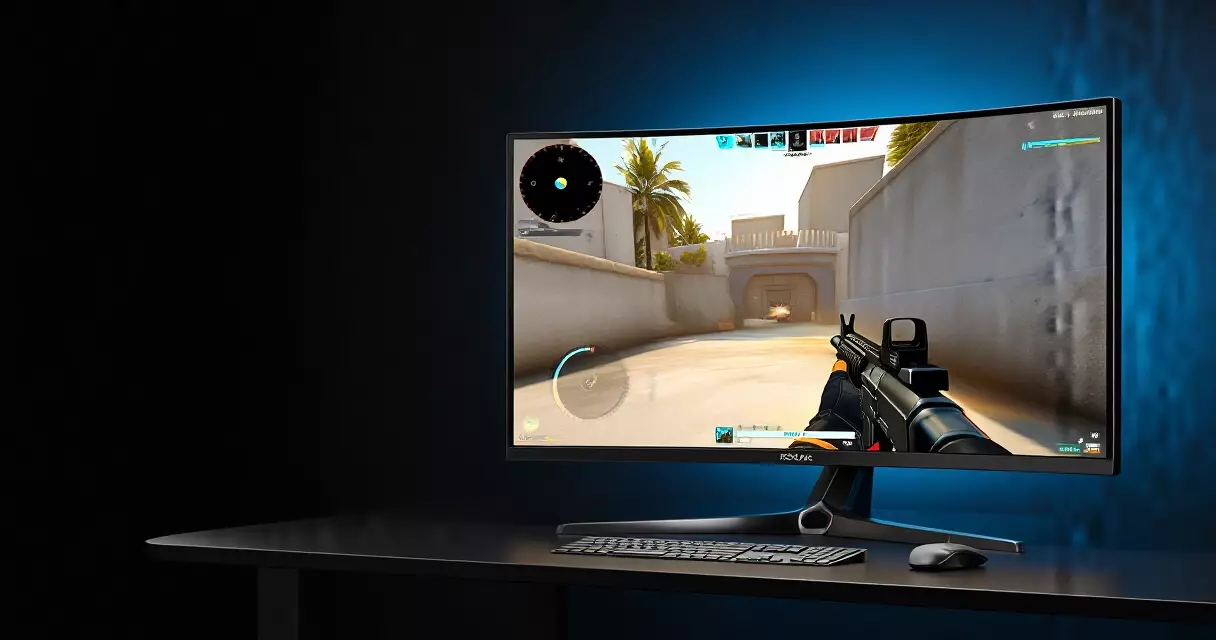
This is the reason to buy the AW2725DF. Because OLED pixels change state almost instantly, the panel produces no visible smearing or ghosting trails behind fast-moving objects, the artifact that plagues even good VA and many IPS panels. Pair that near-instant pixel response with a 360Hz refresh rate, and motion looks remarkably crisp. Tracking an enemy strafing across the screen in a competitive shooter stays clean, and flick aiming feels immediate.
Refresh rate governs how many fresh images arrive each second, and the jump from 144Hz to 360Hz reduces the gap between frames substantially. The table below shows how the frame interval shrinks as refresh climbs, which is the mechanical reason higher numbers feel smoother. Frame interval is simply one second divided by the refresh rate, a relationship explained on Wikipedia’s refresh rate page.
| Refresh rate | Frame interval | Practical feel |
|---|---|---|
| 60Hz | 16.7 ms | Baseline, visible blur in fast motion |
| 144Hz | 6.9 ms | Clear smoothness gain over 60Hz |
| 240Hz | 4.2 ms | Noticeably sharper tracking |
| 360Hz | 2.8 ms | AW2725DF ceiling, very fluid |
| 480Hz | 2.1 ms | Top current 1440p OLED tier |
Honesty matters when reading that table. The perceptual gain from 144Hz to 360Hz is real but it follows diminishing returns, since each step adds smaller absolute time savings than the last. Going from 60Hz to 144Hz cuts nearly 10 milliseconds; going from 240Hz to 360Hz trims only about 1.4 milliseconds. Trained competitive players can feel the difference, while many casual players plateau somewhere around 240Hz. Whether 360Hz justifies its cost depends on your reflexes, your game library, and your hardware, a judgment our piece on competitive monitor settings helps you make.
Both major adaptive-sync standards work here. The panel is certified for AMD FreeSync Premium Pro and validated as NVIDIA G-Sync Compatible, so it eliminates screen tearing across a wide variable-refresh range regardless of which graphics card you run. Variable refresh rate technology, standardized by VESA as Adaptive-Sync and described on the variable refresh rate page, syncs the display’s redraw to the GPU’s output so frames never tear mid-screen. If you are choosing between the two ecosystems, our comparison of G-Sync versus FreeSync explains what each badge guarantees.
Design, Connectivity, and Build
Alienware’s Legend industrial design carries over, with a clean dark-and-light shell, a slim profile that the OLED panel allows, and a sturdy stand that adjusts for height, tilt, and swivel. The base footprint is reasonably compact for a 27-inch class display, and the included cable routing keeps the desk tidy. A VESA mount option lets you attach an arm if the stand does not suit your setup.
Connectivity covers the essentials without going overboard. You get one DisplayPort 1.4 input, which is required to hit the full 360Hz at 1440p, plus two HDMI 2.1 ports that support 120Hz for consoles such as the PlayStation 5 and Xbox Series X. A small USB hub handles peripherals, and a headphone jack rounds it out. There are no built-in speakers, which is typical for a gaming-first monitor and rarely a real loss given how poor monitor speakers usually sound.
The on-screen menu is navigated with a single joystick and includes Alienware’s usual gaming extras: selectable response presets, a frame-rate counter, timers, and dark-stabilizer controls. A built-in pixel-refresh cycle runs periodically to manage OLED wear, and the firmware reminds you to let it complete. None of this is revolutionary, but it is well-executed and stays out of the way during play.
How It Compares to the Alternatives
The AW2725DF does not exist in a vacuum. Its closest rivals share the same Samsung QD-OLED panel family or LG’s WOLED panels, and the differences come down to refresh rate, price, and ecosystem. The table below places it against three notable competitors that sit near it in the market.
| Model | Panel | Resolution | Refresh | Typical 2026 street price |
|---|---|---|---|---|
| Alienware AW2725DF | QD-OLED | 1440p | 360Hz | ~$550–650 |
| ASUS ROG Swift OLED PG27AQDP | WOLED | 1440p | 480Hz | ~$750–900 |
| LG UltraGear 27GR95QE-B | WOLED | 1440p | 240Hz | ~$500–650 |
| Samsung Odyssey OLED G9 | QD-OLED | 5120×1440 | 240Hz | ~$900–1,100 |
Against the 480Hz ASUS ROG Swift OLED PG27AQDP, the Alienware trades top-end refresh for a lower price and the wider QD-OLED color gamut. The ASUS pushes motion further and uses a tandem WOLED structure that runs brighter, but it costs meaningfully more. Against the 240Hz LG UltraGear 27GR95QE-B, the AW2725DF offers a big refresh-rate jump for a small price difference, which makes it the stronger pick for fast-paced shooters. The ultrawide Samsung Odyssey OLED G9 plays a different game entirely, prioritizing immersion and desk-dominating width over the focused competitive speed the Alienware targets.
Resolution choice shapes this decision as much as refresh rate. At 1440p the AW2725DF asks less of your graphics card than a 4K panel would, which is part of why it can sustain high frame rates. If you are still weighing sharpness against frame rate, our breakdown of 1080p versus 1440p versus 4K lays out the trade clearly.
Pricing, Value, and the Burn-In Question
Value is where this monitor has aged well. It launched at $899.99 per Dell’s listing, but by mid-2026 it regularly sells in the rough range of $550 to $650 through Dell’s own sales and major retailers. At that price a 360Hz QD-OLED panel with infinite contrast is hard to beat, and it frequently lands as the recommended mainstream OLED in roundups from premier outlets such as Tom’s Hardware. The discount-heavy pricing reflects both the maturing OLED supply chain and the arrival of faster 480Hz models above it.
Burn-in remains the question every OLED buyer asks, and it deserves a straight answer. Permanent image retention can occur when static elements such as taskbars, HUDs, or logos display for very long periods at high brightness. Modern QD-OLED panels mitigate this with pixel-shifting, logo-dimming, and automatic refresh cycles, and real-world longevity testing across the industry suggests typical mixed use rarely triggers visible burn-in within a normal ownership span. Dell hedges the risk further by including OLED burn-in coverage in the three-year warranty, which is the single most reassuring line on the spec sheet. If you vary your content and let the maintenance routines run, the risk for a typical gamer is low rather than zero.
One practical note on eye comfort: OLED panels are flicker-free in normal operation and avoid the PWM dimming that bothers some users on certain LCDs. If you spend long sessions at the desk, that matters, and our article on whether gaming monitors harm your eyes covers brightness and setup habits that reduce strain regardless of panel type.
Who Should Buy the AW2725DF
This monitor fits competitive and fast-paced gamers who want OLED motion clarity at a 1440p resolution their graphics card can actually drive at high frame rates. Shooter, racing, and fighting-game players gain the most from the near-instant response and 360Hz refresh. Players with a dim or light-controlled room will love the contrast, and anyone upgrading from a 144Hz or 240Hz LCD will feel the jump immediately.
It fits less well for a few groups. Buyers in very bright rooms may want a brighter mini-LED LCD, since full-screen brightness is the panel’s clear limit. Anyone whose main use is text-heavy productivity should preview the QD-OLED sub-pixel fringing first. And reflex-trained esports professionals chasing the absolute highest refresh now have 480Hz options, though they pay a premium for the last increment of speed. For most other players, the AW2725DF lands in a strong value position that has only improved as its price has fallen.
Frequently Asked Questions
Is the Alienware AW2725DF good for competitive gaming?
Yes, it is one of the stronger choices for competitive play at 1440p. The combination of a 360Hz refresh rate and a roughly 0.03ms gray-to-gray response time produces motion that stays clean during fast tracking and flick aiming, with no visible smearing behind moving objects. Because the resolution is 1440p rather than 4K, a capable graphics card can push frame rates high enough to use that refresh ceiling. Both FreeSync Premium Pro and G-Sync Compatible support keep the image tear-free. The main caveat is that trained players who specifically chase the highest possible refresh now have 480Hz alternatives, though those cost more.
Does the AW2725DF suffer from OLED burn-in?
Burn-in is possible on any OLED, but the practical risk for typical gaming use is low. The panel uses pixel-shifting, logo-dimming, and automatic pixel-refresh cycles to spread wear and reduce the chance of permanent image retention from static elements like HUDs or taskbars. Real-world longevity testing across the display industry indicates most mixed-use owners do not see visible burn-in within a normal ownership period. Dell also includes OLED burn-in coverage in its three-year limited warranty, which removes much of the financial risk. Varying your on-screen content and letting the maintenance routines complete further protects the panel over time.
How bright is the AW2725DF in HDR?
Peak HDR brightness reaches roughly 1,000 nits on small highlight windows, which makes specular details such as explosions and reflections stand out convincingly. Full-screen sustained brightness is much lower, in the rough region of 250 nits, because OLED panels cap total power draw to protect the organic material. The display carries VESA DisplayHDR True Black 400 certification, a tier built around extremely deep blacks rather than extreme brightness. In a dim or light-controlled room the contrast advantage feels excellent, but in a very bright space a high-nit mini-LED LCD will look punchier overall. The anti-reflection coating helps manage ambient light effectively.
Is 1440p at 360Hz better than 4K at a lower refresh?
It depends on what you play. For fast competitive games, 1440p at 360Hz usually wins because your graphics card can reach the frame rates needed to benefit from the high refresh, and the cleaner motion helps target tracking. For slower, visually rich single-player titles, 4K delivers sharper detail that may matter more than raw speed. The AW2725DF deliberately targets the speed-focused player. If you are split between the two priorities, consider your most-played genres and your graphics hardware, since a 4K panel demands far more rendering power to keep frame rates high enough to feel smooth.
What graphics card do I need to drive 360Hz at 1440p?
Reaching frame rates near 360 frames per second at 1440p requires a strong modern graphics card, and even then it depends heavily on the game. Lightweight competitive titles such as popular shooters and MOBAs can hit those numbers on upper-midrange and high-end GPUs with settings tuned for performance. Demanding AAA games will fall well short of 360 frames per second at native 1440p, and that is fine, since adaptive sync keeps motion smooth at any frame rate within range. You do not need to max the refresh in every game to benefit; the monitor simply gives you headroom for the titles where speed counts most.
Does the AW2725DF work well with PS5 and Xbox Series X?
Yes, the two HDMI 2.1 ports support 120Hz at 1440p, which suits both the PlayStation 5 and Xbox Series X. Current consoles do not output the full 360Hz, so that ceiling is reserved for PC players using the DisplayPort input, but 120Hz console gaming on a QD-OLED panel still looks excellent thanks to the deep contrast and fast response. Variable refresh rate support helps keep console frame-rate dips tear-free as well. The lack of built-in speakers means you will want a headset or external audio, which most console players already use. Overall it is a capable dual-purpose display for PC and console alike.
Sources
- QD-OLED technology overview – Wikipedia: https://en.wikipedia.org/wiki/QD-OLED
- OLED display technology and history – Wikipedia: https://en.wikipedia.org/wiki/OLED
- Refresh rate and frame interval – Wikipedia: https://en.wikipedia.org/wiki/Refresh_rate
- Variable refresh rate (Adaptive-Sync) – Wikipedia: https://en.wikipedia.org/wiki/Variable_refresh_rate
- VESA DisplayHDR performance criteria, including True Black 400 – VESA: https://displayhdr.org/performance-criteria/
- Gaming monitor coverage and reviews – Tom’s Hardware: https://www.tomshardware.com/monitors
Gaming Laptop Buyer’s Guide: Performance, Portability & Best Models