Summary
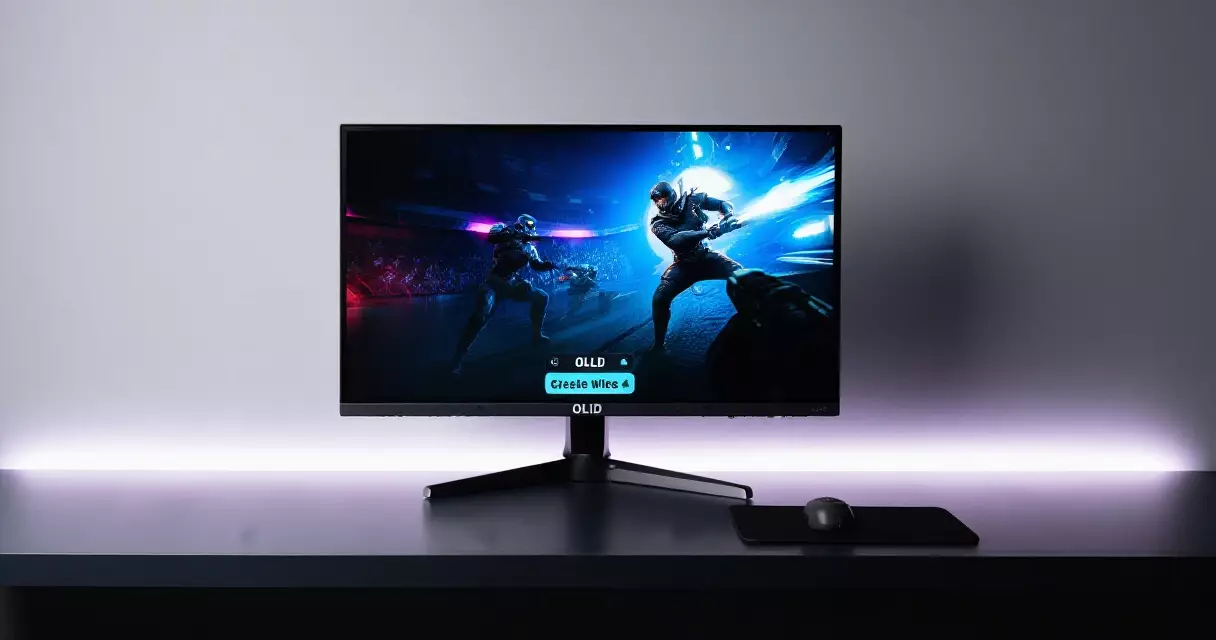
Few monitor launches in recent years have reset expectations the way the ASUS ROG Swift OLED PG27AQDP did. It arrived as the first 1440p OLED panel to reach a 480Hz refresh rate, pairing esports-grade speed with the near-perfect black levels...
Table of contents
- 1 The PG27AQDP at a glance
- 2 Background: how 1440p OLED reached 480Hz
- 3 Panel technology: WOLED, not QD-OLED
- 4 Motion clarity and refresh rate in real games
- 5 Picture quality: brightness, color and HDR
- 6 Design, connectivity and OLED-care features
- 7 Pricing and how it compares
- 8 Who should buy the PG27AQDP
- 9 How to set up the PG27AQDP for competitive 480Hz gaming
- 10 What it really costs to feed 480fps
- 11 Frequently asked questions
- 11.1 Is the ASUS ROG Swift OLED PG27AQDP worth it in 2026?
- 11.2 Does the PG27AQDP use a QD-OLED or WOLED panel?
- 11.3 Can my graphics card actually push 480Hz at 1440p?
- 11.4 How bad is OLED burn-in risk on the PG27AQDP?
- 11.5 Is 480Hz noticeably better than 240Hz or 360Hz?
- 11.6 Is the PG27AQDP good for content creation and everyday use?
- 11.7 How do I reduce eye strain on a high-refresh OLED?
- 12 Related Reading
- 13 Sources
Few monitor launches in recent years have reset expectations the way the ASUS ROG Swift OLED PG27AQDP did. It arrived as the first 1440p OLED panel to reach a 480Hz refresh rate, pairing esports-grade speed with the near-perfect black levels that organic LED screens are known for. According to ASUS’s published specifications, the 26.5-inch display runs at 2560 x 1440 and quotes a 0.03ms gray-to-gray response time, a combination that reads like a competitive player’s wish list rather than a shipping product.
This review unpacks what those numbers mean once the marketing slides are gone. We look at the panel technology, real motion clarity, picture quality, the design and connectivity package, pricing against rivals, and the trade-offs that still come with any OLED gaming monitor in 2026.
The PG27AQDP at a glance
Before the deep dive, here is the short version. The PG27AQDP is a 26.5-inch flat 1440p panel built for speed first, with picture quality close behind. The headline figure is the 480Hz ceiling, but the supporting specs matter just as much for how the screen feels day to day. The table below summarizes the key figures, drawn from ASUS’s official product page.
| Specification | Detail (per ASUS) |
|---|---|
| Screen size | 26.5-inch flat, 16:9 |
| Panel type | LG Display 4th-gen WOLED (Primary RGB Tandem) |
| Resolution | 2560 x 1440 (QHD), about 111 pixels per inch |
| Max refresh rate | 480Hz |
| Response time | 0.03ms gray-to-gray (ASUS spec) |
| Adaptive sync | NVIDIA G-Sync Compatible, AMD FreeSync Premium Pro |
| HDR | VESA DisplayHDR True Black 400 class (ASUS) |
| Peak brightness | Up to roughly 1,300 nits, small window (ASUS) |
| Connectivity | 1x DisplayPort 1.4 (DSC), 2x HDMI 2.1, USB hub, 3.5mm |
| Cooling | Custom fanless heatsink |
| Warranty | 3-year limited, includes burn-in coverage (region dependent) |
| Launch price | About $799 USD |
Numbers on a sheet only tell part of the story. The interesting question is whether a refresh rate this high is useful at 1440p, and whether the panel keeps OLED’s signature look while running that fast.
Background: how 1440p OLED reached 480Hz
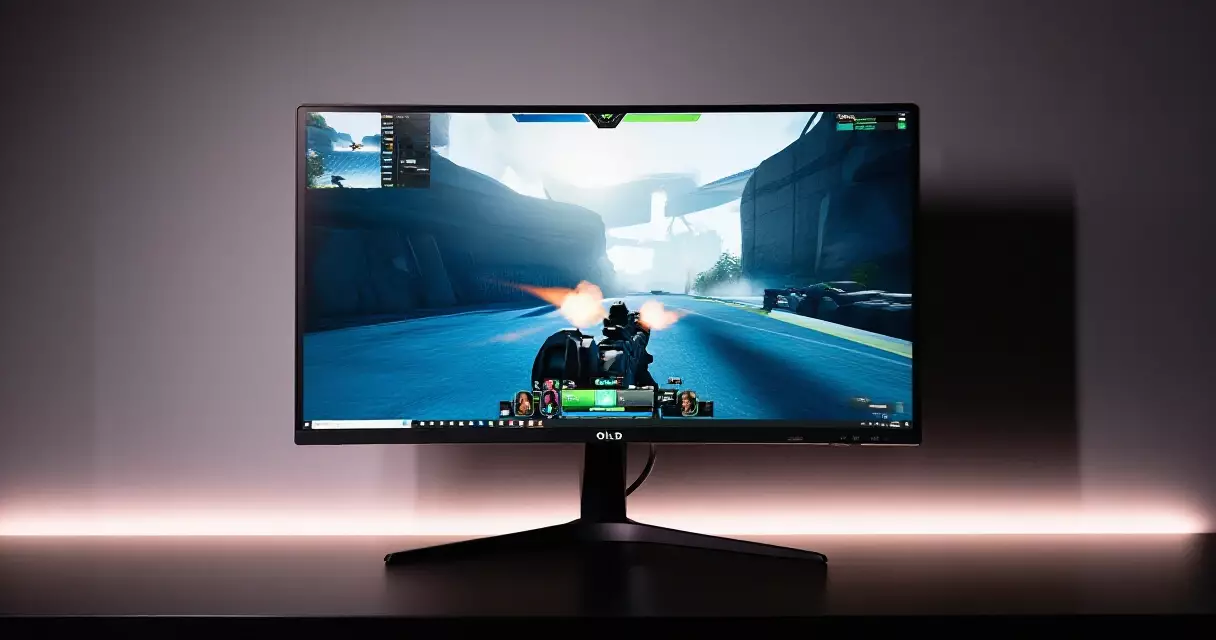
For most of the past decade, gaming displays forced a choice. You could have OLED contrast at 1440p and around 240Hz, or you could chase very high refresh rates on faster but visually flatter LCD panels. The PG27AQDP collapsed that compromise. Its panel comes from LG Display, which engineered a new sub-pixel layout to push frame rates higher without sacrificing the self-lit, per-pixel control at the heart of OLED technology.
The breakthrough sits in the panel structure. LG Display stacks two emissive layers in what it calls a tandem design, a concept the U.S. Department of Energy’s solid-state lighting research program has documented as a route to higher brightness and longer panel life in organic LED devices. More light output per pixel gives engineers headroom to drive the panel faster and brighter at the same time.
That engineering shift is why a 480Hz OLED at this resolution felt sudden rather than gradual. ASUS was among the first vendors to ship the panel to consumers, and the PG27AQDP became the reference point reviewers used to judge every fast 1440p OLED that followed.
Panel technology: WOLED, not QD-OLED
One point trips up shoppers constantly, so it is worth stating plainly. The PG27AQDP uses a white-OLED (WOLED) panel with a tandem RGB structure, not the QD-OLED technology Samsung Display supplies to several competing monitors. Both belong to the broader OLED family, yet they reach color and brightness differently. QD-OLED uses a blue emissive layer with quantum-dot color conversion, while WOLED pairs white sub-pixels with color filters. If you want the full panel-type breakdown, our guide to IPS, VA, TN and OLED panels covers the trade-offs.
The practical upshot is a small but real difference in look. WOLED panels like this one tend to handle bright highlights and full-field brightness slightly better than earlier QD-OLED designs, and the tandem layer pushes peak luminance higher than previous WOLED generations. QD-OLED screens, by contrast, often show marginally richer color volume at high saturation. Neither wins outright. On the PG27AQDP, the tradeoff lands in favor of brightness and longevity, which suits a panel meant to run at extreme refresh rates for hours.
Text rendering deserves a mention. WOLED sub-pixel layouts can produce faint color fringing on thin text against certain backgrounds. It is far less noticeable than on early OLED monitors, and most users stop seeing it within a day, but pixel-peepers who stare at spreadsheets may still spot it.
Motion clarity and refresh rate in real games
Here is where the PG27AQDP earns its reputation. OLED pixels switch state almost instantly, so the 0.03ms response figure ASUS quotes is not marketing fluff in the way LCD response claims often are. Combined with a 480Hz ceiling, motion looks exceptionally clean. The relationship between these two specs matters, and our explainer on refresh rate versus response time shows why both must be strong for motion to feel right.
Refresh rate describes how many times per second the screen redraws the image, a measure defined the same way across all displays per the standard definition of refresh rate. Jumping from 240Hz to 480Hz halves the time each frame stays on screen, which sharpens fast camera pans and reduces the smearing that tired eyes notice during long sessions. The gain is real, though it follows diminishing returns: the leap from 60Hz to 240Hz is dramatic, while 240Hz to 480Hz is a refinement that trained competitive players feel more than casual ones.
Reaching 480Hz at 1440p also demands serious hardware. Esports titles such as fast shooters and arena games can hit those frame rates on a strong GPU at lowered settings, but graphically heavy single-player games will not. For players chasing maximum frames, our notes on competitive monitor settings help squeeze the most out of the panel.
The monitor also handles lower frame rates gracefully thanks to adaptive sync. It carries both NVIDIA and AMD certifications, so tearing stays away whether your frame rate sits at 90 or 450.
Picture quality: brightness, color and HDR
Speed would mean little if the image disappointed, and it does not. Per-pixel light control gives the PG27AQDP effectively infinite contrast, since black pixels simply switch off. Dark scenes in horror or space games look the way developers intended, with no backlight bloom around bright objects. ASUS quotes peak brightness around 1,300 nits in a small window, a figure the tandem panel structure enables, though full-screen white sits much lower as with every OLED.
Color coverage is strong out of the box, comfortably exceeding the sRGB space and covering most of the wider DCI-P3 gamut that modern HDR content targets. For creators who need precise output, the panel responds well to calibration, and our walkthrough on calibrating a gaming monitor applies directly here. Independent reviewers have generally found factory accuracy good rather than reference-grade, so a quick profile pass is worthwhile for color-critical work.
HDR performance is a genuine strength. The deep blacks and bright specular highlights give HDR games real punch, especially in titles with strong lighting contrast. The screen carries a VESA DisplayHDR True Black class certification per ASUS, which suits OLED panels far better than the brightness-focused tiers used for LCDs.
Design, connectivity and OLED-care features
ASUS kept the chassis understated by ROG standards. The stand is sturdy with full height, tilt, swivel and pivot adjustment, and the rear keeps lighting subtle. A standout engineering choice is the cooling: the PG27AQDP relies on a custom fanless heatsink rather than an active fan, so it runs silently while still managing the heat that helps protect panel uniformity over time.
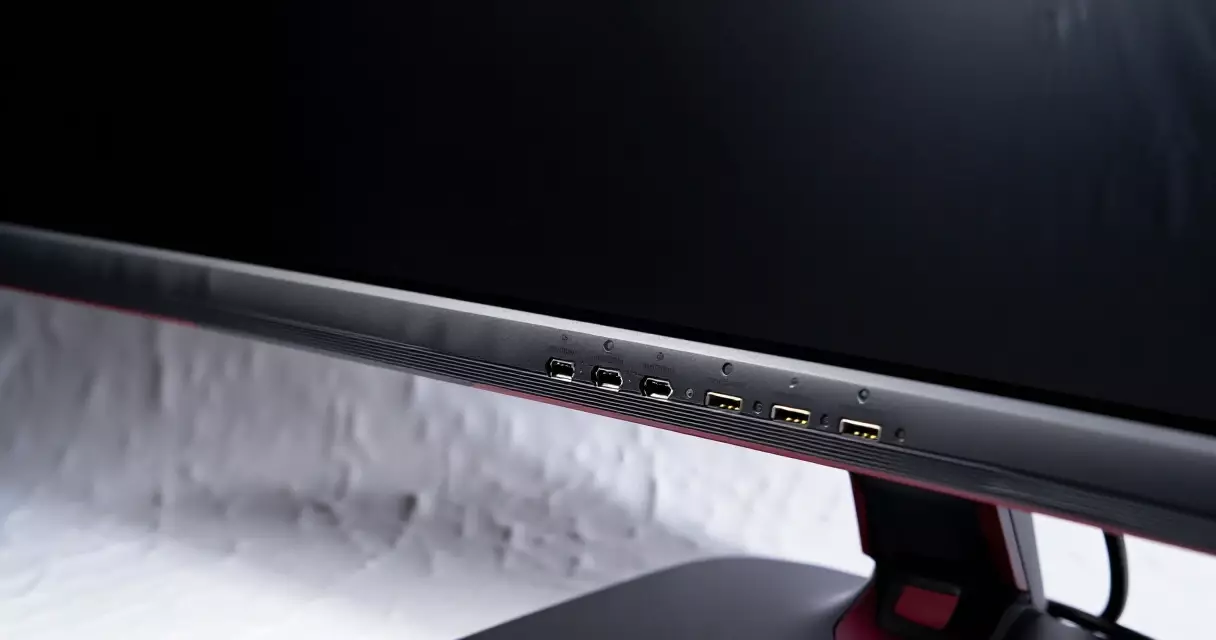
Connectivity is solid without being lavish. You get one DisplayPort 1.4 input with Display Stream Compression to carry the full 480Hz signal, two HDMI 2.1 ports for consoles, a USB hub and a headphone jack. Both adaptive-sync standards work over these inputs, and if you are weighing the two ecosystems, our comparison of G-Sync versus FreeSync explains what each certification actually delivers thanks to variable refresh rate technology.
OLED-care features are extensive, which matters because screen burn-in remains the technology’s main long-term risk. The PG27AQDP includes pixel-cleaning cycles, pixel shifting, logo and taskbar dimming, plus a proximity sensor that dims the screen when you step away. ASUS backs this with a multi-year warranty that includes burn-in coverage in many regions, a meaningful commitment given how cautious buyers remain about static interface elements.
Pricing and how it compares
At a launch price near $799, the PG27AQDP sat at the premium end of 27-inch gaming monitors, though prices have softened as more 1440p OLEDs reached the market. The value question depends entirely on whether you can use the refresh rate. Competitive players get the most from it; everyone else pays partly for headroom they may not reach. The table below places it against two reference points, with figures reflecting widely published specifications and approximate typical pricing.
| Model | Panel | Resolution / refresh | Approx. price |
|---|---|---|---|
| ASUS ROG Swift PG27AQDP | WOLED tandem | 1440p / 480Hz | ~$799 |
| Typical 1440p QD-OLED rival | QD-OLED | 1440p / 360Hz | ~$650–750 |
| Fast 1440p IPS LCD | IPS LCD | 1440p / 240Hz | ~$300–450 |
Read that table as a spectrum rather than a ranking. The IPS option saves real money and avoids burn-in worry entirely, the QD-OLED rivals trade some refresh headroom for slightly different color character, and the PG27AQDP buys the highest refresh ceiling currently available at this resolution. Your use case decides which trade-off is correct.
Who should buy the PG27AQDP
This monitor is built for one buyer above all: the competitive player with a powerful GPU who wants the cleanest possible motion at 1440p and refuses to give up OLED contrast to get it. For that person, the PG27AQDP is close to ideal, and the silent cooling plus strong warranty answer the two biggest OLED objections.
Casual players, mixed work-and-play users and anyone on a tighter budget should think harder. A 240Hz OLED or a fast IPS panel delivers most of the experience for far less, and the 480Hz ceiling sits unused if your games or graphics card cannot reach it. The picture quality alone still makes the panel a joy outside gaming, yet you would be paying a speed premium you might never spend.
Considered as a whole, the PG27AQDP is one of the most accomplished gaming monitors of its generation, held back only by a price that asks you to value refresh rate highly. If you do, it rewards you. If you do not, the wider monitor buyer’s guide can point you toward a better-matched pick.
How to set up the PG27AQDP for competitive 480Hz gaming
Getting all 480Hz out of this monitor takes more than plugging it in. The panel ships in a balanced mode, and several settings that matter for esports are off by default. Work through these steps in order before your next ranked session.
- Use the DisplayPort 1.4 port, not HDMI 2.1. Per the ASUS PG27AQDP specification sheet (2024), 480Hz at 2560×1440 is only available over DisplayPort with Display Stream Compression. HDMI 2.1 tops out lower at this resolution.
- Enable the full refresh rate in Windows. Go to Settings, System, Display, Advanced display, and set the refresh rate to 480Hz. Windows often defaults new panels to 60Hz or 120Hz.
- Turn on Resolution Tuning if you cannot reach 480fps. ASUS added a 1080p 480Hz dual-mode-style option; RTINGS (2024) confirmed the panel accepts native 1440p and a sharpened 1080p path for older GPUs.
- Set OLED Anti-Flicker and uniform brightness off for lowest input lag. RTINGS measured total input lag near 0.3ms at 480Hz, among the fastest they have tested.
- Disable in-game V-Sync, cap frames just under 480. Blur Busters (2023) recommends a cap around 475fps with G-Sync active to stay inside the variable refresh window and avoid tearing.
Finally, leave Pixel Cleaning enabled. The panel runs a short compensation cycle after roughly four hours of use, and ASUS documentation (2024) states skipping these cycles accelerates uneven wear. A four-minute cleaning between matches is cheap insurance for a panel at this price.
What it really costs to feed 480fps
A 480Hz panel is only as fast as the frames your GPU can deliver. At 1440p, hitting 480fps in modern titles is demanding, and the realistic budget extends well past the monitor itself. The table below pairs common GPUs with achievable frame rates in competitive titles, based on Tom’s Hardware and TechPowerUp 1440p benchmark data (2024).
| GPU | Approx. street price | Counter-Strike 2 (1440p, low) |
|---|---|---|
| RTX 4070 Super | ~$599 (Newegg 2024) | ~300-350 fps |
| RTX 4080 Super | ~$999 (Newegg 2024) | ~400-450 fps |
| RTX 4090 | ~$1,799 (Newegg 2024) | ~480+ fps |
The pattern is clear. Only a top-tier card pins esports titles against the 480Hz ceiling at native 1440p, and AAA games stay far below it. Adding the monitor’s roughly $999 launch price (ASUS 2024) to an RTX 4090 puts a full setup near $2,800 before peripherals.
Two practical paths lower that bill. First, drop to 1080p using the panel’s resolution tuning, which the TechPowerUp 2024 data shows lifts frame rates 30 to 40 percent, letting a 4070 Super flirt with 480fps. Second, the Steam Hardware Survey (May 2024) found that fewer than 1 percent of users run a 4090, so most buyers should treat 480Hz as headroom for esports specifically, not a number they will see everywhere. Budget for the GPU first, because a mid-range card paired with this monitor leaves much of its refresh rate unused.
Frequently asked questions
Is the ASUS ROG Swift OLED PG27AQDP worth it in 2026?
It is worth it for competitive players with a strong graphics card who genuinely play fast esports titles and want the cleanest motion available at 1440p. For that group, the combination of 480Hz speed and OLED contrast is hard to match, and the silent cooling and burn-in warranty remove common OLED worries. For everyone else, the value is weaker. A 240Hz OLED or a fast IPS panel covers most needs for considerably less money, and the highest refresh tier goes unused unless your games and hardware can reach it. Match the purchase to how you actually play.
Does the PG27AQDP use a QD-OLED or WOLED panel?
It uses a WOLED panel, specifically a fourth-generation tandem RGB design from LG Display, not the QD-OLED technology Samsung Display supplies to several rivals. This distinction causes a lot of confusion because some marketing and third-party listings blur the two. Both are OLED and both deliver per-pixel black levels, but they generate color and brightness through different methods. The WOLED tandem structure here favors higher peak brightness and panel longevity, while QD-OLED panels can show marginally richer saturated color. Knowing which technology you are buying helps set the right expectations for brightness, text clarity and overall look.
Can my graphics card actually push 480Hz at 1440p?
Only in the right games. Lightweight competitive titles such as fast shooters and arena games can approach or hit 480 frames per second on a high-end GPU, particularly at reduced graphics settings. Graphically demanding single-player games will fall well short, often landing between 80 and 200 frames per second at 1440p even on powerful hardware. The monitor still benefits these games through adaptive sync, which keeps motion tear-free at any frame rate. Treat 480Hz as a ceiling you reach selectively rather than a constant, and lower in-game settings if maximum frames are your goal.
How bad is OLED burn-in risk on the PG27AQDP?
The risk is real but well managed on this model. Burn-in happens when static elements such as taskbars or game interfaces leave permanent marks after very long exposure. ASUS includes several protections: pixel-shifting, automatic pixel-cleaning cycles, logo and taskbar dimming, and a proximity sensor that dims the panel when you leave. The multi-year warranty also includes burn-in coverage in many regions, which signals confidence in the panel. For typical mixed gaming use, modern OLED monitors hold up well for years. If you display the same static interface for eight hours a day, an LCD remains the safer long-term choice.
Is 480Hz noticeably better than 240Hz or 360Hz?
There is a real difference, but it follows diminishing returns. Doubling refresh rate from 240Hz to 480Hz halves how long each frame stays on screen, which sharpens fast motion and can give a slight edge in flick-heavy competitive play. Trained players and those with quick reactions notice it most. Casual players often struggle to tell 240Hz from 480Hz in normal play, since the jump from 60Hz to 240Hz is far more dramatic than anything above it. The benefit is genuine for esports, modest for everything else, and worth paying for only if you compete seriously.
Is the PG27AQDP good for content creation and everyday use?
It is very capable beyond gaming, with caveats. The wide color coverage, deep contrast and accurate response to calibration make it pleasant for photo and video editing, and the 1440p resolution at 26.5 inches gives comfortable desktop space. Two points temper that. WOLED sub-pixel layouts can produce faint text fringing that detail-focused users notice on thin fonts, and static productivity interfaces raise burn-in considerations more than gaming does. For mixed creative and gaming use the panel shines; for all-day office work with fixed toolbars, use the screen-care features diligently or pick an LCD instead.
How do I reduce eye strain on a high-refresh OLED?
High refresh rates and flicker-free OLED panels already help, since smoother motion reduces visual fatigue. Beyond that, sensible habits matter most. The U.S. National Eye Institute recommends the 20-20-20 approach for screen work: every 20 minutes, look at something about 20 feet away for 20 seconds, guidance covered in its healthy vision resources. Keep the monitor an arm’s length away, set brightness to match your room rather than maxing it out, and avoid gaming in total darkness. Our deeper look at whether gaming monitors harm your eyes covers blue light and setup in detail.
Related Reading
- Gaming Monitors Explained: Specs, Tech & Top Picks 2026
- 1080p vs 1440p vs 4K: Best Gaming Resolution?
- Are Gaming Monitors Bad for Your Eyes? Blue Light & Setup
- Best Gaming Monitor Settings for Competitive FPS Players
- G-Sync vs FreeSync: Adaptive Sync for Tear-Free Gaming
- Gaming Monitor Troubleshooting: Flicker, Black Screens & More
- How to Calibrate a Gaming Monitor for Color & Low Lag
- IPS vs VA vs TN vs OLED: Gaming Monitor Panels Compared
- Refresh Rate vs Response Time: Why Both Decide Game Feel
- Alienware AW2725DF Review: 360Hz QD-OLED Tested
- Dell (Alienware) vs ASUS ROG Gaming Monitors Compared
- Gigabyte M27Q Review: 1440p 170Hz Value With KVM
- LG UltraGear 27GR95QE-B Review: The OLED Sweet Spot?
- MSI MAG 274QRF QD E2 Review: Budget 1440p 180Hz Monitor
- Samsung Odyssey OLED G9 Review: Is the 49-Inch Worth It?
Sources
- OLED technology overview, Wikipedia – https://en.wikipedia.org/wiki/OLED
- Refresh rate definition, Wikipedia – https://en.wikipedia.org/wiki/Refresh_rate
- Variable refresh rate, Wikipedia – https://en.wikipedia.org/wiki/Variable_refresh_rate
- Screen burn-in, Wikipedia – https://en.wikipedia.org/wiki/Screen_burn-in
- Solid-State Lighting research program, U.S. Department of Energy – https://www.energy.gov/eere/ssl/solid-state-lighting
- Healthy vision and screen habits, National Eye Institute – https://www.nei.nih.gov/learn-about-eye-health/healthy-vision
Gaming Laptop Buyer’s Guide: Performance, Portability & Best Models