Summary
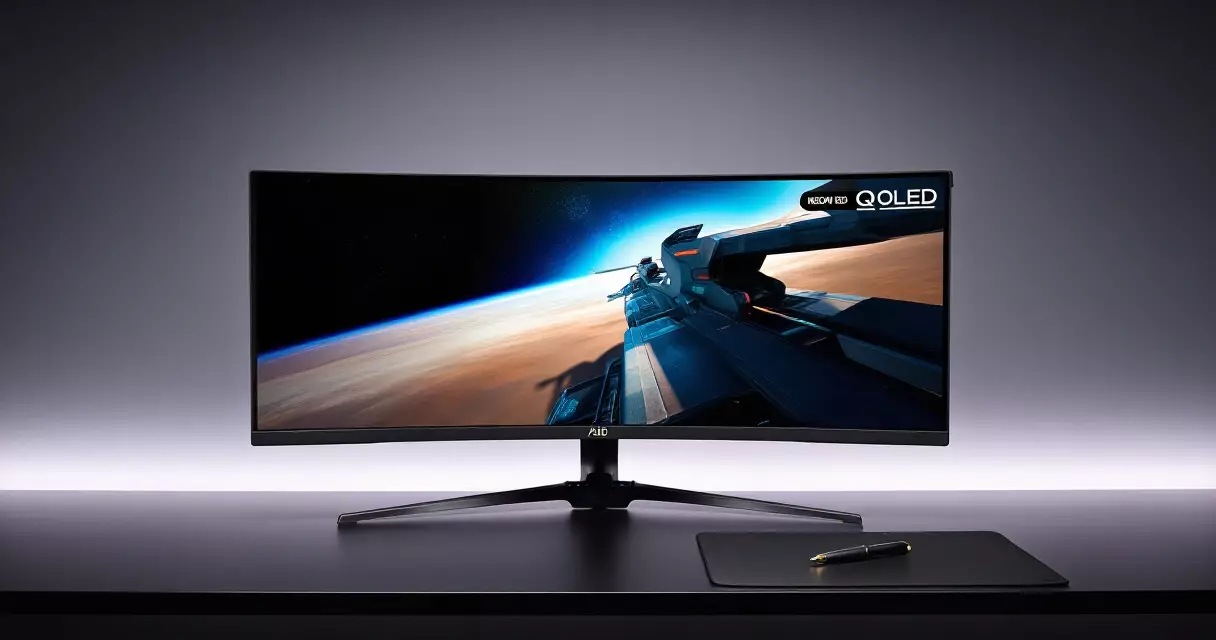
Few monitors announce themselves the way the Samsung Odyssey OLED G9 does. Its 49-inch QD-OLED panel stretches a 5120 x 1440 image across a single curved sheet of glass, which is the same pixel count as two 27-inch QHD displays...
Table of contents
- 1 The Odyssey OLED G9 at a Glance
- 2 From Curved LCD to QD-OLED: The G9 Lineage
- 3 Design and Build: Living With 49 Inches of Width
- 4 Panel and Picture Quality: QD-OLED in Practice
- 5 Gaming Performance: 240 Hz, Response Time and Adaptive Sync
- 6 Full Specifications and What They Mean
- 7 Pricing and How It Stacks Up
- 8 Strengths and Weaknesses
- 9 Who Should Buy the Odyssey OLED G9
- 10 Frequently Asked Questions
- 10.1 Is the Samsung Odyssey OLED G9 good for competitive gaming?
- 10.2 Does the Odyssey OLED G9 suffer from burn-in?
- 10.3 What is the difference between the G95SC and G95SD?
- 10.4 Do you need a powerful GPU to run it at 240 Hz?
- 10.5 Is 49 inches too big for a normal desk?
- 10.6 Does it work well for productivity and creative work?
- 10.7 Is the Odyssey OLED G9 worth it in 2026?
- 11 Related Reading
- 12 Sources
Few monitors announce themselves the way the Samsung Odyssey OLED G9 does. Its 49-inch QD-OLED panel stretches a 5120 x 1440 image across a single curved sheet of glass, which is the same pixel count as two 27-inch QHD displays sitting side by side, and Samsung rates its pixel response at 0.03 ms gray-to-gray. Pair that with a 240 Hz refresh ceiling and a self-lit panel that switches off individual pixels for true black, and you get one of the most dramatic gaming displays a desk can hold. The harder question, and the one this review answers, is whether that spectacle justifies a price that has hovered well above a thousand dollars for most of its life.
This review covers both the original 2023 model (sold as the G95SC) and the 2024 refresh (the G95SD), explains where each one fits, and sets the monitor against smaller OLED rivals so you can judge whether 32:9 is a luxury or a liability for the way you play and work.
The Odyssey OLED G9 at a Glance
At its core, the Odyssey OLED G9 is a super-ultrawide gaming monitor built around a Samsung Display QD-OLED panel. The format is 32:9, which is twice as wide as a standard 16:9 screen, and the 1800R curve wraps that width toward your eyes so the far edges stay roughly equidistant from where you sit. According to Samsung’s product specifications, the panel measures 49 inches on the diagonal and runs at a native 5120 x 1440 resolution, a layout the industry calls Dual QHD because it equals two stacked Quad HD halves.
QD-OLED matters here because it changes how the picture is produced. Rather than shining a backlight through liquid crystal, each pixel emits its own light, and a quantum-dot layer converts that light into purer, more saturated color. Samsung Display’s QD-OLED approach is the reason the G9 can show a star field next to a black void with no halo between them, something edge-lit LCDs struggle to match. If you want the broader trade-offs between panel families, our guide to IPS vs VA vs TN vs OLED panels lays out where OLED wins and where it still asks for caution.
The short version: this is a halo product. It is meant to impress, and it does. The rest of this review pulls apart how that impression holds up once the novelty of all that width wears off.
From Curved LCD to QD-OLED: The G9 Lineage
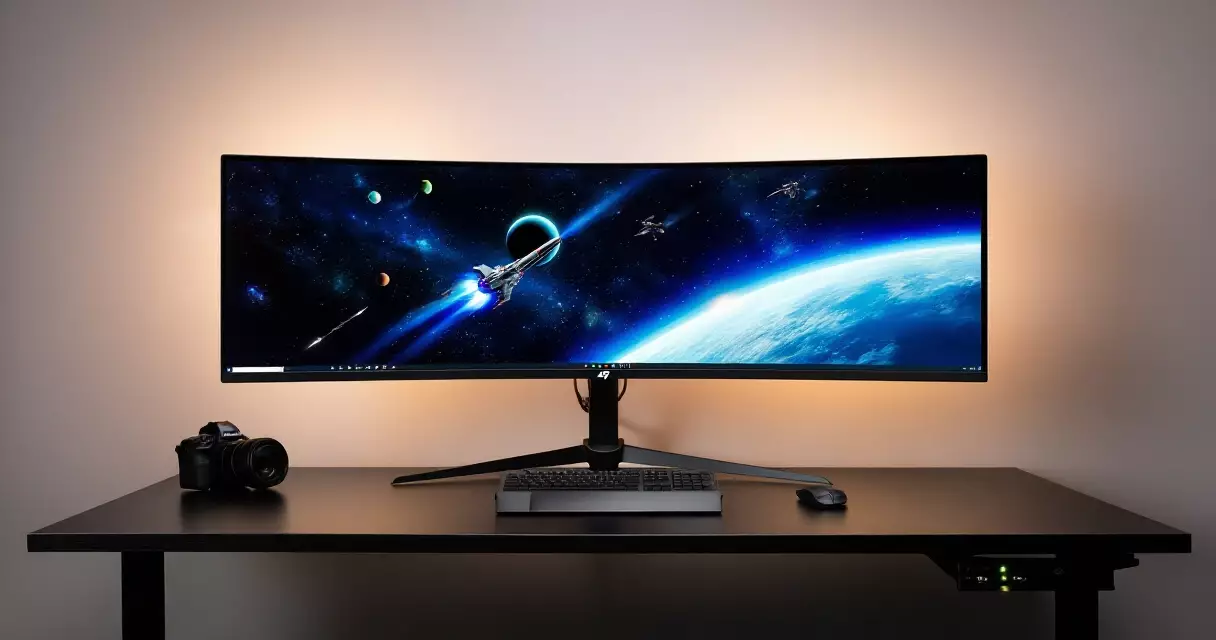
The Odyssey G9 name did not start with OLED. Samsung launched the first 49-inch G9 in 2020 as a VA-panel LCD, a 240 Hz monster that impressed reviewers with its size but drew complaints about local-dimming halos and uneven backlighting. That heritage matters because it explains what the OLED version was trying to fix: the contrast and uniformity weaknesses that even a good VA backlight cannot fully escape.
By 2023, Samsung Display’s QD-OLED panels had matured enough to drop into the G9 chassis, and the G95SC arrived as the first OLED Odyssey at this size. It kept the 5120 x 1440 resolution and 240 Hz ceiling but swapped the backlit VA panel for a self-emissive one, trading raw brightness for perfect blacks and near-instant pixel response. Samsung also folded in its Tizen smart-TV platform and the cloud-streaming Samsung Gaming Hub, turning the monitor into a half-television.
The 2024 G95SD refined the recipe. It carried the same panel resolution and refresh but added a DisplayPort 2.1 input, a matte anti-glare coating Samsung calls Glare Free, and a revised pixel-shifting and heat-management system the company markets as OLED Safeguard+. Samsung dropped the Tizen smart features on the G95SD, a change that pleased buyers who only wanted a monitor and annoyed those who liked the built-in apps. Knowing which generation a listing refers to is the single most important thing to check before buying, because the price gap rarely reflects the feature gap.
Design and Build: Living With 49 Inches of Width
Nothing prepares you for the footprint. At 49 inches across with an 1800R curve, the Odyssey OLED G9 needs roughly the desk depth of a deep gaming setup and a clear span of around 47 inches of width once the stand legs are accounted for, per Samsung’s product specifications. The included stand offers height, tilt, and swivel adjustment, and the back carries a 100 x 100 mm VESA mount if you would rather put it on an arm rated for the weight.
Build quality feels appropriate for a flagship. The rear shell on the G95SC carries a Core Lighting+ RGB ring and a silver finish, while the G95SD leans cleaner and more matte. Cable routing runs through the stand, and the on-screen menu is driven by a single rear joystick. One practical note: this is a heavy, awkward panel to unbox and mount alone, so plan for a second pair of hands and a sturdy surface.
The curve is the design decision people argue about most. For a single player sitting centered, the 1800R wrap is genuinely immersive and keeps text on the far edges readable. For anyone hoping to share the screen or use it in a brightly lit room, that same curve and the glossy coating on the G95SC can throw reflections. The matte G95SD coating handles ambient light better, which is worth weighing if your room has windows behind you.
Panel and Picture Quality: QD-OLED in Practice
Picture quality is where this monitor earns its keep. Because every pixel is its own light source, contrast is effectively infinite, and the panel carries a VESA DisplayHDR True Black 400 certification, the tier the standards body reserves for emissive panels that can hold deep blacks while hitting their brightness targets. In dark games, the difference against an LCD is immediate: shadow detail emerges without the gray wash that backlight bleed introduces.
Color is the other headline. Samsung quotes coverage of 100% of the sRGB space and roughly 99% of DCI-P3, and in practice the quantum-dot layer delivers saturated, punchy reds and greens that standard OLED phosphors can struggle to reach. That makes the G9 excellent for vivid, stylized games and perfectly usable for color-aware creative work once calibrated. If you want to push accuracy further, our walkthrough on how to calibrate a gaming monitor covers the settings that matter most on a wide-gamut panel like this one.
Brightness is the honest weak spot. QD-OLED panels of this generation sustain a relatively modest full-field brightness, in the region of 250 nits, while peaking near 1000 nits only in small highlight windows, a behavior consistent with Samsung’s HDR specifications. In a dim room this is a non-issue and HDR highlights still pop. In a sun-filled room, the G9 cannot brute-force its way through glare the way a 600-nit LCD can, and the glossy G95SC feels it most.
Subpixel layout deserves a mention for desktop users. QD-OLED uses a triangular subpixel arrangement rather than the standard RGB stripe, which can produce faint color fringing on small black-on-white text. It is far less distracting than early QD-OLED monitors and most people stop noticing within a day, but font-perfectionists who stare at code or spreadsheets all day should see it in person first.
Gaming Performance: 240 Hz, Response Time and Adaptive Sync
On the move, the Odyssey OLED G9 is exceptional. OLED’s near-instant pixel transitions mean Samsung’s quoted 0.03 ms gray-to-gray response is not marketing fiction in the way LCD response claims often are, and the result is motion with almost no smearing or ghosting behind fast objects. Combined with the 240 Hz refresh ceiling, fast shooters and racers feel crisp and immediate. The relationship between those two numbers is exactly what our explainer on refresh rate versus response time unpacks, and the G9 is a textbook example of both working together.
Adaptive sync is well covered. The panel supports AMD FreeSync Premium Pro and is certified G-Sync Compatible, so it tears-free across both major GPU brands within its variable refresh window. If you are unsure which technology your system benefits from, our comparison of G-Sync versus FreeSync explains why, on a monitor like this, the practical difference is small once both are running.
Here is the catch nobody mentions in the store. Driving 5120 x 1440 at high frame rates is a serious GPU load, closer to 4K than to 1440p because the pixel count sits roughly 78% above standard QHD. To approach 240 frames per second in demanding modern titles you need a high-end graphics card, and many players will run the G9 at 100 to 144 frames in AAA games while reserving the full 240 Hz for lighter competitive titles. Budget accordingly; the monitor can outrun a mid-range GPU.
The format itself shapes the experience. Sim racers, flight-sim pilots, and players of sprawling RPGs get a wraparound view that smaller screens cannot match. Competitive shooter players are more divided, because the extreme width pushes the edges into your peripheral vision and some esports titles letterbox or stretch at 32:9. Anyone chasing the lowest-latency competitive edge should read our notes on the best monitor settings for competitive play before assuming wider is automatically better.
Full Specifications and What They Mean
The table below collects the headline specifications for both generations, drawn from Samsung’s published product pages. Where the G95SC and G95SD differ, both values are listed.
| Specification | Detail (Samsung) |
|---|---|
| Screen size | 49 in (124 cm) diagonal, 32:9 aspect |
| Panel type | QD-OLED (Quantum Dot OLED) |
| Resolution | 5120 x 1440 (Dual QHD) |
| Pixel density | ~109 pixels per inch |
| Curvature | 1800R |
| Refresh rate | 240 Hz |
| Response time | 0.03 ms gray-to-gray |
| HDR certification | VESA DisplayHDR True Black 400 |
| Peak brightness | ~250 nits full field, up to ~1000 nits small window |
| Color coverage | 100% sRGB, ~99% DCI-P3 |
| Adaptive sync | FreeSync Premium Pro, G-Sync Compatible |
| Inputs (G95SC) | DisplayPort 1.4, 2x Micro HDMI 2.1, USB-C |
| Inputs (G95SD) | DisplayPort 2.1, 2x Micro HDMI 2.1, USB-C |
| Smart platform | Tizen and Gaming Hub (G95SC only) |
| Coating | Glossy (G95SC) / Matte Glare Free (G95SD) |
| Mount | 100 x 100 mm VESA, height/tilt/swivel stand |
A few numbers deserve translation. The ~109 pixels-per-inch density is comparable to a 27-inch 1440p monitor, so text is sharp but not Retina-crisp; you are buying width, not extreme pixel density. The DisplayPort 2.1 input on the G95SD provides extra bandwidth headroom over the G95SC’s DisplayPort 1.4 connection, as documented in the DisplayPort standard, which matters most for future high-bandwidth use rather than for hitting 240 Hz today.
Power draw is worth a thought for an always-on panel this large. OLED consumption scales with on-screen brightness rather than running flat like a backlight, and displays of this class are tracked under the U.S. Energy Star displays program, which is a reasonable reference point if running costs factor into your decision.
Pricing and How It Stacks Up
Samsung set the G95SC’s launch price at 1,599 US dollars in 2023, positioning it firmly as a premium flagship. Street pricing has softened considerably since: by mid-2026, market listings have frequently placed the G95SC in the 900 to 1,100 dollar range during sales, while the newer G95SD typically commands a premium of a few hundred dollars over it. Always confirm which generation a discounted listing actually ships, because retailers sometimes blur the two.
Against smaller OLED options, the value calculus changes. A 27-inch or 34-inch OLED costs less and asks far less of your GPU, but it cannot reproduce the 32:9 sense of scale. The table below frames the Odyssey OLED G9 against two popular smaller OLED panels we have reviewed, so you can see what the extra spend and desk space actually buy.
| Model | Size / Aspect | Resolution | Refresh | Panel |
|---|---|---|---|---|
| Samsung Odyssey OLED G9 | 49 in / 32:9 | 5120 x 1440 | 240 Hz | QD-OLED |
| LG UltraGear 27GR95QE-B | 27 in / 16:9 | 2560 x 1440 | 240 Hz | WOLED |
| ASUS ROG Swift PG27AQDP | 27 in / 16:9 | 2560 x 1440 | 480 Hz | WOLED |
The pattern is clear. The two 27-inch panels deliver higher pixel density and, in the ASUS case, double the refresh ceiling for competitive play, while the G9 trades those for immersion and screen real estate. If your priority is the fastest possible esports response on a single focused screen, a 27-inch OLED is the smarter spend. If you want one display that swallows your whole field of view for racing, flight, and cinematic single-player games, nothing in the smaller class replaces the G9. Our broader gaming monitor buyer’s guide walks through how to weigh size against resolution for your own use.
Strengths and Weaknesses
| Strengths | Weaknesses |
|---|---|
| Per-pixel contrast and true blacks | Modest full-field brightness |
| Near-instant 0.03 ms response, 240 Hz | Demands a high-end GPU at native res |
| Wide, saturated QD-OLED color | Glossy G95SC reflects in bright rooms |
| Immersive 32:9 wraparound format | 32:9 unsupported or stretched in some games |
| Strong adaptive-sync support both brands | Burn-in risk needs care over time |
| G95SD adds matte coat and DisplayPort 2.1 | Large, heavy, and expensive footprint |
Burn-in deserves a calm word rather than panic. Any OLED can retain a static image over years of abuse, and Samsung counters this with pixel-shifting, logo dimming, and panel-refresh routines, plus a burn-in clause in its warranty on these models. Treat it like a self-lit panel rather than an LCD: hide the taskbar, vary your content, and let the maintenance cycles run. Our guide to common gaming monitor problems and fixes covers the habits that keep an OLED healthy.
Who Should Buy the Odyssey OLED G9
This is an easy recommendation for one type of player and a poor fit for another. If you play immersive single-player games, sim racers, or flight sims, run a powerful GPU, and have a dim-to-moderate lighting setup with the desk space to match, the Odyssey OLED G9 is among the most enjoyable displays you can put in front of yourself. The contrast, color, and sheer scale create an experience smaller monitors simply cannot reproduce.
Hold off if your main game is a competitive shooter where 32:9 is unsupported, if you sit in a bright sunlit room, or if your graphics card is mid-range. In those cases your money buys more usable performance in a 27-inch or 34-inch OLED, or even a high-refresh LCD. Buyers torn between resolutions should also read our breakdown of 1080p vs 1440p vs 4K, since the G9’s Dual QHD load behaves more like 4K than its 1440p height suggests.
Frequently Asked Questions
Is the Samsung Odyssey OLED G9 good for competitive gaming?
For motion clarity and response, it is excellent, because OLED’s 0.03 ms transitions and 240 Hz refresh produce crisp, low-blur movement that suits fast play. The complication is the 32:9 format. Several competitive shooters either do not support super-ultrawide or stretch the image awkwardly, and the extreme width pushes detail into your peripheral vision rather than your central focus. Dedicated esports players chasing the absolute lowest latency are usually better served by a flat 27-inch OLED running 240 Hz or higher, where the entire image sits in direct view and game support is universal.
Does the Odyssey OLED G9 suffer from burn-in?
All OLED panels carry some theoretical burn-in risk, since organic emitters age with use, but Samsung builds in several defenses on the G9. The monitor uses pixel shifting, logo and taskbar dimming, and automatic panel-refresh cycles that run when you turn it off, and Samsung includes burn-in coverage in the warranty on these models. With ordinary mixed use, such as gaming, video, and varied desktop work, burn-in is unlikely within the panel’s expected lifespan. The riskier pattern is leaving the same static interface at high brightness for many hours daily, which sensible habits easily avoid.
What is the difference between the G95SC and G95SD?
Both share the same 49-inch, 5120 x 1440, 240 Hz QD-OLED panel, so core image quality and motion are very close. The 2024 G95SD adds three meaningful upgrades: a DisplayPort 2.1 input with more bandwidth headroom, a matte Glare Free coating that handles room light far better than the glossy original, and refined pixel-shift and thermal management Samsung calls OLED Safeguard+. The trade-off is that the G95SD drops the Tizen smart-TV apps and Samsung Gaming Hub that the G95SC included. Choose the G95SD for a brighter room or a cleaner monitor; choose a discounted G95SC to save money.
Do you need a powerful GPU to run it at 240 Hz?
Yes, for demanding titles. The 5120 x 1440 resolution carries roughly 78% more pixels than standard 1440p, so the rendering load sits closer to 4K than to QHD. Reaching anywhere near 240 frames per second in modern AAA games requires a high-end graphics card, and many players will instead run those games at 100 to 144 frames while saving the full 240 Hz for lighter or competitive titles. The monitor genuinely can outpace a mid-range GPU, so budget for the card alongside the screen. Adaptive sync keeps the experience smooth even when frame rates fall short of the ceiling.
Is 49 inches too big for a normal desk?
It depends on your depth more than your width. The panel spans roughly 47 inches across, so most desks have the horizontal room, but the 1800R curve only works when you sit far enough back to take in the whole image, generally around two and a half feet. On a shallow desk your eyes cannot comfortably sweep the edges, which undercuts the immersion you paid for. Measure your seating distance before buying. If you sit close to a shallow surface, a 34-inch ultrawide or a flat 27-inch panel will serve you far more comfortably than the G9.
Does it work well for productivity and creative work?
The width is fantastic for multitasking, since 5120 x 1440 fits two or three windows side by side as if you had a multi-monitor setup with no bezels in the middle. Wide color coverage near 99% of DCI-P3 also makes it capable for color-aware creative work once calibrated. Two caveats apply. QD-OLED’s triangular subpixel layout can cause faint text fringing that bothers some people during long document work, and static interface elements warrant the usual OLED care. For mixed gaming and productivity, it is a strong all-rounder; for pure all-day office text, a matte LCD is gentler on the eyes.
Is the Odyssey OLED G9 worth it in 2026?
For the right buyer, yes. With street prices on the G95SC frequently falling into the 900 to 1,100 dollar range during 2026 sales, the value proposition is far stronger than at its 1,599 dollar launch. If you want immersive single-player and sim gaming, own a capable GPU, and have a suitable room and desk, few displays deliver as much spectacle per dollar at that price. If you mostly play competitive shooters, sit in bright light, or run modest hardware, a smaller OLED gives you more usable performance for less. Match the monitor to your games and space, not to its specs alone.
Related Reading
- Gaming Monitors Explained: Specs, Tech & Top Picks 2026
- 1080p vs 1440p vs 4K: Best Gaming Resolution?
- Are Gaming Monitors Bad for Your Eyes? Blue Light & Setup
- Best Gaming Monitor Settings for Competitive FPS Players
- G-Sync vs FreeSync: Adaptive Sync for Tear-Free Gaming
- Gaming Monitor Troubleshooting: Flicker, Black Screens & More
- How to Calibrate a Gaming Monitor for Color & Low Lag
- IPS vs VA vs TN vs OLED: Gaming Monitor Panels Compared
- Refresh Rate vs Response Time: Why Both Decide Game Feel
- Alienware AW2725DF Review: 360Hz QD-OLED Tested
- ASUS ROG Swift OLED PG27AQDP Review: 480Hz 1440p OLED
- Dell (Alienware) vs ASUS ROG Gaming Monitors Compared
- Gigabyte M27Q Review: 1440p 170Hz Value With KVM
- LG UltraGear 27GR95QE-B Review: The OLED Sweet Spot?
- MSI MAG 274QRF QD E2 Review: Budget 1440p 180Hz Monitor
Sources
- VESA DisplayHDR performance criteria (True Black 400) – https://displayhdr.org/performance-criteria/
- Wikipedia, QD-OLED – https://en.wikipedia.org/wiki/QD-OLED
- Wikipedia, Quad HD – https://en.wikipedia.org/wiki/Quad_HD
- Wikipedia, DisplayPort – https://en.wikipedia.org/wiki/DisplayPort
- U.S. Energy Star, Displays program – https://www.energystar.gov/products/office_equipment/displays
Gaming Laptop Buyer’s Guide: Performance, Portability & Best Models