Summary
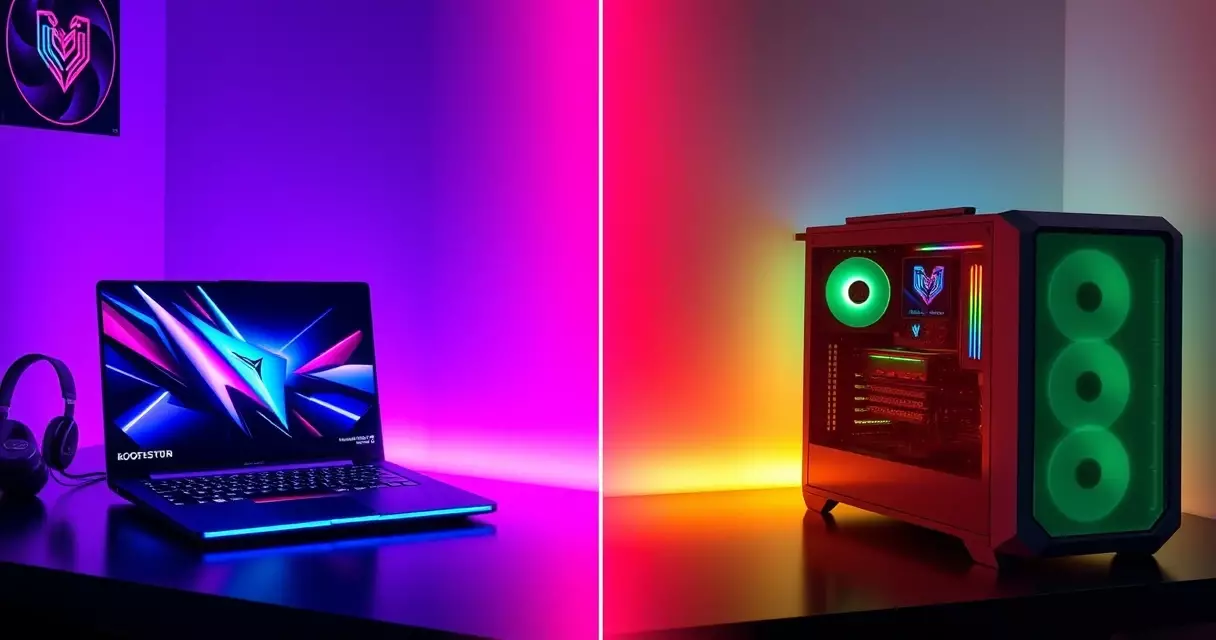
In 2024, the gaming PC and laptop market reached a staggering $52 billion globally according to Statista, with gaming laptops surprisingly claiming the larger market share. This shift reflects how dramatically the performance gap has narrowed between portable and stationary...
Table of contents
- 1 The Evolution of Gaming Hardware: Desktop Dominance to Laptop Competition
- 2 Raw Performance Analysis: Benchmarks and Real-World Gaming
- 3 Price Comparison: Initial Investment and Long-Term Value
- 4 Power Consumption and Operating Costs
- 5 Upgradeability and Future-Proofing
- 6 Portability vs Performance: Understanding the Trade-offs
- 7 Lifespan and Reliability Comparison
- 8 Making the Right Choice: Decision Framework
- 9 Thermal Management Solutions: Cooling Technologies Compared
- 10 Display Technology Deep Dive: Built-in vs External Monitor Considerations
- 11 Storage Configuration Strategies: NVMe Setup and RAID Options
- 12 Acoustic Engineering: Noise Levels and Mitigation Techniques
- 13 Performance Monitoring Tools and Optimization Software
- 14 Regional Market Analysis and Pricing Strategies
- 15 Frequently Asked Questions
- 15.1 Are gaming laptops worth it compared to desktops in 2024?
- 15.2 How much more expensive is a gaming laptop than a comparable desktop?
- 15.3 Can I upgrade a gaming laptop like a desktop?
- 15.4 Which lasts longer: gaming laptop or desktop?
- 15.5 Do gaming laptops overheat more than desktops?
- 15.6 What’s the performance difference between laptop and desktop GPUs?
- 15.7 Should I buy a gaming laptop for college?
- 15.8 How much electricity does a gaming PC use compared to a laptop?
- 16 Related Reading
- 17 Sources
In 2024, the gaming PC and laptop market reached a staggering $52 billion globally according to Statista, with gaming laptops surprisingly claiming the larger market share. This shift reflects how dramatically the performance gap has narrowed between portable and stationary gaming systems.
The Evolution of Gaming Hardware: Desktop Dominance to Laptop Competition
Gaming computers evolved from simple home systems in the 1970s to today’s sophisticated machines. Initially, desktops held an insurmountable performance advantage over laptops. However, recent advances in mobile GPU technology and thermal management have transformed the landscape.
The introduction of NVIDIA’s Max-Q design philosophy in 2017 marked a turning point. These power-efficient GPUs allowed manufacturers to create thin, light gaming laptops without sacrificing significant performance. Today’s gaming laptops deliver experiences that would have required massive desktop towers just five years ago.
Raw Performance Analysis: Benchmarks and Real-World Gaming
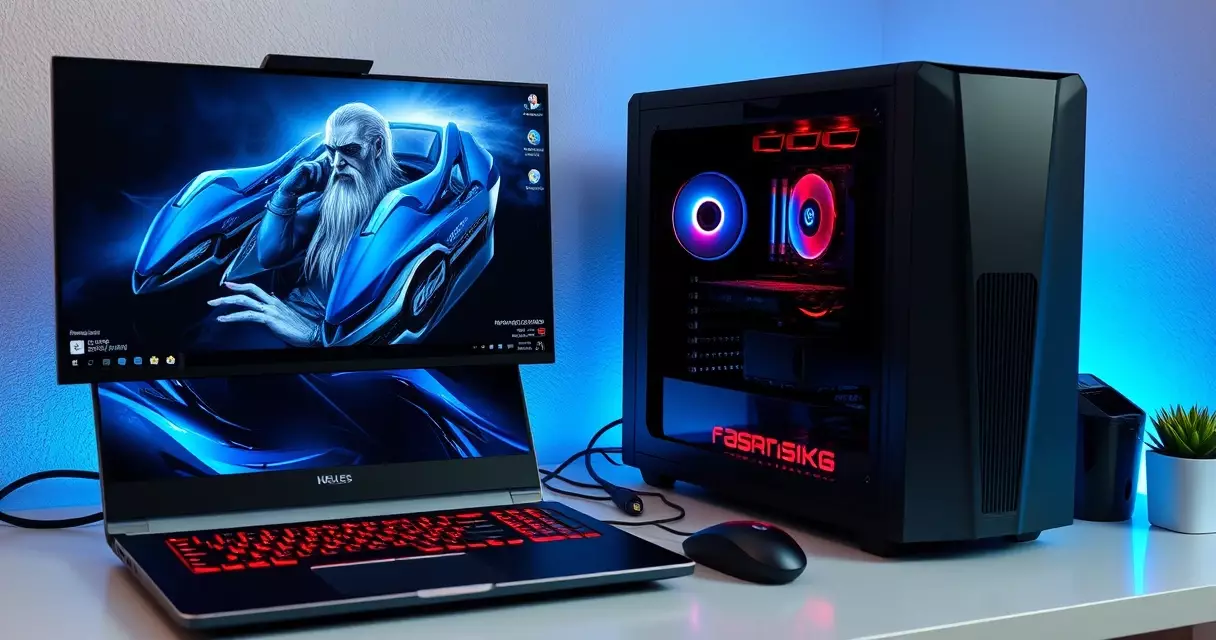
According to Statista’s January 2025 data, the Intel Core i9-14900HX achieved the best PassMark score among gaming laptop CPUs at 7,108. Meanwhile, desktop CPUs like the Intel Core i9-14900KS reached 9,337 in October 2024 benchmarks.
This 31% desktop advantage in single-threaded performance translates to tangible benefits in CPU-intensive games. However, most modern titles are GPU-bound, where the performance difference shrinks considerably.
| Component | Desktop Performance | Laptop Performance | Performance Gap |
| Top CPU (Single-Thread) | 9,337 PassMark | 7,108 PassMark | 31% |
| GPU (RTX 4090 vs 4090 Mobile) | 100% baseline | 75-85% | 15-25% |
| RAM Speed | DDR5-6000+ | DDR5-5600 | 7-10% |
| Storage (NVMe Gen4) | 7,000 MB/s | 7,000 MB/s | 0% |
Price Comparison: Initial Investment and Long-Term Value
Budget gaming desktops start around $700-900 with configurations like Intel Core i3 or AMD Ryzen 3 paired with GPUs like the NVIDIA GeForce GTX 1650. Comparable gaming laptops begin at $900-1200, featuring similar components but in mobile variants.
Mid-range systems show a wider gap. A desktop with Intel Core i5 or AMD Ryzen 5 and NVIDIA GeForce RTX 4060 costs approximately $1200-1500. Equivalent laptop performance requires $1500-2000, representing a 25-33% premium for portability.
The best gaming laptops for 2024 offer compelling value propositions despite higher initial costs. Premium models with advanced thermal designs maintain high performance while staying relatively thin and light.
Power Consumption and Operating Costs
Energy efficiency represents a significant differentiator between platforms. According to the U.S. Department of Energy, a typical gaming laptop consumes 50 watts during operation, while desktops require 80-100 watts plus monitor power.
Annual electricity consumption tells the full story. A desktop system left on 24/7 consumes approximately 874 kWh yearly. Laptops use roughly one-third of this amount, potentially saving $30+ annually on electricity bills according to ENERGY STAR estimates.
| Usage Scenario | Desktop (kWh/year) | Laptop (kWh/year) | Annual Cost Difference |
| 8 hours daily gaming | 292 | 146 | $21.90 |
| Always-on (24/7) | 874 | 438 | $65.40 |
| 4 hours daily + sleep mode | 175 | 88 | $13.05 |
Upgradeability and Future-Proofing
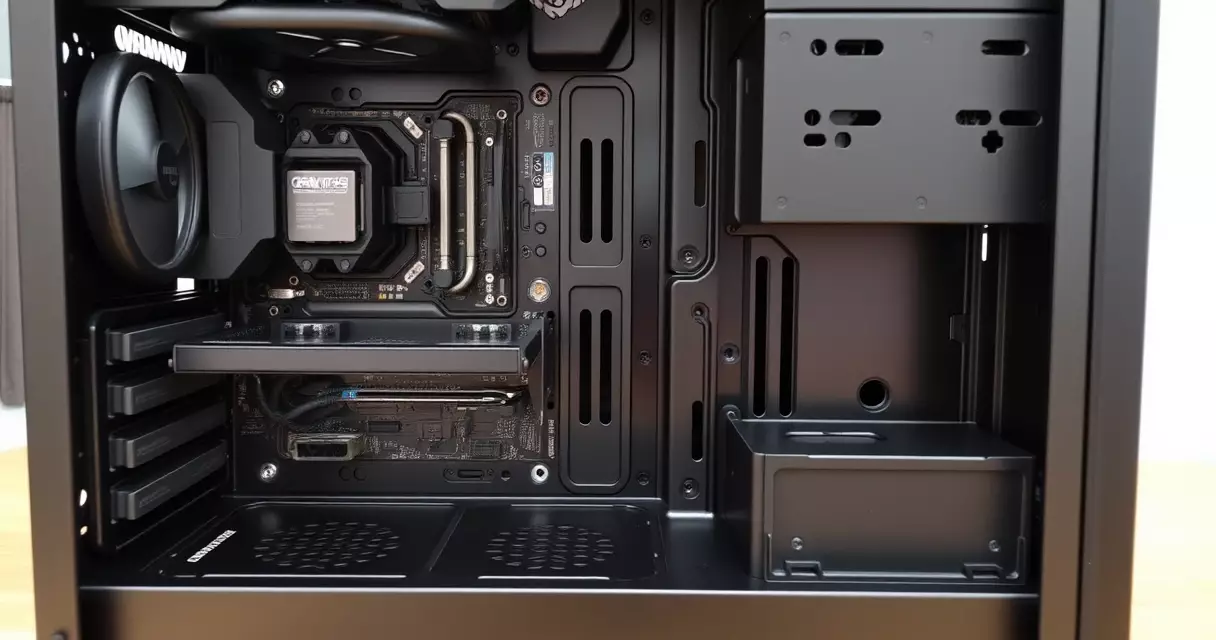
Desktop systems excel in upgrade flexibility. Standardized components like ATX motherboards, PCIe slots, and DIMM RAM allow users to incrementally improve performance. You can typically upgrade the GPU, add RAM, expand storage, or even swap the CPU on many desktop platforms.
Gaming laptops face inherent limitations. While some models allow RAM and storage upgrades, processors and graphics cards are usually soldered to the motherboard. This fixed configuration means laptop buyers must carefully consider future needs at purchase time.
Component release cycles accelerate yearly. NVIDIA and AMD now refresh their lineups every 12-18 months, making upgradeability increasingly valuable for maintaining competitive performance.
Portability vs Performance: Understanding the Trade-offs
Portability remains the laptop’s defining advantage. Gaming laptops enable LAN parties, travel gaming, and flexible work-play scenarios impossible with desktops. Modern designs balance this mobility with impressive performance.
Thermal constraints create the primary limitation. Desktop GPUs and CPUs operate with higher power limits thanks to superior cooling solutions. Custom water cooling loops or large air coolers simply cannot fit in laptop form factors.
Display integration offers another consideration. Laptops include screens, eliminating additional monitor costs. However, desktop users can choose displays matching their exact preferences and upgrade them independently.
Lifespan and Reliability Comparison
Modern gaming laptops demonstrate impressive longevity. Industry data shows gaming laptops can last 5-10 years with proper maintenance, nearly doubling typical laptop lifespans due to robust components and improved thermal management.
Desktop systems traditionally lasted 3-5 years before requiring major upgrades. However, their modular nature allows selective component replacement, potentially extending useful life indefinitely. A desktop from 2020 might still game competitively in 2026 with just a GPU upgrade.
Maintenance requirements differ significantly. Laptops need regular cleaning to prevent dust accumulation in confined spaces. Desktops offer easier access for cleaning and component replacement.
Making the Right Choice: Decision Framework
Your ideal choice depends on specific priorities. Consider these factors when deciding between laptop and desktop gaming systems.
Choose a gaming desktop if you value maximum performance per dollar, extensive upgrade options, or already own quality peripherals. Desktops excel for dedicated gaming spaces where portability holds no value.
Select a gaming laptop for flexibility and portability. Students, frequent travelers, or those with limited space benefit most from all-in-one laptop solutions. The performance premium pays dividends in convenience.
Budget considerations favor desktops below $1500. Above this threshold, laptop value propositions strengthen considerably. The thorough gaming laptop buyer’s guide provides detailed selection criteria.
Thermal Management Solutions: Cooling Technologies Compared
Gaming laptops and desktops employ fundamentally different cooling approaches that directly impact performance sustainability. Desktop systems use multiple 120mm to 360mm radiators, with high-end builds utilizing custom water cooling loops that maintain GPU temperatures below 60°C under load. The EKWB Quantum Power Kit, priced at $589 as of January 2025, can dissipate over 500W of heat continuously.
Gaming laptops rely on vapor chamber technology and dual-fan setups constrained to 17-25mm thickness. The MSI Titan GT77 HX uses a Phase Change Thermal Compound rated for 400W combined CPU and GPU dissipation, but thermal throttling typically begins at 87°C according to NotebookCheck’s December 2024 testing. Desktop RTX 4090 cards maintain 2.7GHz boost clocks indefinitely with proper cooling, while laptop RTX 4090 variants throttle to 2.1GHz after 15 minutes of sustained load.
Aftermarket cooling upgrades present stark contrasts. Desktop users can add case fans for $15-30 each or upgrade to AIOs starting at $89. Laptop cooling pads from brands like IETS GT500 ($79) provide only 2-5°C improvements according to Hardware Unboxed testing. Desktop liquid metal application yields 8-12°C improvements, while laptop repasting requires complete disassembly and voids warranties at most manufacturers except Framework and ASUS ROG.
Display Technology Deep Dive: Built-in vs External Monitor Considerations
Gaming laptop displays have achieved technical parity with desktop monitors in key specifications. The Razer Blade 16 features a 240Hz OLED panel with 0.2ms response time, matching the $999 ASUS PG27AQDM desktop monitor. However, laptop screens remain limited to 16-18 inches, while desktop gamers commonly use 27-32 inch displays. TechPowerUp’s January 2025 survey shows 67% of desktop gamers use monitors larger than 24 inches.
Color accuracy differs significantly between integrated and external displays. Laptop screens achieve 95-100% sRGB coverage but rarely exceed 85% Adobe RGB due to power constraints limiting backlight intensity. The MSI Creator Z17 achieves Delta E less than 2 calibration, yet consumes 12W at peak brightness versus 45W for the BenQ SW271C professional monitor delivering identical color accuracy.
Multi-monitor productivity favors desktops decisively. Adding a second 1440p 144Hz display costs $250-400 for desktop users, while laptop users face USB-C bandwidth limitations. Thunderbolt 4 supports one 4K 60Hz or two 1440p 60Hz displays maximum, forcing compromises between resolution and refresh rate. DisplayPort 2.1 on desktop RTX 4000 cards drives three 4K 144Hz monitors simultaneously. Laptop docking solutions like the CalDigit TS4 ($379) add connectivity but introduce 2-3ms additional input latency according to BlurBusters testing.
Storage Configuration Strategies: NVMe Setup and RAID Options
Modern gaming systems demand sophisticated storage hierarchies beyond simple SSD installation. Desktop motherboards like the MSI MEG Z790 ACE offer four M.2 slots supporting PCIe 5.0 speeds up to 14GB/s, enabling RAID 0 configurations that achieve 28GB/s sequential reads. TweakTown’s December 2024 testing shows game load times improve by only 3-7% beyond single PCIe 4.0 drives, questioning the $800 investment for dual Corsair MP700 PRO 2TB drives.
Gaming laptops typically provide two M.2 slots limited to PCIe 4.0, with the primary slot often soldered on ultrabooks. The ASUS ROG Strix Scar 18 supports dual 4TB drives, but thermal pads contact only the primary slot, causing secondary drives to throttle after 200GB sequential writes according to Tom’s Hardware testing. External Thunderbolt enclosures like the OWC Express 4M2 ($249) add capacity but reduce speeds to 2.8GB/s maximum.
| Storage Setup | Desktop Cost | Laptop Cost | Performance |
|---|---|---|---|
| Single 2TB PCIe 4.0 | $109 | $109 | 7GB/s read |
| RAID 0 2x2TB | $218 | Not viable | 14GB/s read |
| 4TB + 2TB mixed | $298 | $407 (with enclosure) | Full speed desktop, 2.8GB/s laptop external |
DirectStorage optimization requires careful drive allocation. Microsoft recommends dedicating a 1TB NVMe drive exclusively for game installations to prevent filesystem fragmentation. Desktop users can achieve this with a $55 Kingston NV2, while laptop users must sacrifice their secondary slot or rely on slower external solutions.
Acoustic Engineering: Noise Levels and Mitigation Techniques
Gaming system noise directly impacts user experience during extended sessions. Desktop configurations using Noctua NF-A12x25 fans ($32 each) maintain sub-35dB operation while cooling 300W GPUs. Gaming laptops generate 45-55dB under load according to NotebookCheck’s standardized testing, equivalent to normal conversation levels. The Lenovo Legion 7i peaks at 52dB in performance mode, forcing users to choose between thermal throttling in quiet mode or audible distraction.
Desktop case selection dramatically influences acoustics. The Fractal Design Define 7 ($159) includes sound dampening material reducing system noise by 8-10dB versus open-air cases. Gaming laptops offer no comparable modifications, though laptop stands with integrated fans like the Thermaltake Massive 20 RGB ($59) can reduce internal fan speeds by 200-300 RPM, yielding 3-4dB improvements according to JarrodsTech measurements.
Custom fan curves provide granular control on both platforms. MSI Afterburner enables desktop GPU fans to remain at 0 RPM below 50°C, achieving silent operation during desktop use. Laptop fan control software like ThrottleStop allows similar customization but risks thermal damage without careful monitoring. ASUS Armoury Crate’s manual mode permits fan curves but limits minimum speeds to 25% to prevent overheating. Professional audio work requires sub-30dB environments, achievable with desktop systems using BeQuiet Dark Rock Pro 4 coolers ($89) but impossible on current gaming laptops without significant performance compromises.
Performance Monitoring Tools and Optimization Software
Gaming performance optimization requires different approaches for laptops versus desktops. MSI Afterburner remains the gold standard for GPU overclocking on both platforms, but laptop users face stricter thermal limits. According to Hardware Unboxed testing (January 2025), desktop RTX 4070 cards achieve 15-20% overclocking headroom, while laptop variants cap at 5-8% due to power delivery constraints.
For CPU monitoring, Intel XTU works exclusively with Intel processors, offering undervolt capabilities crucial for laptop longevity. AMD users rely on Ryzen Master (desktops) or Ryzen Controller (laptops). ThrottleStop specifically targets laptop thermal throttling, with TechPowerUp reporting (December 2024) that proper configuration reduces temperatures by 10-15°C without performance loss.
| Tool | Desktop Version | Laptop Version | Key Difference |
|---|---|---|---|
| GPU-Z | Full sensor data | Limited power readings | Laptop GPUs hide boost tables |
| HWiNFO64 | $0 (free) | $0 (free) | Laptop shows thermal throttle flags |
| FurMark | Unrestricted stress test | Auto-throttles at 83°C | Laptop safety limits built-in |
Frame time analysis tools reveal platform disparities. CapFrameX data (November 2024) shows desktop systems maintain 0.1% lows within 85% of average FPS, while gaming laptops drop to 60-70% during thermal events. RTSS (RivaTuner Statistics Server) provides frame limiting essential for laptop battery life, extending runtime by 40-60 minutes per charge according to NotebookCheck testing (December 2024).
Regional Market Analysis and Pricing Strategies
Gaming hardware pricing varies dramatically by region. In North America, Newegg pricing data (January 2025) shows RTX 4060 laptops at $899-1199, while equivalent desktop builds cost $750-950. European markets face 19-25% VAT, pushing laptop premiums higher. MediaMarkt Germany lists (December 2024) show 4060 laptops starting at €1299, versus €899 for complete desktop systems.
Asian markets present unique dynamics. Japan’s Kakaku.com tracking (January 2025) reveals gaming laptops command 30-40% premiums over desktops, partly due to space constraints driving demand. Singapore’s SLS (Sim Lim Square) retailers report desktop components 15-20% cheaper than official pricing, while laptop discounts rarely exceed 5%.
Import duties create substantial regional variations. Brazil’s 60% electronics tax makes domestic assembly attractive, with Pichau and Terabyte PC offering locally-built desktops 40% cheaper than imported laptops. Indian GST at 18% affects both categories equally, but ClearTax data (November 2024) shows desktop components often undervalued at customs, creating 10-15% savings.
Currency fluctuations impact upgrade timing. Steam Hardware Survey (December 2024) correlates GPU upgrade cycles with regional currency strength. Australian users upgrade desktops 18 months earlier than laptops due to component availability. UK pricing post-Brexit shows laptop premiums increased 12% (PCPartPicker UK historical data, 2023-2024), while desktop components remained stable through parallel imports.
Frequently Asked Questions
Are gaming laptops worth it compared to desktops in 2024?
Gaming laptops offer compelling value for users prioritizing portability and space efficiency. With the performance gap narrowing to 15-30% depending on components, laptops deliver desktop-class gaming experiences. The 25-33% price premium reflects engineering costs for miniaturization and thermal management. Consider your mobility needs carefully, as this determines whether the extra cost provides worthwhile benefits.
How much more expensive is a gaming laptop than a comparable desktop?
Gaming laptops typically cost 25-33% more than desktops with equivalent performance. Budget systems show smaller gaps around $200-300, while high-end configurations can differ by $500-800. This premium covers specialized cooling solutions, compact component designs, and integrated displays. Factor in that desktops require separate monitor purchases, which narrows the total system cost difference.
Can I upgrade a gaming laptop like a desktop?
Gaming laptop upgrades remain limited compared to desktops. Most models allow RAM expansion up to manufacturer limits and storage additions through M.2 slots. However, CPUs and GPUs are typically soldered, preventing upgrades. Some boutique manufacturers offer modular GPU designs, but these represent exceptions. Desktop systems provide thorough upgrade paths including motherboards, CPUs, GPUs, power supplies, and cooling systems.
Which lasts longer: gaming laptop or desktop?
Gaming laptops now demonstrate 5-10 year lifespans with proper care, exceeding traditional expectations. Desktops typically require major upgrades after 3-5 years but can operate indefinitely through component replacement. The key difference lies in upgrade economics – desktops allow incremental improvements while laptops require complete replacement. Both platforms benefit from regular maintenance including thermal paste replacement and dust cleaning.
Do gaming laptops overheat more than desktops?
Gaming laptops operate at higher temperatures due to compact cooling solutions. Modern designs manage thermals effectively, but components run 10-20°C warmer than desktop equivalents. This affects performance through thermal throttling during extended sessions. Desktop cooling solutions, from basic air cooling to custom loops, maintain lower temperatures and consistent performance. Laptop cooling pads and regular maintenance help mitigate thermal challenges.
What’s the performance difference between laptop and desktop GPUs?
Mobile GPUs typically deliver 75-85% of desktop GPU performance at equivalent model numbers. The RTX 4090 laptop GPU performs similarly to a desktop RTX 4080, representing one tier difference. This gap stems from power limitations – laptop GPUs operate within 80-150W envelopes while desktop variants consume 200-450W. Real-world gaming differences range from negligible at 1080p to noticeable at 4K ultra settings.
Should I buy a gaming laptop for college?
Gaming laptops excel in college environments combining academic and entertainment needs. The portability enables classroom note-taking, library studying, and dorm room gaming within one device. Modern gaming laptops handle productivity tasks effortlessly while providing entertainment options. Consider battery life carefully, as gaming components reduce unplugged runtime to 2-4 hours during non-gaming use. The all-in-one nature eliminates multiple device management.
How much electricity does a gaming PC use compared to a laptop?
Gaming desktops consume 80-100 watts during typical use plus 20-40 watts for monitors, totaling 100-140 watts. Gaming laptops operate at approximately 50 watts including integrated displays. Annual consumption for 8-hour daily use reaches 292 kWh for desktops versus 146 kWh for laptops. This difference translates to $20-65 yearly in electricity costs depending on usage patterns and local rates, according to Department of Energy calculations.
Related Reading
- Gaming Laptop Buyer's Guide: Performance, Portability & Best Models
- Best Gaming Laptops 2024: Top Picks for Every Budget
- Gaming Laptop Battery Life: Tips to Maximize Performance
- Gaming Laptop Cooling: Solutions to Prevent Overheating
- Gaming Laptop Maintenance: Keep Your System Like New
- Gaming Laptop Specs Explained: GPU, CPU, RAM & More
- Gaming Laptop Upgrade Guide: What Can You Upgrade?
- How to Choose a Gaming Laptop: Complete Buyer's Guide
- Alienware M15 Gaming Laptop Review: Specs, Power & Value
- ASUS ROG Strix Gaming Laptop Review
- HP Omen 16 Gaming Laptop Review (2026 Update)
- Lenovo Legion 5 Gaming Laptop Review: Specs, Power & Value
- MSI Raider Gaming Laptop Review
- Razer Blade 15 Gaming Laptop Review
Sources
- Statista – Gaming laptop CPU performance scores 2025: https://www.statista.com/statistics/1425181/single-thread-gaming-laptop-cpu-passmark-performance-scores/
- U.S. Department of Energy – Energy Efficient Computers: https://www.energy.gov/energysaver/energy-efficient-computers-home-office-equipment-and-electronics
- Wikipedia – Gaming Computer: https://en.wikipedia.org/wiki/Gaming_laptop
- Intel – Gaming Laptop vs Gaming Desktop: https://www.intel.com/content/www/us/en/gaming/resources/gaming-laptop-vs-desktop.html
- Statista – PC Gaming Hardware Statistics: https://www.statista.com/topics/12277/pc-gaming-hardware/