Summary
The HP Omen 16 has quietly become one of the most recommended mid-range gaming laptops in the United States, and the reason comes down to a single trade-off: it pairs current GeForce RTX 40-series graphics with a chassis that costs...
Table of contents
- 1 HP Omen 16 at a Glance
- 2 Full Specifications
- 3 Design, Build, and Keyboard
- 4 Display Quality
- 5 Gaming Performance
- 6 Thermals and Noise
- 7 Battery Life and Portability
- 8 Pricing and Value
- 9 How It Compares to Rivals
- 10 Who Should Buy the HP Omen 16
- 11 Frequently Asked Questions
- 11.1 Is the HP Omen 16 good for gaming in 2026?
- 11.2 Can you upgrade the RAM and storage in the Omen 16?
- 11.3 How long does the HP Omen 16 battery last?
- 11.4 Does the HP Omen 16 run hot or loud?
- 11.5 Which display option should I choose on the Omen 16?
- 11.6 HP Omen 16 vs Lenovo Legion 5: which is better?
- 11.7 Is the HP Omen 16 worth the money?
- 12 Related Reading
- 13 Sources
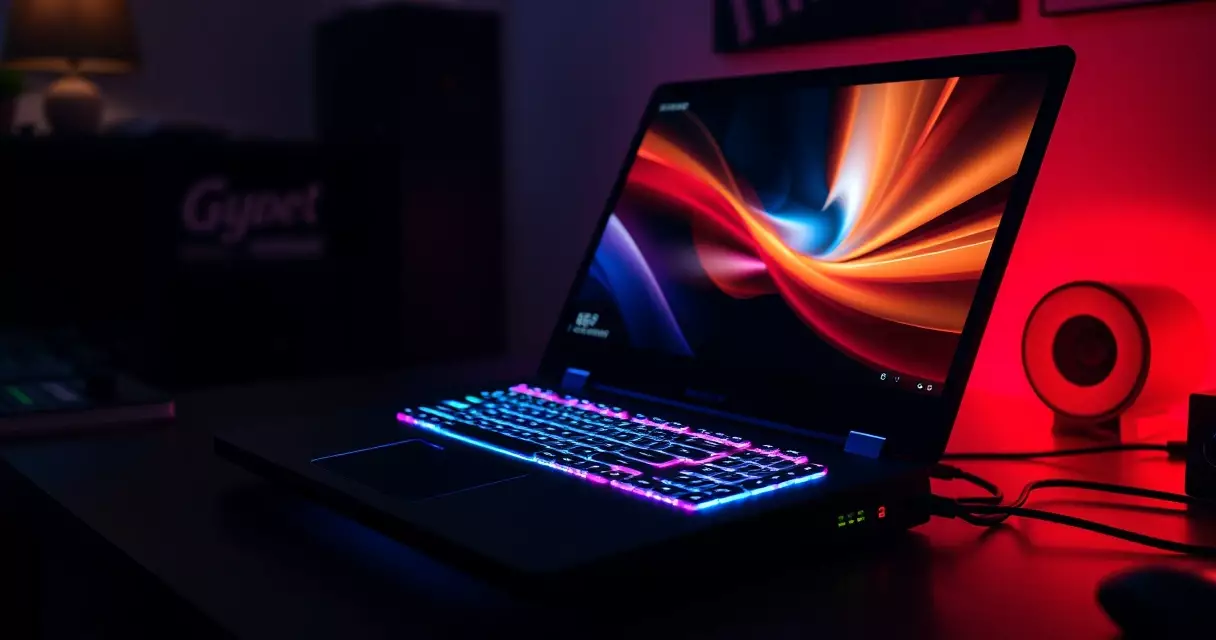
The HP Omen 16 has quietly become one of the most recommended mid-range gaming laptops in the United States, and the reason comes down to a single trade-off: it pairs current GeForce RTX 40-series graphics with a chassis that costs hundreds less than boutique rivals. NVIDIA’s RTX 40-series mobile chips are built on the Ada Lovelace architecture, which introduced hardware frame generation through DLSS 3, and the Omen 16 puts that technology inside a 16.1-inch laptop that regularly sells under the $1,500 mark. This review walks through the design, the display, real-world gaming performance, thermals, battery life, pricing, and how the machine stacks up against the laptops most shoppers cross-shop it with.
We focus on the configurations HP has sold most widely in the current generation: Intel Core HX and AMD Ryzen processor options, RTX 4050 through RTX 4070 graphics, and the 16.1-inch display panels HP offers at 144Hz, 165Hz, and 240Hz. If you are still deciding between brands, our gaming laptop buyer’s guide covers the wider field, while this piece drills into the Omen 16 specifically.
HP Omen 16 at a Glance
The Omen line is HP’s dedicated gaming brand, separate from the Pavilion Gaming and Victus families that sit below it. The Omen 16 occupies the middle of that range. It is more serious than the budget-focused Victus 16, yet it avoids the price ceiling of flagship machines that push RTX 4080 and 4090 silicon. HP refreshed the platform across recent model years, moving from 13th-generation to 14th-generation Intel Core HX processors on the Intel side and to AMD Ryzen 7040 and 8040 series chips on the AMD side.
Two design priorities define the laptop. First, restraint: the lid is clean aluminum with a small diamond Omen logo rather than aggressive angles or heavy RGB. Second, serviceability, which matters more than most buyers expect. The bottom panel comes off with standard screws, exposing the RAM slots and storage for upgrades. If you want to understand which of those internals are worth swapping later, our gaming laptop upgrade guide breaks down the practical wins.
Full Specifications
The table below reflects the range of configurations HP has published for the current Omen 16 generation. Exact availability shifts by retailer and model year, so treat the GPU and display rows as the menu of options rather than a single fixed build. All figures are drawn from HP’s published product specifications.
| Component | HP Omen 16 (current generation) |
|---|---|
| Display | 16.1-inch IPS, FHD (1920×1080) or QHD (2560×1440) |
| Refresh rate | 144Hz, 165Hz, or 240Hz depending on panel |
| Processor (Intel) | Up to Intel Core i7 / Core 7 HX-class, 14 to 24 cores |
| Processor (AMD) | Up to AMD Ryzen 7 / Ryzen 9 8040 series |
| Graphics | NVIDIA GeForce RTX 4050, 4060, or 4070 (Ada Lovelace) |
| Memory | 16GB or 32GB DDR5, two SO-DIMM slots (user upgradeable) |
| Storage | 512GB or 1TB PCIe Gen4 NVMe SSD |
| Cooling | OMEN Tempest Cooling, multiple fans and heat pipes |
| Battery | 83Wh (six-cell), select builds 97Wh |
| Weight | Approximately 2.3 kg (about 5.1 lb) |
| Ports | USB-C (Thunderbolt on Intel), USB-A, HDMI 2.1, RJ-45 Ethernet, audio |
| Software | OMEN Gaming Hub |
One detail rewards a second look. The Omen 16 ships with two memory slots rather than soldered RAM, which means a 16GB machine can later move to 32GB or 64GB without replacing the laptop. That single design choice extends the useful life of the system and is one of the clearest advantages it holds over thinner ultraportable rivals. For the meaning behind each spec line, our gaming laptop specs explained piece defines the terms in plain language.
Design, Build, and Keyboard
Picked up cold, the Omen 16 reads as a confident mid-weight laptop rather than a thin-and-light. At roughly 2.3 kg by HP’s published weight, it sits in the same class as the Lenovo Legion 5 and noticeably heavier than slim machines like the Razer Blade 15. That mass buys two things: a sturdier deck with limited flex around the keyboard, and room for a cooling system that can sustain higher power than a thinner chassis would allow.
The keyboard is a genuine strength. Key travel is comfortable for both gaming and long typing sessions, the layout includes a full number pad, and higher configurations add four-zone RGB backlighting controlled through OMEN Gaming Hub. Some lower-tier builds use single-zone white backlighting instead, so check the listing if lighting matters to you. The trackpad is adequate rather than remarkable, which is typical of the category; most owners pair the laptop with a wired or wireless mouse anyway.
Port selection is practical. You get HDMI 2.1 for 4K output to a television or monitor, multiple USB-A ports for peripherals, a USB-C port that carries Thunderbolt on Intel models, and a wired Ethernet jack that competitive players still value for stable latency. The presence of physical Ethernet is worth flagging because several thinner rivals have dropped it to save space.
Display Quality
The 16.1-inch panel is where buyers should spend the most attention, because HP sells the Omen 16 with several very different screens. The entry option is a 1080p IPS panel at 144Hz, which is bright enough and fast enough for most players. Step up and you reach QHD resolution at 165Hz, and the top option pushes a 1080p panel to 240Hz for esports-focused users who prioritize frame rate over pixel density.
For high dynamic range, pay attention to the certification rather than the marketing. VESA’s DisplayHDR standard defines tiers by peak brightness, and a true HDR experience generally starts at the DisplayHDR 600 level and above. Many Omen 16 panels reach roughly 300 to 400 nits of brightness, which is fine for indoor play but only marginal for genuine HDR highlights. If HDR gaming is a priority, confirm the exact panel’s brightness and certification on the spec sheet before buying.
Color coverage on the higher panels is strong enough for casual content creation, with the QHD option covering a wide slice of the sRGB gamut by HP’s published figures. For pure gaming, the practical recommendation is straightforward: choose the 165Hz QHD panel if you want sharper visuals across mixed games, or the 240Hz 1080p panel if you mainly play fast competitive titles where every frame counts.
Gaming Performance
Performance depends almost entirely on which GPU you choose. According to NVIDIA’s architecture documentation summarized on Wikipedia’s GeForce RTX 40 series page, the mobile RTX 4050, 4060, and 4070 all use Ada Lovelace and support DLSS 3 frame generation, but they differ sharply in core counts and memory. The RTX 4050 and 4060 ship with 6GB and 8GB of video memory respectively, while the RTX 4070 also carries 8GB but with substantially more shading and ray-tracing hardware.
In broad terms, here is what each tier delivers at the laptop’s native resolution. These ranges reflect typical results widely reported for RTX 40-series mobile GPUs at comparable power levels rather than a single benchmark run, so treat them as planning guidance.
| GPU option | Best-fit resolution | What to expect |
|---|---|---|
| RTX 4050 (6GB) | 1080p | Smooth high settings in most titles; DLSS helps in demanding games |
| RTX 4060 (8GB) | 1080p, some 1440p | High frame rates at 1080p; capable 1440p with DLSS enabled |
| RTX 4070 (8GB) | 1080p and 1440p | Strong 1440p performance; ray tracing usable with DLSS 3 |
The single most important setting on this laptop is the power mode inside OMEN Gaming Hub. Switching to the highest performance profile raises the GPU’s total graphics power and unlocks a meaningful chunk of extra frames, at the cost of fan noise. Buyers comparing the Omen 16 to the Lenovo Legion 5 should know that both laptops behave similarly here: real performance tracks the configured GPU wattage far more than the model name on the lid.
DLSS 3 frame generation deserves a specific mention because it changes the value calculation. In supported titles, it can roughly double on-screen frame rates by generating intermediate frames, which lets a mid-range RTX 4060 or 4070 hold high refresh rates even with ray tracing switched on. That feature is one of the strongest arguments for buying a current RTX 40-series laptop over a discounted previous-generation machine.
Thermals and Noise
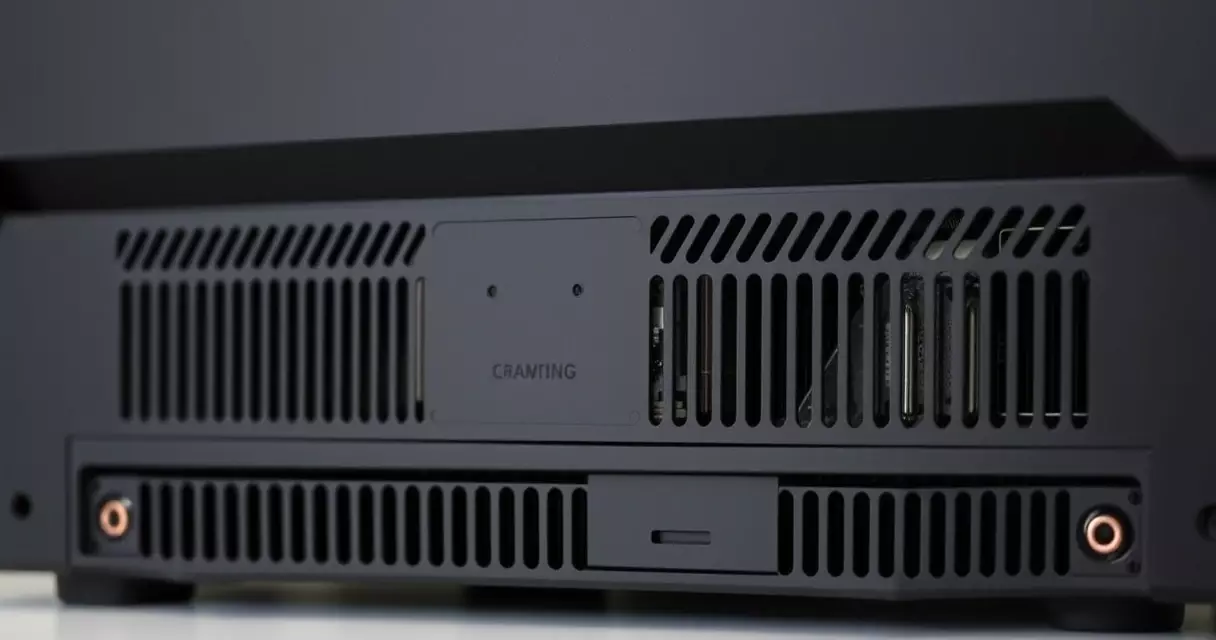
OMEN Tempest Cooling is HP’s name for the laptop’s thermal design, which combines multiple fans, several heat pipes, and intake paths on the top and bottom of the chassis. The practical result is a system that sustains high power without throttling hard, which is the whole point of choosing a thicker laptop over a slim one. Surface temperatures stay manageable because the hottest air exhausts toward the rear rather than into the palm rest.
The honest trade-off is noise. On the maximum performance profile the fans get loud, loud enough that a headset is the comfortable way to play demanding titles. Most owners settle on the balanced profile for everyday use and reserve the top mode for the heaviest games. Keeping the intakes clear and the internal fans clean preserves this performance over time; our guide to gaming laptop cooling covers the maintenance habits that prevent thermal throttling as the machine ages.
Battery Life and Portability
Battery life follows the rule that governs every high-performance gaming laptop: unplugged endurance is modest. The 83Wh pack listed in HP’s specifications, or the 97Wh pack on select builds, comfortably handles a workday of web browsing, video, and light office tasks. Gaming on battery is a different story, because the discrete GPU draws far more power than the cell can sustain, so frame rates drop and runtime falls to roughly an hour or two.
This is normal for the class rather than a flaw specific to the Omen 16, and the practical advice is to treat the laptop as a portable desktop that travels between power outlets. A few habits stretch the endurance considerably: lowering the display refresh rate when away from a charger, using the integrated graphics for non-gaming work, and dimming the screen. Our piece on gaming laptop battery life lays out the full set of tactics for getting more hours per charge.
Pricing and Value
The Omen 16’s reputation rests largely on price. Entry configurations with an RTX 4050 or 4060 frequently sell in the United States in the $1,000 to $1,300 range, while RTX 4070 builds typically land between roughly $1,400 and $1,800 depending on the display, memory, and storage, based on HP’s published and retail pricing. Holiday and seasonal sales routinely push these figures lower, and the laptop is a common feature in back-to-school and end-of-year promotions.
Demand for this segment is being shaped by a broader market trend. NVIDIA’s graphics business has expanded rapidly on the back of AI and gaming demand, with the company reporting record revenue in recent years as covered by Reuters, and that scale keeps GeForce RTX graphics at the center of mainstream gaming laptops. For a buyer, the takeaway is that an RTX 40-series machine like the Omen 16 sits on current-generation silicon rather than a clearance-bin platform, which protects its relevance over the next few years.
Where does the value land overall? The Omen 16 rarely wins on any single category against a price-no-object rival, but it is consistently competitive on the metric most shoppers actually weigh, which is performance per dollar. You give up some of the premium feel of a metal-unibody ultraportable and accept more fan noise, and in exchange you get sustained performance, an upgradeable interior, and a lower sticker price.
How It Compares to Rivals
No gaming laptop exists in isolation, and the Omen 16 is usually cross-shopped against a short list of direct competitors. The comparison below is qualitative and meant to position the laptop rather than score it, since exact pricing and configurations shift constantly across the market.
| Laptop | Where it leads | Where it trails the Omen 16 |
|---|---|---|
| HP Omen 16 | Value, upgradeable RAM and storage, sustained cooling | Fan noise, plastic-heavy build on some trims |
| Lenovo Legion 5 | Build quality, battery, clean software | Often similar or higher price for like configurations |
| ASUS ROG Strix | Display options, aggressive styling, top-end GPUs | Higher cost at matching GPU tiers |
| Razer Blade 15 | Premium aluminum chassis, portability | Significantly more expensive, less serviceable |
| MSI Raider | High-wattage GPUs, large displays | Bulkier and pricier in flagship trims |
If your priority is a premium feel in a thin body, the Razer Blade 15 is the obvious alternative, though you pay a clear premium for that machined-aluminum design. If you want a similar value proposition with slightly different software and styling, the Legion 5 is the closest match. The Omen 16 earns its spot on shortlists precisely because it sits in the sensible center of this group.
Who Should Buy the HP Omen 16
The clearest buyer is someone who wants strong 1080p or 1440p gaming for the lowest reasonable price and does not mind a laptop that prioritizes function over a slim profile. Students, dorm gamers, and players who keep their laptop plugged in at a desk most of the time are the natural audience. The upgradeable memory and storage also make it a smart pick for anyone who likes to extend a machine’s life rather than replace it.
Two groups should look elsewhere. Travelers who need all-day battery and a featherweight bag will be happier with a thinner ultraportable, even at a higher price. Buyers chasing maximum 4K performance with an RTX 4080 or 4090 should step up to a flagship chassis built for that power and heat. For everyone in between, the Omen 16 remains one of the easiest mid-range recommendations in the United States.
Frequently Asked Questions
Is the HP Omen 16 good for gaming in 2026?
Yes, for mainstream gaming the Omen 16 remains a strong choice because its RTX 40-series graphics use NVIDIA’s current Ada Lovelace architecture and support DLSS 3 frame generation, as documented on Wikipedia’s GeForce RTX 40 series page. An RTX 4060 or 4070 configuration handles modern titles at high settings at 1080p and is genuinely capable at 1440p once DLSS is enabled. The laptop is best suited to players who game mostly at a desk and value performance per dollar over a thin chassis. If your library leans toward esports titles, the 240Hz panel option keeps the experience smooth for years to come.
Can you upgrade the RAM and storage in the Omen 16?
Yes, and this is one of the laptop’s standout features. The Omen 16 uses two SO-DIMM memory slots rather than soldered RAM, so a 16GB machine can later move to 32GB or more by swapping in larger DDR5 modules. Storage is equally accessible through an M.2 PCIe Gen4 NVMe slot, with room for expansion on many configurations. The bottom panel is held by standard screws, so opening it does not require special tools. Always confirm your exact model’s slot layout in HP’s service documentation before buying parts, and follow proper anti-static handling when you open the chassis.
How long does the HP Omen 16 battery last?
Battery life depends heavily on what you are doing. For web browsing, video playback, and office tasks, the 83Wh battery listed in HP’s specifications, or the larger 97Wh pack on select builds, can last a full workday with modest screen brightness. Gaming is far more demanding because the discrete GPU draws more power than the battery can sustain, which drops runtime to roughly one to two hours and lowers frame rates. The realistic approach is to treat the Omen 16 as a portable desktop that performs best plugged in, and to use battery-saving habits like lowering refresh rate when unplugged.
Does the HP Omen 16 run hot or loud?
The Omen 16’s OMEN Tempest Cooling system uses multiple fans and heat pipes to sustain high performance without heavy throttling, and the hottest air exhausts toward the rear rather than the palm rest, so surface temperatures stay manageable during play. The trade-off is noise: on the maximum performance profile the fans become clearly audible, which is why many owners use a headset for demanding sessions and keep the balanced profile for everyday work. Regular cleaning of the intake vents helps maintain airflow and prevents the gradual temperature creep that affects any gaming laptop as dust accumulates over months of use.
Which display option should I choose on the Omen 16?
The right panel depends on how you play. For mixed gaming with sharper visuals, the QHD 165Hz option offers the best balance of resolution and smoothness, and its wider color coverage helps with light content creation too. For fast competitive titles where frame rate matters most, the 1080p 240Hz panel is the better fit because it prioritizes responsiveness over pixel density. If high dynamic range is important to you, check the exact panel’s brightness and DisplayHDR certification first, since many Omen 16 screens reach around 300 to 400 nits, which suits indoor play but only loosely qualifies as a true HDR experience.
HP Omen 16 vs Lenovo Legion 5: which is better?
These two laptops are the closest of rivals, and the better pick depends on your priorities rather than raw performance, since both deliver similar frame rates at matching GPU wattages. The Legion 5 tends to lead on build quality, battery endurance, and clean software, while the Omen 16 often competes hard on price and offers excellent serviceability. If you want the most polished overall package and can absorb a slightly higher cost, the Legion 5 is appealing. If value and upgradeability sit at the top of your list, the Omen 16 is the smarter buy. Compare current pricing on the exact configurations you want before deciding.
Is the HP Omen 16 worth the money?
For most mid-range buyers, yes. The Omen 16 rarely wins any single category outright against a premium rival, but it consistently delivers strong performance per dollar, which is the metric that matters most to shoppers on a budget. You accept more fan noise and a less premium chassis than a thin aluminum ultraportable, and in return you get sustained cooling, current-generation RTX graphics, and an interior you can upgrade later. With entry builds frequently selling around $1,000 to $1,300 and RTX 4070 models in the $1,400 to $1,800 range, it remains one of the easiest value recommendations in the segment.
Related Reading
- Gaming Laptop Buyer's Guide: Performance, Portability & Best Models
- Best Gaming Laptops 2024: Top Picks for Every Budget
- Gaming Laptop Battery Life: Tips to Maximize Performance
- Gaming Laptop Cooling: Solutions to Prevent Overheating
- Gaming Laptop Maintenance: Keep Your System Like New
- Gaming Laptop Specs Explained: GPU, CPU, RAM & More
- Gaming Laptop Upgrade Guide: What Can You Upgrade?
- Gaming Laptop vs Desktop: Which Should You Buy?
- How to Choose a Gaming Laptop: Complete Buyer's Guide
- Alienware M15 Gaming Laptop Review: Specs, Power & Value
- ASUS ROG Strix Gaming Laptop Review
- Lenovo Legion 5 Gaming Laptop Review: Specs, Power & Value
- MSI Raider Gaming Laptop Review
- Razer Blade 15 Gaming Laptop Review
Sources
- GeForce RTX 40 series, Wikipedia – https://en.wikipedia.org/wiki/GeForce_RTX_40_series
- Deep learning super sampling (DLSS), Wikipedia – https://en.wikipedia.org/wiki/Deep_learning_super_sampling
- VESA DisplayHDR standard announcement, VESA – https://www.vesa.org/featured-articles/vesa-introduces-industrys-first-fully-open-standard-for-display-hdr-performance-and-compliance/
- Technology news and NVIDIA coverage, Reuters – https://www.reuters.com/technology/