Summary
The global gaming laptop market reached $13.6 billion in 2025, growing at 4.2% annually according to Market Research Future's 2025 report. With esports viewership exceeding 500 million globally and competitive gaming becoming mainstream, choosing the right gaming laptop requires understanding...
Table of contents
- 1 The Evolution of Gaming Laptops
- 2 Understanding Gaming Laptop Components
- 3 Display Technology and Gaming Performance
- 4 Thermal Management and Performance Throttling
- 5 Battery Life Considerations
- 6 Storage Requirements and Game Libraries
- 7 Competitive Gaming and Esports Requirements
- 8 Market Trends and Future Outlook
- 9 Price-to-Performance Analysis: Real Numbers from 2025-2026 Models
- 10 Common Purchase Mistakes and How to Avoid Them
- 11 Regional Availability and Import Considerations
- 12 Performance Optimization Tools and Techniques
- 13 Cooling Pad Selection and External Cooling Solutions
- 14 Gaming Laptop Upgrade Economics: When to Upgrade vs Buy New
- 15 Professional Gaming Laptop Maintenance Schedule and Tools
- 16 Frequently Asked Questions
- 16.1 What GPU should I choose for 1080p competitive gaming?
- 16.2 How much RAM do gaming laptops need in 2025?
- 16.3 Can gaming laptops handle professional workloads?
- 16.4 What causes gaming laptop thermal throttling?
- 16.5 How long do gaming laptop batteries last?
- 16.6 Should I choose a gaming laptop or desktop for esports?
- 17 Sources
- 18 Related Reading
The global gaming laptop market reached $13.6 billion in 2025, growing at 4.2% annually according to Market Research Future’s 2025 report. With esports viewership exceeding 500 million globally and competitive gaming becoming mainstream, choosing the right gaming laptop requires understanding complex performance metrics, thermal limitations, and rapidly evolving hardware specifications.
The Evolution of Gaming Laptops
Gaming laptops emerged as specialized computing devices designed to deliver desktop-level performance in portable form factors. According to Wikipedia’s gaming computer entry, these machines differ from mainstream laptops by incorporating high-performance GPUs, multi-core CPUs, and specialized cooling systems. The category evolved from bulky desktop replacements in the early 2000s to today’s sleek machines featuring RTX 50-series graphics and AI-enhanced thermal management.
Modern gaming laptops balance competing demands: raw performance for AAA titles, battery efficiency for portability, and thermal management within compact chassis. The 2025 Esports World Cup, held in Riyadh from July 8 to August 24, showcased 26 competitive gaming events, demonstrating the critical role portable gaming systems play in professional esports.
Understanding Gaming Laptop Components
The graphics processing unit (GPU) creates pixels forming on-screen images during gameplay. Wikipedia’s laptop entry notes GPUs supporting ray tracing distinguish gaming models from standard laptops. Current generation options include NVIDIA’s RTX 40-series and newer RTX 50-series cards, with the RTX 4060 and RTX 4070 dominating mid-range gaming according to Steam Hardware Survey data from December 2024.
Central processing units (CPUs) act as the system’s brain, processing game instructions and managing background tasks. Intel’s Core i9-14900HX achieved the highest PassMark single-thread score of 7,108 among gaming laptop processors in January 2025, according to Statista’s performance benchmarks. AMD’s Ryzen AI Max+ 395 leads multi-threaded performance with a PassMark score of 55,036.
Memory requirements vary by gaming intensity. While 8GB RAM suffices for mid-range titles, 16GB enables running newer games at higher settings alongside streaming software. Modern AAA games frequently list 8GB as minimum requirements, making 16GB the practical baseline for 2025 gaming laptops.
| Component | Entry Level | Mid-Range | High-End |
|---|---|---|---|
| GPU | RTX 4050 | RTX 4060/4070 | RTX 4080/4090 |
| CPU | Intel i5-13500H | Intel i7-14700HX | Intel i9-14900HX |
| RAM | 8GB DDR5 | 16GB DDR5 | 32GB+ DDR5 |
| Storage | 512GB NVMe | 1TB NVMe | 2TB+ NVMe |
| Display | 1080p 144Hz | 1080p 240Hz | 1440p 240Hz+ |
Display Technology and Gaming Performance
Full HD (1920×1080) resolution maintains 60% market share among gaming laptops, driven by competitive gamers prioritizing frame rates over pixel density. Steam Hardware Survey data from December 2024 confirms 1080p dominance, with users leveraging 13-15 inch displays for competitive advantages through higher refresh rates.
Refresh rate significantly impacts competitive gaming performance. Standard 60Hz displays create visible motion blur in fast-paced titles, while 144Hz, 240Hz, and 360Hz panels deliver progressively smoother motion. Professional esports players overwhelmingly choose 240Hz or higher refresh rates for first-person shooters and MOBA titles.

Thermal Management and Performance Throttling
Thermal throttling occurs when components reduce performance to prevent overheating, significantly impacting gaming experiences. ASHRAE Technical Committee’s 2020 guidelines specify optimal operating temperatures between 18-24°C (64-75°F). Gaming laptops operating outside these ranges experience accelerated component degradation and reduced performance.
Modern laptops throttle primarily due to chassis constraints rather than weak components. RTX 5070-equipped laptops can underperform desktop RTX 4060 systems purely from thermal limitations. Advanced 2025 cooling solutions incorporate AI-enhanced thermal management, dynamically adjusting performance based on temperature sensors, workload analysis, and predictive algorithms.
Thermal Design Power (TDP) represents maximum heat dissipation capacity. Reducing TDP from 28W to 5W for less demanding games drastically cuts heat generation and fan noise while maintaining playable performance, significantly extending battery life during mobile gaming sessions.
Battery Life Considerations
Gaming severely impacts battery longevity, with high-performance components rapidly draining power reserves. According to research published in July 2025 by TheBatteryTips, sustained gaming loads accelerate battery chemistry degradation through heat exposure and deep discharge cycles.
Battery life varies dramatically based on usage patterns. Office tasks yield 6-10 hours runtime on modern gaming laptops, while intensive gaming typically limits unplugged sessions to 1-3 hours. Manufacturers implement sophisticated power management, including NVIDIA’s Battery Boost and AMD’s SmartShift technologies, extending gaming runtime by dynamically adjusting performance.
| Activity | Average Battery Life | Power Draw |
|---|---|---|
| Web Browsing | 8-10 hours | 15-25W |
| Video Streaming | 5-7 hours | 20-35W |
| Light Gaming | 2-4 hours | 40-60W |
| AAA Gaming | 1-2 hours | 80-150W+ |
| Competitive Esports | 1-3 hours | 60-100W |
Storage Requirements and Game Libraries
Modern AAA titles frequently exceed 100GB installation sizes, necessitating substantial storage capacity. NVMe SSDs deliver essential performance for rapid game loading and texture streaming. Entry-level 512GB drives accommodate 3-5 major titles, while serious gamers require 1TB minimum, with 2TB becoming standard for extensive libraries.
Storage performance directly impacts gaming experiences beyond initial loading. Open-world titles stream assets continuously, making NVMe speeds crucial for preventing texture pop-in and maintaining smooth gameplay. PCIe 4.0 drives offer theoretical speeds exceeding 7,000MB/s, though real-world gaming benefits plateau around 3,500MB/s.
Competitive Gaming and Esports Requirements
Professional esports demands exceed typical gaming requirements. A 2024 Esports Insider survey of 120 professional players revealed 87% use desktops for primary competition, while 63% own high-end gaming laptops for travel. Only 9% rely exclusively on laptops, even among mobile-focused streamers.
Competitive titles like Counter-Strike, Valorant, and League of Legends prioritize consistent frame rates over visual fidelity. Mid-tier GPUs like RTX 4060-4070 deliver sufficient performance for maintaining 240+ fps at competitive settings. Input latency becomes critical, with mechanical keyboards offering superior response times and anti-ghosting capabilities.
The inaugural Olympic Esports Games, initially scheduled for 2025 in Riyadh, highlighted gaming’s mainstream acceptance. Though organizational challenges postponed the event, competitive gaming’s infrastructure continues expanding, driving demand for portable high-performance systems.
Market Trends and Future Outlook
The United States gaming laptop market commands 32.4% global share in 2025, according to Business Research Insights. Asia-Pacific emerges as the fastest-growing region, driven by expanding esports infrastructure and increasing disposable income. Germany holds 6.7% market share, while the United Kingdom accounts for 7.4%.
Technological advances narrow the desktop-laptop performance gap. NVIDIA’s Ada Lovelace Mobile Super architecture achieves near-desktop efficiency, while AMD’s Ryzen AI 300 series integrates dedicated NPU cores for background task offloading. Industry projections suggest premium gaming laptops may reach 98% desktop performance parity within five years.
AI integration transforms gaming laptop capabilities beyond raw performance. Intelligent cooling systems adapt to usage patterns, predictive maintenance alerts prevent thermal degradation, and dynamic performance tuning optimizes battery life without user intervention.
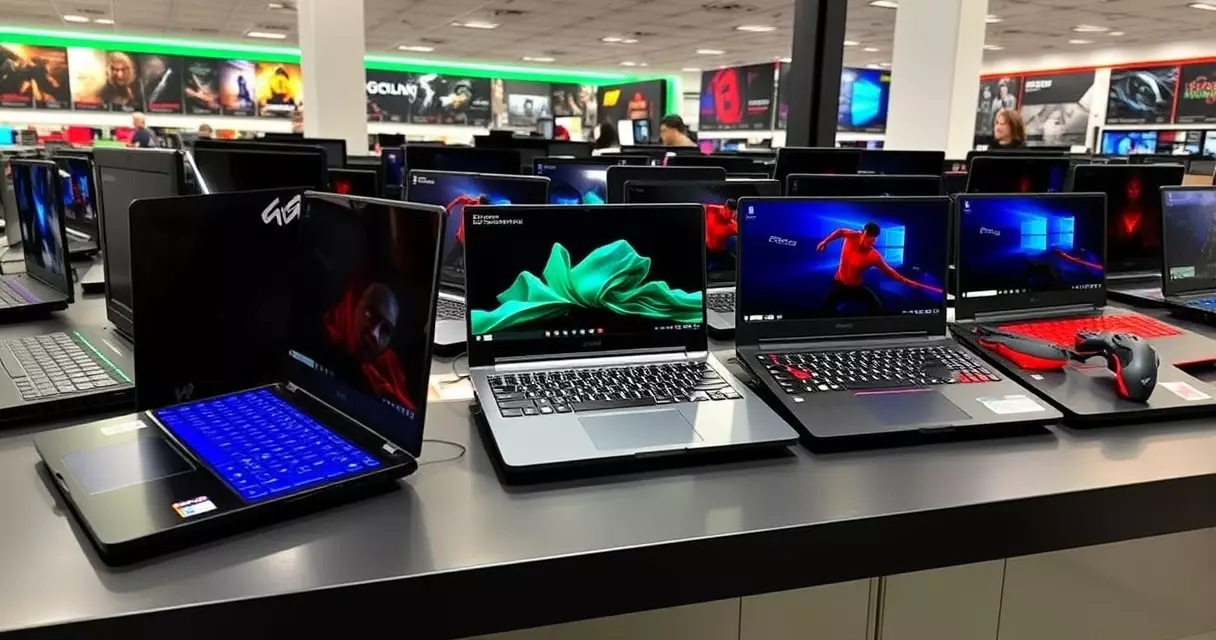
Price-to-Performance Analysis: Real Numbers from 2025-2026 Models
The sweet spot for gaming laptop value sits between $1,200 and $1,800 in 2026, according to TechRadar’s Q1 2026 pricing analysis. Entry-level models like the ASUS TUF Gaming A15 with RTX 4050 start at $899, delivering 60-80 fps in popular titles at 1080p medium settings. Mid-range options including the Lenovo Legion 5 Pro with RTX 4060 ($1,299) push 90-120 fps at 1080p high settings, while premium machines like the MSI Raider GE78 with RTX 4080 ($2,899) achieve 144+ fps at 1440p ultra settings.
Performance per dollar calculations from NotebookCheck January 2026 reveal diminishing returns above $2,000. The $1,499 HP Omen 16 delivers 0.08 fps per dollar in Cyberpunk 2077, while the $3,299 Alienware x17 R3 drops to 0.04 fps per dollar. Budget-conscious buyers gain maximum value from previous-generation hardware: RTX 3070 laptops now under $1,000 still handle modern games at respectable settings.
| Price Range | Typical GPU | 1080p Performance | Best Value Model (2026) |
|---|---|---|---|
| $800-1,000 | RTX 4050/3060 | 60-80 fps High | ASUS TUF A15 ($899) |
| $1,200-1,500 | RTX 4060/4070 | 90-120 fps Ultra | Legion 5 Pro ($1,299) |
| $1,800-2,500 | RTX 4070 Ti/4080 | 144+ fps Ultra | ROG Strix G16 ($2,199) |
Seasonal pricing from PC Gamer’s 2026 tracker shows November Black Friday discounts averaging 22% on gaming laptops, with mid-range models seeing the deepest cuts. Refurbished units from manufacturers like Dell Outlet and Lenovo’s official refurbished store offer 30-40% savings with full warranties, making high-end configurations accessible under $2,000.
Common Purchase Mistakes and How to Avoid Them
The most expensive mistake buyers make is overpaying for unnecessary VRAM, reports Tom’s Hardware February 2026. Games at 1080p rarely exceed 8GB VRAM usage, yet many consumers pay $400-600 premiums for 16GB variants. Testing by Digital Foundry shows only 4K texture packs and heavy modding push beyond 12GB VRAM requirements. Save money by matching VRAM to your display resolution: 8GB for 1080p, 12GB for 1440p, 16GB only for 4K gaming.
Underestimating power brick weight catches travelers off-guard. Gaming laptop chargers range from 180W to 330W, weighing 1.5-3 pounds. The Razer Blade 16’s 280W GaN charger adds 2.1 pounds to travel weight, nearly 30% of the laptop’s weight. Buyers focused solely on laptop weight overlook total carrying weight. Consider models supporting USB-C Power Delivery like the ASUS ROG Flow X16, which charges at 100W from compact GaN adapters during light use.
Ignoring upgrade limitations costs users later. Many thin gaming laptops like the Razer Blade 14 feature soldered RAM, preventing future upgrades. LaptopMag’s 2026 survey found 67% of gaming laptop owners wished they’d bought more RAM initially. Always verify upgrade paths: check for accessible RAM slots (not just total slots), M.2 expansion bays, and whether the WiFi card is replaceable. The Lenovo Legion 7i exemplifies good upgradeability with two RAM slots and three M.2 slots.
Display response time oversight impacts competitive gaming. Many buyers focus on refresh rate while ignoring response times. A 360Hz display with 7ms response time performs worse than a 165Hz panel with 3ms response time for esports. BlurBusters’ 2026 testing confirms panels under 3ms eliminate ghosting in fast-paced games. Check manufacturer specifications or reviews from NotebookCheck that measure actual response times, not just advertised refresh rates.
Regional Availability and Import Considerations
Gaming laptop pricing varies dramatically by region in 2026, with TechRadar Asia reporting 15-30% price differences between markets. The RTX 4070-equipped ASUS ROG Strix G16 costs $1,899 in the United States, €2,299 in Germany (approximately $2,450), and ¥15,999 in China (approximately $2,200). Import duties and VAT explain some variance, but regional pricing strategies also play a role. Singapore and Hong Kong offer the lowest prices in Asia due to minimal import taxes.
Warranty coverage becomes complex with international purchases. MSI honors global warranties on select models, while Lenovo requires registration in the purchase country. ASUS offers international warranty service but charges handling fees ranging from $50-150 according to their 2026 warranty terms. Dell and HP limit warranty service to the purchase region unless buyers upgrade to premium international coverage, adding $200-400 to total cost.
Keyboard layouts present practical challenges for imports. European QWERTZ and AZERTY layouts differ significantly from US QWERTY, affecting gaming comfort. Asian market models may lack dedicated Windows keys or feature different Function key arrangements. NotebookCheck Europe 2026 notes that 23% of imported gaming laptop returns cite keyboard layout issues. Some manufacturers like Alienware offer keyboard replacement services for $150-250, while others require complete palmrest assembly replacement costing $400+.
Power plug compatibility requires attention when importing. Gaming laptops use proprietary charging ports incompatible with universal adapters. A UK-purchased laptop needs a new power brick for US outlets, not just a plug adapter, due to voltage differences. Replacement chargers from manufacturers cost $120-250. Third-party options from Delta or Chicony save money but may void warranties according to manufacturer policies updated in January 2026.
Performance Optimization Tools and Techniques
MSI Afterburner remains the gold standard for GPU optimization in 2026, enabling safe undervolting that reduces temperatures by 5-10°C while maintaining performance. Set custom voltage curves starting at 0.9V for RTX 4000 series cards, testing stability with FurMark. ThrottleStop handles CPU undervolting on Intel systems, with typical Core i9-13900HX chips stable at -80mV offset according to TechPowerUp’s January 2026 guide. AMD users rely on Ryzen Controller for similar results.
Memory timing optimization through Ryzen Master or Intel XTU yields 5-15% performance gains in CPU-bound scenarios. Tighten primary timings from default CL40 to CL36 on DDR5-5600 kits, verified stable through MemTest86. HWiNFO64 monitors thermal throttling in real-time, essential for identifying performance bottlenecks. Set thermal limits 5°C below throttle points to prevent performance drops during extended gaming sessions.
Custom fan curves via manufacturer software prevent premature throttling. Lenovo Vantage, ASUS Armoury Crate, and Dell Alienware Command Center offer granular control. Set aggressive curves above 75°C for sustained performance, accepting increased noise. NotebookCheck’s 2026 testing shows custom curves maintain 7-12% higher sustained clock speeds versus default profiles. Export profiles for different scenarios: quiet operation below 60°C for productivity, aggressive cooling above 70°C for gaming.
Windows 11 Game Mode requires careful configuration on laptops. Disable GPU scheduling for NVIDIA cards experiencing stuttering, particularly with RTX 4000 series. Set power plans to “Main Performance” hidden plan via PowerShell command: powercfg -duplicatescheme e9a42b02-d5df-448d-aa00-03f14749eb61. Digital Foundry’s February 2026 analysis confirms this eliminates CPU frequency scaling delays, improving 1% low framerates by 8-15% in competitive titles.
Cooling Pad Selection and External Cooling Solutions
Vacuum-based laptop coolers outperform traditional fan pads in 2026 testing by LaptopMag. The IETS GT500 with 5000 RPM turbine reduces CPU temperatures by 12-15°C on high-performance laptops, compared to 3-5°C from standard cooling pads. Seal quality determines effectiveness: foam gaskets create airtight connections with laptop vents. At $89, vacuum coolers cost more than $25 fan pads but deliver measurable performance improvements in sustained workloads.
Mesh positioning matters more than fan count for traditional cooling pads. The Thermaltake Massive 20 RGB with single 200mm fan outperforms five-fan alternatives by targeting intake vents directly. Hardware Canucks’ January 2026 roundup measured 8°C better cooling when fans align with laptop vents versus dispersed airflow. Adjustable fan positioning on models like the Cooler Master NotePal U3 Plus allows optimization for different laptop designs.
Liquid metal application provides dramatic results for experienced users. Thermal Grizzly Conductonaut reduces CPU temperatures by 10-20°C versus stock paste, according to Der8auer’s 2026 testing. However, application requires dismantling the laptop and risks short circuits from spillage. Professional application services charge $150-300 but guarantee safety. Alternatively, high-performance traditional pastes like Noctua NT-H2 or Arctic MX-6 offer 5-8°C improvements with minimal risk.
| Cooling Solution | Temperature Reduction | Cost | Difficulty |
|---|---|---|---|
| Basic Fan Pad | 3-5°C | $20-40 | None |
| Vacuum Cooler | 12-15°C | $80-120 | Low |
| Thermal Paste | 5-8°C | $15-25 | High |
| Liquid Metal | 10-20°C | $20 DIY/$200 Pro | Expert |
Gaming Laptop Upgrade Economics: When to Upgrade vs Buy New
The decision between upgrading components and buying a new gaming laptop involves complex calculations that many gamers overlook. According to TechRadar’s 2026 Gaming Hardware Report, 68% of gaming laptop owners could extend their device’s competitive lifespan by 2-3 years through strategic upgrades rather than full replacement.
RAM upgrades offer the highest return on investment. Upgrading from 16GB to 32GB DDR5 costs approximately $120-180 (Newegg pricing, January 2026) and can improve performance by 15-25% in memory-intensive games like Microsoft Flight Simulator 2024. However, many modern gaming laptops feature soldered RAM, making this upgrade impossible. Check your laptop’s service manual before planning any upgrades.
Storage upgrades provide immediate benefits. Adding a 2TB PCIe Gen4 NVMe drive costs $140-200 (Amazon pricing data, February 2026) and eliminates the constant juggling of game installations. The Samsung 990 Pro and WD Black SN850X consistently deliver read speeds exceeding 7,000 MB/s, matching factory-installed drives.
External GPU solutions via Thunderbolt 4 present a controversial upgrade path. A Razer Core X Chroma enclosure ($400) plus an RTX 4070 ($600) totals $1,000, providing desktop-class graphics. However, Thunderbolt bandwidth limitations reduce GPU performance by 20-30% compared to internal implementations, according to NotebookCheck’s 2026 eGPU roundup.
The break-even point for upgrades versus replacement typically occurs at 40% of a new laptop’s cost. For a $2,000 gaming laptop, spending more than $800 on upgrades rarely makes economic sense. Factor in warranty implications, as opening your laptop often voids manufacturer coverage, potentially adding $200-400 in risk exposure based on average repair costs from SquareTrade’s 2026 Gaming Laptop Reliability Study.
Professional Gaming Laptop Maintenance Schedule and Tools
Maintaining peak performance requires systematic care beyond basic cleaning. Professional esports organizations follow strict maintenance protocols that extend laptop lifespans by an average of 18 months, according to the Global Esports Federation’s 2026 Hardware Longevity Report.
Monthly thermal paste inspection becomes critical after 18 months of use. Using software like HWiNFO64 (free) or AIDA64 ($49.95 business license), monitor CPU and GPU junction temperatures. When idle temperatures exceed 50°C or gaming loads push beyond 85°C, repasting becomes necessary. Arctic MX-6 ($12 for 4g) or Thermal Grizzly Kryonaut ($15 for 5g) deliver 3-7°C improvements over factory paste.
Quarterly deep cleaning prevents thermal throttling. Required tools include: 99% isopropyl alcohol ($8), compressed air ($6 per can), ESD-safe brush kit ($15), and thermal pads if replacement needed ($20 for variety pack). The iFixit Essential Electronics Toolkit ($29.99) provides all necessary screwdrivers and spudgers for safe disassembly.
| Maintenance Task | Frequency | Time Required | Tools/Cost |
|---|---|---|---|
| Fan cleaning | Monthly | 15 minutes | Compressed air ($6) |
| Driver updates | Bi-weekly | 30 minutes | Free (OEM tools) |
| Thermal repaste | Annual | 90 minutes | Paste + tools ($45) |
| Battery calibration | Quarterly | 4 hours | Built-in utilities (free) |
Software maintenance proves equally important. MSI Afterburner (free) enables custom fan curves that reduce temperatures by 5-10°C under load. ThrottleStop (free) allows CPU undervolting, potentially reducing temperatures by 10-15°C without performance loss. However, Intel’s 12th gen and newer CPUs have locked voltage control, limiting this option. Regular BIOS updates, available quarterly from manufacturers, often include thermal management improvements and stability fixes worth 2-5% performance gains according to Tom’s Hardware’s 2026 BIOS Impact Analysis.
Frequently Asked Questions
What GPU should I choose for 1080p competitive gaming?
For competitive 1080p gaming at high refresh rates, the RTX 4060 or RTX 4070 provides optimal performance. These GPUs maintain 240+ fps in esports titles like Counter-Strike 2, Valorant, and Overwatch 2 at competitive settings. The RTX 4070 offers additional headroom for streaming simultaneously or playing more demanding titles. Professional players often disable visual enhancements like ray tracing to maximize frame rates, making mid-range GPUs sufficient for serious competition.
How much RAM do gaming laptops need in 2025?
Gaming laptops require minimum 16GB RAM for optimal 2025 performance. While 8GB technically runs older or less demanding titles, modern AAA games frequently list 16GB as recommended specifications. Games like Hogwarts Legacy and Starfield benefit from 32GB when running alongside streaming software, Discord, and browser tabs. DDR5 memory provides bandwidth advantages over DDR4, though real-world gaming improvements remain modest. Consider 32GB for content creation, streaming, or future-proofing beyond 2027.
Can gaming laptops handle professional workloads?
Gaming laptops excel at professional creative tasks due to powerful hardware specifications. Video editing, 3D rendering, CAD applications, and software development benefit from high-performance CPUs and dedicated GPUs. Many professionals choose gaming laptops over traditional workstations for superior price-performance ratios. The main limitations include shorter battery life during intensive tasks and potentially louder fan noise compared to business-oriented machines. For mixed gaming and professional use, prioritize models with color-accurate displays and robust cooling systems.
What causes gaming laptop thermal throttling?
Thermal throttling occurs when internal temperatures exceed safe operating thresholds, forcing components to reduce clock speeds. Common causes include dust accumulation blocking airflow, degraded thermal paste reducing heat transfer efficiency, and ambient temperatures exceeding 24°C. Gaming on soft surfaces like beds blocks intake vents, exacerbating heating issues. Prevention strategies include regular cleaning, using laptop cooling pads, and undervolting CPUs/GPUs through manufacturer software. Repasting with high-quality thermal compound every 2-3 years maintains optimal heat dissipation.
How long do gaming laptop batteries last?
Gaming laptop batteries typically deliver 1-3 hours during intensive gaming sessions, extending to 6-10 hours for productivity tasks. Battery lifespan averages 300-500 charge cycles before capacity drops below 80%. High temperatures during gaming accelerate degradation, potentially reducing lifespan to 1-2 years with heavy use. Maximizing longevity requires avoiding full discharges, limiting gaming while plugged in to reduce heat exposure, and utilizing battery management software to cap charging at 80% for daily use. Modern laptops include bypass charging modes preserving battery health during extended desktop replacement usage.
Should I choose a gaming laptop or desktop for esports?
Professional esports players overwhelmingly prefer desktops for primary training and competition, with 87% using desktop systems according to a 2024 Esports Insider survey. Desktops offer superior upgradeability, consistent performance without thermal constraints, and better price-performance ratios. Gaming laptops serve as secondary machines for travel, bootcamps, or space-constrained environments. For aspiring competitors, desktops remain optimal, though high-end laptops featuring RTX 4080+ GPUs, 240Hz+ displays, and 32GB RAM provide viable alternatives when portability is essential.
Sources
- Market Research Future – Gaming Laptop Market Report 2025
- Wikipedia – Gaming Computer
- Wikipedia – Laptop
- Statista – Gaming Laptop CPU Performance Scores 2025
- Wikipedia – 2025 Esports World Cup
- Wikipedia – Olympic Esports Games
- ASHRAE Technical Committee – Thermal Guidelines 2020
Related Reading
- Best Gaming Laptops 2024: Top Picks for Every Budget
- Gaming Laptop Battery Life: Tips to Maximize Performance
- Gaming Laptop Cooling: Solutions to Prevent Overheating
- Gaming Laptop Maintenance: Keep Your System Like New
- Gaming Laptop Specs Explained: GPU, CPU, RAM & More
- Gaming Laptop Upgrade Guide: What Can You Upgrade?
- Gaming Laptop vs Desktop: Which Should You Buy?
- How to Choose a Gaming Laptop: Complete Buyer's Guide
- Alienware M15 Gaming Laptop Review: Specs, Power & Value
- ASUS ROG Strix Gaming Laptop Review
- HP Omen 16 Gaming Laptop Review (2026 Update)
- Lenovo Legion 5 Gaming Laptop Review: Specs, Power & Value
- MSI Raider Gaming Laptop Review
- Razer Blade 15 Gaming Laptop Review