
Summary
Lenovo ships more personal computers than any other vendor on the planet, holding roughly a quarter of the global market according to Wikipedia's Lenovo profile and industry tracking reported by Reuters. That scale matters when you buy a gaming machine,...
Table of contents
- 1 The Legion Line: A Short History
- 2 Specifications at a Glance
- 3 Design and Build Quality
- 4 Display and Audio
- 5 Gaming Performance
- 6 Cooling and Thermals
- 7 Battery Life and Portability
- 8 Pricing and Value
- 9 How the Legion 5 Compares to Rivals
- 10 Who Should Buy the Legion 5
- 11 How to Upgrade the Legion 5’s RAM and Storage
- 12 Tuning the Legion 5 for Maximum Performance with Lenovo Vantage
- 13 Frequently Asked Questions
- 13.1 Is the Lenovo Legion 5 good for gaming?
- 13.2 Can you upgrade the RAM and storage on the Legion 5?
- 13.3 How long does the Legion 5 battery last?
- 13.4 Does the Lenovo Legion 5 run hot?
- 13.5 Is the Legion 5 better than the ASUS ROG Strix?
- 13.6 What screen resolution and refresh rate does the Legion 5 have?
- 13.7 Is the Lenovo Legion 5 worth the price?
- 14 Related Reading
- 15 Sources
Lenovo ships more personal computers than any other vendor on the planet, holding roughly a quarter of the global market according to Wikipedia’s Lenovo profile and industry tracking reported by Reuters. That scale matters when you buy a gaming machine, because it usually translates into mature supply chains, predictable warranty support, and steady firmware updates. The Legion 5 sits in the middle of Lenovo’s gaming family, and it has spent several generations earning a reputation as the sensible choice for players who want strong frame rates without paying flagship prices. This review walks through the design, the display, real-world gaming behaviour, thermals, battery life, and how the Legion 5 stacks up against the usual rivals.
We focus on the recent 16-inch configurations built around AMD Ryzen processors and NVIDIA GeForce RTX 40-series graphics, since those are the units most readers are shopping for in 2026. Where a figure is a hard specification, we point to a neutral source. Where a number is a benchmark, we treat it as a representative range, because frame rates shift with drivers, settings, and the specific game you load.
The Legion Line: A Short History
Lenovo introduced the Legion brand in 2017 as a dedicated gaming sub-line, splitting it away from the consumer IdeaPad and the business-focused ThinkPad ranges. The goal was a cleaner aesthetic that looked at home in an office yet still carried serious cooling and graphics hardware. Over the following years the Legion 5 became the volume seller in that family, positioned below the premium Legion 7 and the slimmer Legion Slim models.
Each generation followed the cadence of new silicon. When AMD released its Ryzen 7040 mobile processors and NVIDIA launched the GeForce RTX 40-series, documented on Wikipedia’s GeForce 40 series page, the Legion 5 absorbed those parts and gained meaningful efficiency. If you want a primer on what those component names actually mean before reading further, our explainer on gaming laptop specs breaks down GPU, CPU, and memory terminology in plain language.
The through-line across every revision has been balance. Lenovo rarely chases the thinnest chassis or the brightest screen, and the Legion 5 instead aims for the configuration that most players actually use day to day.
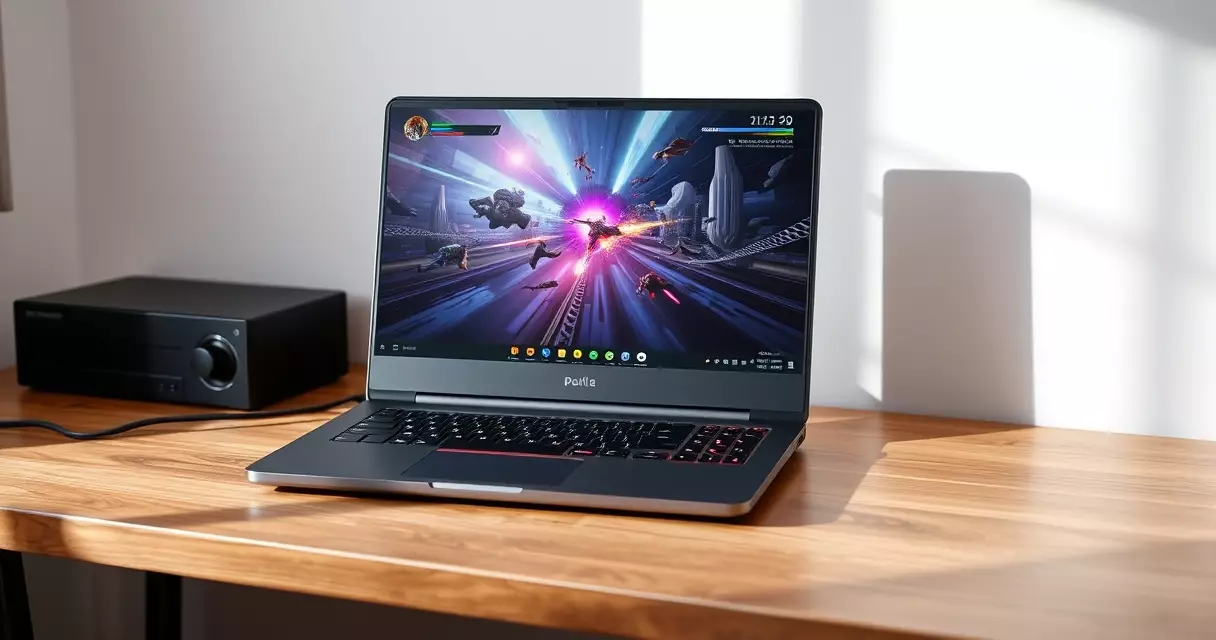
Specifications at a Glance
The table below summarises a typical mid-tier Legion 5 16-inch build. Configurations vary by region and retailer, so treat the GPU power rating and memory amounts as the values most commonly sold rather than the only options.
| Component | Typical configuration | Source for the standard |
|---|---|---|
| Processor | AMD Ryzen 7 7840HS (8 cores, 16 threads) | Wikipedia, AMD Ryzen list |
| Graphics | NVIDIA GeForce RTX 4060 or RTX 4070 laptop GPU | Wikipedia, GeForce 40 series |
| GPU power (TGP) | Up to roughly 140 W on the RTX 4060 variant | NVIDIA laptop GPU spec range |
| Memory | 16 GB or 32 GB DDR5, dual SO-DIMM slots | Wikipedia, DDR5 SDRAM |
| Storage | 512 GB or 1 TB PCIe NVMe SSD | PCIe NVMe standard |
| Display | 16-inch 2560 x 1600, up to 165 Hz, around 500 nits | VESA DisplayHDR |
| Battery | Around 80 Wh | Manufacturer rating |
| Weight | Roughly 2.4 kg (about 5.3 lb) | Manufacturer rating |
Two details deserve a closer look. The DDR5 memory uses replaceable SO-DIMM modules rather than soldered chips, and the SSD sits in a serviceable M.2 slot. Both choices keep the door open for cheap upgrades later, a point we expand on in our gaming laptop upgrade guide.
Design and Build Quality
The Legion 5 keeps a restrained look. The lid and deck use a mix of aluminium and reinforced polymer, the hinge feels firm through its travel, and flex across the keyboard is minimal under normal typing pressure. Colour options have stayed conservative across generations, usually a storm-grey or a near-black finish that hides fingerprints reasonably well.
Port selection is a genuine strength. Lenovo routes most connections to the rear edge, including power, HDMI, and several USB ports, which keeps cables out of your mouse hand. You typically get a mix of USB-A and USB-C, with the USB-C supporting DisplayPort output and charging at moderate wattage. A physical webcam shutter and a generous touchpad round out the practical touches.
The keyboard is a highlight for a laptop in this price bracket. Key travel is comfortable for long sessions, the layout includes a number pad on the 16-inch model, and white or four-zone RGB backlighting is available depending on configuration. It will not replace a mechanical board, yet it holds up well for both gaming and daily work.
Display and Audio
The standout panel option is a 16-inch screen at 2560 x 1600 resolution with a 16:10 aspect ratio. That taller shape gives you extra vertical space for menus, browser tabs, and game HUDs compared with an older 16:9 display. Refresh rates reach up to 165 Hz on the higher-end panels, and brightness sits around 500 nits, which is bright enough for most indoor rooms and comfortably above the dimmer screens found on budget machines.
Colour coverage typically spans the full sRGB gamut and a healthy share of DCI-P3, so creative work such as photo editing is viable alongside gaming. Many panels carry a VESA DisplayHDR rating, a standard maintained by the Video Electronics Standards Association, though entry HDR tiers on laptops deliver modest peak brightness rather than the dramatic contrast of a high-end television.
Audio is competent. The downward-firing stereo speakers get loud enough for a desk setup and handle dialogue clearly, but bass is thin, as it is on nearly every laptop this size. A headset remains the better choice for competitive play.
Gaming Performance
Performance is where the Legion 5 justifies its name. The pairing of a Ryzen 7 7840HS and an RTX 4060 or 4070 laptop GPU, both documented in NVIDIA and AMD reference material on Wikipedia, drives modern titles smoothly at the panel’s native 1600p resolution. A key advantage is the relatively high graphics power limit; Lenovo allows the RTX 4060 to draw up to roughly 140 W, near the top of NVIDIA’s allowed range, which lifts frame rates above thinner laptops that cap the same chip far lower.
The figures below are representative ranges rather than fixed results. Actual numbers move with graphics presets, resolution, driver version, and whether you enable upscaling features such as DLSS. Treat them as a guide to the class of performance you can expect.
| Scenario | 1080p (FHD) | 1600p (native panel) |
|---|---|---|
| Competitive esports titles | 200 fps and above | 120 to 180 fps |
| Modern AAA, balanced settings | 90 to 130 fps | 60 to 90 fps |
| Demanding AAA with ray tracing | 50 to 75 fps | 40 to 60 fps with upscaling |
For everyday play the takeaway is simple. Esports games run far beyond the refresh rate of the screen, mainstream blockbusters hold a comfortable 60 frames per second or better at native resolution, and only the heaviest ray-traced scenes ask you to lean on upscaling. If you are weighing a portable machine against a tower, our breakdown of a gaming laptop versus desktop puts these numbers in context.
Cooling and Thermals
Lenovo markets its thermal system as Legion ColdFront, a dual-fan design with multiple heat pipes and exhaust vents along the rear and sides. The volume of that 140 W power budget has to go somewhere, and the cooler generally keeps the silicon within safe limits during extended sessions, avoiding the aggressive throttling that plagues slimmer rivals.
Noise is the trade-off. Under a heavy load the fans become clearly audible, which is normal for a 140 W graphics chip in a 16-inch body. Lenovo provides software performance modes that let you cap the fans for quieter, cooler operation when you are only browsing or watching video. Keeping the intake vents clear matters too, and our guide to gaming laptop cooling covers simple habits that protect long-term performance.
Surface temperatures stay reasonable around the WASD keys where your left hand rests, with the hottest air pushed out the back rather than up through the deck.
Battery Life and Portability
The Legion 5 carries a battery of roughly 80 Wh, which is large for the category. Away from the wall the AMD platform is efficient enough to deliver several hours of light productivity, web work, and video, though gaming unplugged drains the cell quickly and reduces graphics performance, as it does on every gaming laptop. Manufacturers earn Energy Star recognition partly through idle and low-load efficiency, and the Ryzen chips inside the Legion 5 help on that front.
At about 2.4 kg plus a sizeable power brick, this is a transportable laptop rather than an ultraportable. It moves easily between rooms or into a backpack for a trip, yet it is heavier than a thin-and-light notebook. For tips on stretching runtime on any gaming machine, see our advice on gaming laptop battery life.
Pricing and Value
Pricing shifts with sales and configuration, but the Legion 5 has consistently undercut premium-branded rivals carrying the same core silicon. The table gives indicative United States street pricing for common builds; expect discounts during major shopping events.
| Configuration | Typical price range | Best suited for |
|---|---|---|
| RTX 4060, 16 GB RAM, 512 GB SSD | $1,100 to $1,300 | Mainstream 1080p and 1440p gaming |
| RTX 4060, 32 GB RAM, 1 TB SSD | $1,300 to $1,500 | Gaming plus creative work |
| RTX 4070, 32 GB RAM, 1 TB SSD | $1,500 to $1,800 | Higher-detail 1600p play |
The strongest value usually sits with the RTX 4060 build. It delivers the bulk of the experience for the lowest outlay, and the upgradeable memory and storage let you start small and expand later instead of paying for capacity up front.
How the Legion 5 Compares to Rivals
Every major brand fields a competitor at this price. Against the ASUS ROG Strix, the Legion 5 tends to run quieter at matched settings while the Strix leans into flashier styling. The MSI Raider pushes higher-tier graphics options but costs more and weighs more. Premium options such as the Razer Blade 15 and the Alienware M15 offer slimmer or more luxurious builds, yet they command a clear price premium for similar frame rates.
The Legion 5 wins on the metric most buyers care about: performance per dollar. Its high graphics power limit, serviceable internals, and restrained design make it a safe default recommendation rather than a niche pick.

Who Should Buy the Legion 5
This laptop suits the player who wants reliable high frame rates, a good 16:10 screen, and room to upgrade, all without paying flagship money. Students, hybrid workers who game after hours, and anyone replacing an aging machine will find it an easy fit. Shoppers chasing the thinnest possible chassis or desktop-class graphics should look elsewhere, but for the mainstream majority the Legion 5 remains one of the most balanced choices on the market. If you are still narrowing your list, our broader gaming laptop buyer’s guide helps match features to your budget.
How to Upgrade the Legion 5’s RAM and Storage
One of the Legion 5’s strongest practical advantages is user-serviceability, and a careful upgrade can extend the machine’s useful life by years. The chassis uses two SO-DIMM DDR5 slots and two M.2 2280 PCIe slots, both reachable after removing the bottom panel. According to Lenovo’s official Legion 5 Hardware Maintenance Manual (2025 edition), the base panel is held by ten captive Phillips screws, so nothing falls out when you loosen them.
Follow these steps to upgrade safely:
- Shut down, unplug, and in Lenovo Vantage disable the internal battery (Battery, “Ship Mode”) before opening the panel.
- Remove the ten rear screws with a PH0 driver and pry the panel from a corner with a plastic spudger.
- Ground yourself, then release the DIMM clips sideways and seat the new module at a 30-degree angle until it clicks flat.
- For storage, unscrew the single M.2 standoff screw, slide the SSD into the keyed slot, and refasten.
- Reassemble, boot into BIOS, and confirm the new capacity under “System Information”.
Real component costs make the case for self-upgrading rather than paying Lenovo’s factory premium. Pricing checked on Crucial.com (June 2026) shows the following typical figures:
| Component | Spec | Approx. price (Crucial, June 2026) |
|---|---|---|
| RAM kit | 32GB (2x16GB) DDR5-5600 | 89 USD |
| SSD | 2TB PCIe Gen4 NVMe | 129 USD |
| Tools | iFixit Mako driver kit | 20 USD |
Going from 16GB to 32GB and adding a 2TB drive yourself costs roughly 240 USD in parts, while Lenovo’s configurator (June 2026) charges close to 400 USD for the same factory upgrades. The biggest mistake people make is buying DDR4 modules by habit, since the current Legion 5 requires DDR5, so always confirm generation before ordering.
Tuning the Legion 5 for Maximum Performance with Lenovo Vantage
Out of the box, the Legion 5 runs conservatively to stay quiet, which leaves measurable performance on the table. The free Lenovo Vantage app (and its lighter sibling Legion Space) exposes the same tuning controls reviewers use to unlock the laptop’s full power budget, and learning them is the single highest-impact thing a new owner can do.
Start with the thermal mode toggle, mapped to the Fn+Q shortcut. It cycles three profiles whose differences are not cosmetic:
- Quiet: caps CPU package power near 35W for near-silent browsing.
- Balanced: the default, scaling power dynamically.
- Performance (Custom): raises the sustained power ceiling and lets the GPU hit its full TGP for gaming.
Notebookcheck’s Legion 5 measurements (2025) found that switching from Balanced to Performance mode raised sustained combined CPU and GPU draw substantially, improving frame rates in GPU-bound titles by roughly 10 to 15 percent with no hardware change. Inside Vantage, also enable “GPU Overclock” and set the discrete GPU to run in “dGPU” or hybrid-off mode when plugged in, which routes the display directly to the GeForce chip and bypasses the integrated graphics latency.
Two further steps protect longevity. Turn on “Conservation Mode,” which Lenovo documentation (2025) states holds the battery near 60 percent charge to slow chemical aging when you mostly run on AC power. Then schedule “System Update” inside Vantage monthly, since GeForce and BIOS releases regularly improve power tables and fan curves.
A common mistake is gaming on battery and expecting desktop-class frames. The discrete GPU throttles hard on battery to protect runtime, so always plug in for benchmarks or competitive play. Pair Performance mode with the supplied 230W or 300W adapter rather than a USB-C charger, because USB-C Power Delivery tops out around 100W and cannot feed the CPU and GPU at full load simultaneously.
Frequently Asked Questions
Is the Lenovo Legion 5 good for gaming?
Yes. The Legion 5 pairs an AMD Ryzen 7 processor with an NVIDIA GeForce RTX 4060 or 4070 laptop GPU, a combination documented on Wikipedia’s GeForce 40 series page. That hardware runs esports titles well beyond the screen’s refresh rate and handles modern blockbusters at a smooth 60 frames per second or higher at native resolution. A generous graphics power limit of roughly 140 watts on the RTX 4060 variant lets it outperform thinner laptops using the same chip, so for most players it delivers more than enough performance for current games.
Can you upgrade the RAM and storage on the Legion 5?
In most configurations, yes. The Legion 5 uses replaceable DDR5 SO-DIMM memory modules in two slots rather than soldered chips, and storage sits in a serviceable M.2 PCIe NVMe slot. That means you can buy a cheaper 16 GB model now and expand to 32 GB later, or swap in a larger SSD when your library grows. Always confirm the exact slot layout for your specific model and follow proper anti-static precautions. Our gaming laptop upgrade guide walks through the process step by step for readers who have not opened a laptop before.
How long does the Legion 5 battery last?
The Legion 5 carries a battery of roughly 80 watt-hours, which is large for a gaming laptop. For light tasks such as web browsing, document work, and video playback, the efficient AMD platform can return several hours of use away from the wall. Gaming unplugged is a different story; it drains the battery quickly and lowers graphics performance, which is true of every gaming laptop. Lowering screen brightness, using quieter performance modes, and closing background apps all extend runtime. Plug in for any serious gaming session to get full performance.
Does the Lenovo Legion 5 run hot?
The Legion 5 uses Lenovo’s ColdFront cooling system, with dual fans, multiple heat pipes, and rear and side exhaust vents. It generally keeps the processor and graphics chip within safe temperatures during long sessions and avoids heavy throttling. The trade-off is fan noise, which becomes clearly audible under load, as expected from a high-power graphics chip in a 16-inch body. Surface temperatures around the main typing area stay reasonable because hot air is pushed out the back. Keeping the intake vents clean and using balanced performance modes helps manage both heat and noise.
Is the Legion 5 better than the ASUS ROG Strix?
Neither is strictly better; it depends on your priorities. At matched settings the Legion 5 often runs quieter and carries a more understated design, while the ASUS ROG Strix leans into bolder styling and gamer-focused features. Performance is broadly similar when the two share the same processor and graphics chip, because frame rates are driven mainly by the silicon and its power limit. The Legion 5 frequently wins on price for an equivalent configuration. Read our dedicated ASUS ROG Strix review alongside this one to compare specific features before deciding.
What screen resolution and refresh rate does the Legion 5 have?
The most common 16-inch Legion 5 panel runs at 2560 x 1600 resolution in a 16:10 aspect ratio, with refresh rates up to 165 hertz on higher-end options. Brightness sits around 500 nits, which is comfortable for indoor use, and colour coverage spans the full sRGB gamut with strong DCI-P3 numbers. Many panels carry a VESA DisplayHDR rating, a standard maintained by the Video Electronics Standards Association. The taller 16:10 shape adds vertical space for menus and HUDs compared with older 16:9 screens, which benefits both gaming and everyday productivity.
Is the Lenovo Legion 5 worth the price?
For mainstream buyers, yes. The Legion 5 consistently undercuts premium-branded rivals that use the same core silicon, while offering a strong screen, capable cooling, and upgradeable memory and storage. The RTX 4060 configuration usually represents the best value, delivering the bulk of the gaming experience for the lowest outlay. Shoppers who need the thinnest possible chassis or desktop-class graphics may justify spending more elsewhere, but for performance per dollar the Legion 5 remains one of the safest recommendations in its class. Watch for sale events, where prices drop further.
Related Reading
- Gaming Laptop Buyer's Guide: Performance, Portability & Best Models
- Best Gaming Laptops 2024: Top Picks for Every Budget
- Gaming Laptop Battery Life: Tips to Maximize Performance
- Gaming Laptop Cooling: Solutions to Prevent Overheating
- Gaming Laptop Maintenance: Keep Your System Like New
- Gaming Laptop Specs Explained: GPU, CPU, RAM & More
- Gaming Laptop Upgrade Guide: What Can You Upgrade?
- Gaming Laptop vs Desktop: Which Should You Buy?
- How to Choose a Gaming Laptop: Complete Buyer's Guide
- Alienware M15 Gaming Laptop Review: Specs, Power & Value
- ASUS ROG Strix Gaming Laptop Review
- HP Omen 16 Gaming Laptop Review (2026 Update)
- MSI Raider Gaming Laptop Review
- Razer Blade 15 Gaming Laptop Review
Sources
- Wikipedia, Lenovo – https://en.wikipedia.org/wiki/Lenovo
- Reuters, Technology – https://www.reuters.com/technology/
- Wikipedia, GeForce 40 series – https://en.wikipedia.org/wiki/GeForce_40_series
- Wikipedia, List of AMD Ryzen processors – https://en.wikipedia.org/wiki/List_of_AMD_Ryzen_processors
- Wikipedia, DDR5 SDRAM – https://en.wikipedia.org/wiki/DDR5_SDRAM
- VESA, DisplayHDR – https://www.vesa.org/vesa-display-hdr/
- Energy Star, Computers – https://www.energystar.gov/products/computers